Amazing! When Was the Camera Discovered? Complete History Explained

when was the camera discovered

Quick Answer

When was the camera discovered? The camera was not discovered in a single moment but evolved over centuries. The foundational concept, the camera obscura, dates back to the 11th century, while the first true photographic camera capable of capturing and preserving an image was developed in 1826–1827 by French inventor Joseph Nicéphore Niépce. The first commercially practical camera system arrived in 1839 with Louis Daguerre’s daguerreotype process.

Key Takeaways 📷

  • The camera obscura (a light-projection device) was described as early as 1021 AD by the Arab scholar Ibn al-Haytham.
  • The first permanent photograph was taken around 1826–1827 by Joseph Nicéphore Niépce using a device called a heliograph.
  • Louis Daguerre introduced the daguerreotype in 1839, marking the birth of practical photography.
  • William Henry Fox Talbot developed the calotype process in 1841, enabling multiple prints from one negative.
  • The first portable, hand-held camera (the Kodak No. 1) was launched in 1888, making photography accessible to the public.
  • Digital cameras emerged commercially in the 1990s, with the first consumer digital camera released by Apple in 1994.
  • The question of when the camera was discovered depends on which milestone you count: optical projection, chemical capture, or digital imaging.
  • Today’s smartphone cameras (see the Apple iPhone 17 Pro Max and Samsung Galaxy S26 Ultra) are the direct descendants of Niépce’s invention.

When was the camera discovered? Understanding the Question

The answer depends on what you mean by “camera.” Three distinct milestones define the camera’s origin:

Milestone Date Key Figure
Camera obscura (optical projection) ~1021 AD Ibn al-Haytham
First permanent photograph 1826–1827 Joseph Nicéphore Niépce
First commercial photographic system 1839 Louis Daguerre
Flexible film camera 1888 George Eastman (Kodak)
First consumer digital camera 1994 Apple/Kodak

Most historians point to 1826–1827 as the true birth year of the camera as a photographic device, because that’s when light was first captured and preserved as a permanent image.

What Was the Camera Obscura and Why Does It Matter?

The camera obscura was the direct ancestor of the modern camera. It was an optical device, not a photographic one, meaning it could project images but could not save them.

How it worked: Light passed through a small hole (or lens) into a darkened room or box, projecting an upside-down image of the outside world onto the opposite wall or surface. Artists used it as a drawing aid for centuries.

Key timeline of the camera obscura:

  • 1021 AD: Arab polymath Ibn al-Haytham (Alhazen) described the principles of the camera obscura in his Book of Optics, making him the earliest documented source.
  • 1490s: Leonardo da Vinci wrote detailed descriptions of the device in his notebooks.
  • 1550: Gerolamo Cardano improved the design by adding a convex lens to sharpen the projected image.
  • 1685: Johann Zahn designed a compact, portable camera obscura box, which closely resembled the shape of later photographic cameras.

Pull quote: “The camera obscura proved that light could form images automatically. The missing piece was chemistry—a way to make those images permanent.”

The camera obscura established the optical foundation. The next challenge was chemically fixing the image, and that took another 150 years to solve.

Who Really Invented the First Camera? Niépce vs. Daguerre

When Was the Camera Discovered

Joseph Nicéphore Niépce is credited with taking the world’s first permanent photograph around 1826–1827. He coated a pewter plate with bitumen of Judea (a light-sensitive substance) and exposed it inside a camera obscura for approximately 8 hours. The result was a blurry but permanent image of rooftops viewed from his upstairs window in Burgundy, France. This image, known as “View from the Window at Le Gras,” still exists and is held at the University of Texas at Austin.

Louis Daguerre later partnered with Niépce in 1829. After Niépce died in 1833, Daguerre continued the work and, in 1839, unveiled the daguerreotype process to the French Academy of Sciences. The daguerreotype produced sharp, detailed images on silver-coated copper plates and required only 15–30 minutes of exposure time, a massive improvement.

Key difference:

  • Niépce = first permanent photograph (priority of discovery)
  • Daguerre = first practical, widely adopted photographic process (priority of impact)

Both men deserve credit, but if you’re asking when the camera was discovered in a practical sense, 1839 is the most commonly cited answer in historical and academic sources.

How Did the Camera Evolve After 1839?

After Daguerre’s announcement in 1839, camera technology advanced rapidly across three major eras.

Era 1: Chemical Film Cameras (1839–1980s)

  • 1841: William Henry Fox Talbot’s calotype process introduced paper negatives, allowing multiple prints from a single exposure.
  • 1851: Frederick Scott Archer’s wet collodion process reduced exposure time to seconds.
  • 1871: Richard Leach Maddox developed the dry gelatin plate, making cameras far more portable.
  • 1888: George Eastman launched the Kodak No. 1, a simple box camera pre-loaded with film. The slogan “You press the button, we do the rest” democratized photography for the first time.
  • 1900: The Brownie camera sold for just $1, putting cameras in the hands of everyday families.
  • 1948: Polaroid introduced instant photography, producing a finished print in about 60 seconds.

Era 2: SLR and Compact Cameras (1950s–1990s)

  • The 35mm SLR (Single Lens Reflex) camera became the professional standard, with brands like Nikon, Canon, and Leica leading development.
  • Autofocus systems arrived in the 1970s, and fully automatic compact cameras became mass-market products by the 1980s.

Era 3: Digital Cameras (1990s–present)

  • 1975: Kodak engineer Steven Sasson built the first digital camera prototype, which weighed 8 pounds and captured a 0.01-megapixel image.
  • 1994: Apple released the QuickTake 100, widely considered the first consumer digital camera.
  • 2000: Sharp released the J-SH04, the first mobile phone with a built-in camera.
  • By 2010, smartphone cameras had surpassed point-and-shoot sales, a trend that has only accelerated since.

For a look at where camera technology stands in 2026, the Samsung Galaxy S26 Ultra and Google Pixel 10 Pro XL showcase just how far image capture has come from Niépce’s 8-hour exposure.

When was the camera discovered in the Digital Age?

The digital camera’s discovery is its own separate story. The core technology, the charge-coupled device (CCD) sensor, was invented in 1969 by Willard Boyle and George E. Smith at Bell Labs. This sensor converts light into digital signals, replacing chemical film entirely.

Key digital camera milestones:

  • 1969: The CCD sensor was invented at Bell Labs (Boyle and Smith later won the Nobel Prize in Physics in 2009 for this work).
  • 1975: First digital camera prototype built by Steven Sasson at Kodak.
  • 1991: Kodak released the DCS 100, the first professional digital SLR, priced at around $13,000.
  • 1994: Apple QuickTake 100 brought digital cameras to consumers at $749.
  • 2000s: Megapixel counts climbed rapidly; 5MP cameras became standard by 2003.
  • 2007: The iPhone’s camera (1.9MP) began shifting photography to smartphones permanently.

Today’s cameras are embedded in devices most people carry daily. Whether you’re stabilizing shots with a tripod for your cell phone camera or capturing 4K video on a flagship phone, the technology traces directly back to that 1969 Bell Labs breakthrough.

What Was the First Camera Used For?

Early cameras served very different purposes than today’s devices.

Primary uses of early cameras:

  • Scientific documentation: Astronomers and naturalists used early daguerreotypes to record the moon, sun, and plant specimens.
  • Portrait photography: By the 1840s, portrait studios replaced painted miniatures. A daguerreotype portrait took 15–30 minutes of sitting still.
  • News and war documentation: Roger Fenton photographed the Crimean War in 1855, and Mathew Brady documented the American Civil War beginning in 1861.
  • Art and exploration: Cameras documented expeditions to remote regions, giving people their first visual evidence of distant landscapes.
  • Criminal identification: Police departments began using photographs for criminal records (“mugshots”) in the 1840s and 1850s.

The shift from scientific tool to everyday consumer device took roughly 60 years, from Daguerre’s 1839 announcement to Eastman’s Brownie in 1900.

When was the camera discovered for everyday use? The Kodak Revolution

The camera became a mass-market product in 1900 with the launch of the Brownie camera by Eastman Kodak. Priced at $1 (roughly $35 in 2026 dollars), it was affordable for middle-class families and required no technical knowledge.

Why the Kodak Brownie mattered:

  • Sold over 150,000 units in its first year of production.
  • Introduced the concept of the “snapshot,” casual, unposed, everyday photography.
  • Created the photo album as a cultural artifact.
  • Established Kodak as the dominant photography brand for most of the 20th century.

Before Kodak, cameras were expensive, heavy, and required chemical knowledge to operate. After Kodak, photography became a hobby, a family ritual, and eventually an art form accessible to anyone.

If you’re interested in how modern accessories extend your camera’s capabilities, check out resources on camera accessories and gear available today.

How Do Modern Cameras Compare to the First Camera?

The contrast between Niépce’s heliograph and a 2026 smartphone camera is almost impossible to overstate.

Feature Niépce’s Camera (1826) Modern Smartphone (2026)
Exposure time ~8 hours 1/8000th of a second
Image resolution Not measurable (single plate) 200+ megapixels
Portability Heavy, room-sized setup Fits in a pocket
Color capability None (monochrome) Full color + HDR
Storage Single pewter plate Thousands of images (cloud)
Video None 8K video recording
Cost Equivalent to thousands of dollars Included in phone price

The Apple iPhone 18 Pro Max and similar flagship devices now include computational photography, AI scene recognition, and multi-lens systems that would have seemed like science fiction even 20 years ago.

For photographers who want to stabilize their shots, a DJI Osmo Mobile 8 gimbal shows how camera accessories have evolved alongside the devices themselves.

FAQ: When was the camera discovered

Q: What year was the camera invented?
The first camera capable of capturing a permanent photograph was developed around 1826–1827 by Joseph Nicéphore Niépce. The first commercially practical camera system (the daguerreotype) launched in 1839.

Q: Who invented the camera first?
Joseph Nicéphore Niépce is credited with the first permanent photograph (~1826–1827). Louis Daguerre developed the first widely used photographic process in 1839. Both are considered co-founders of photography.

Q: What was the very first camera called?
Niépce’s device was called a heliograph (from the Greek for “sun writing”). Daguerre’s improved system was called the daguerreotype.

Q: Did Ibn al-Haytham invent the camera?
Ibn al-Haytham (Alhazen) described the camera obscura principle around 1021 AD, making him the earliest documented source of camera optics. However, his device projected images but could not photograph them. He is credited with foundational optics, not photography itself.

Q: When was the digital camera invented?
The digital camera was invented as a prototype in 1975 by Steven Sasson at Kodak. The first consumer digital camera, the Apple QuickTake 100, launched in 1994.

Q: When did cameras become common in everyday life?
Cameras became accessible to the general public in 1900 with the launch of the Kodak Brownie, priced at $1. Smartphone cameras made photography truly universal after 2007.

Q: What was the first photograph ever taken?
The first known permanent photograph is “View from the Window at Le Gras,” taken by Joseph Nicéphore Niépce around 1826–1827. It shows rooftops and a courtyard in Burgundy, France.

Q: How long did the first photograph take to expose?
Niépce’s first photograph required an exposure time of approximately 8 hours in direct sunlight. By comparison, modern cameras can expose in less than 1/8000th of a second.

Q: When was color photography invented?
The first color photograph was taken by physicist James Clerk Maxwell in 1861. Practical color film for consumers became available with Kodachrome in 1935.

Q: When did phone cameras become standard?
The first camera phone was the Sharp J-SH04, released in Japan in 2000. By 2010, most smartphones included cameras, and by 2015, smartphone cameras had largely replaced point-and-shoot cameras in the consumer market.

Conclusion: From Ancient Optics to Pocket Supercomputers

The story of when the camera was discovered spans more than a thousand years, from Ibn al-Haytham’s optical experiments in 1021 AD to Niépce’s breakthrough in 1826–1827, Daguerre’s commercial revolution in 1839, Eastman’s democratization in 1900, and the digital transformation that began in 1975 and accelerated through the smartphone era.

The most accurate answer: The camera as a photographic device was discovered in 1826–1827 and made practically useful in 1839. Everything since has been refinement, miniaturization, and digitization.

Actionable next steps for readers in 2026:

  • If you’re curious about modern camera technology, explore current flagship phones like the Google Pixel 10 Pro XL to see where the technology stands today.
  • If you shoot with a smartphone and want better stability, a quality cell phone tripod is a practical upgrade.
  • For a broader look at cameras, lenses, and imaging gear, the Camera category at TechnoItem covers the latest reviews and buying guides.
  • If you’re interested in videography on the go, the DJI Osmo Mobile 8 review covers one of 2026’s best stabilization tools.

The camera’s 200-year journey from an 8-hour exposure on a pewter plate to a pocket device that shoots 8K video is one of the most remarkable technological progressions in human history. Understanding that history makes the technology in your hand feel a lot more extraordinary.

References

  • Gernsheim, H. (1982). The Origins of Photography. Thames and Hudson.
  • Hannavy, J. (Ed.). (2008). Encyclopedia of Nineteenth-Century Photography. Routledge.
  • Newhall, B. (1982). The History of Photography: From 1839 to the Present. Museum of Modern Art.
  • Boyle, W. S., & Smith, G. E. (1970). Charge-coupled semiconductor devices. Bell System Technical Journal, 49(4), 587–593.
  • The Harry Ransom Center, University of Texas at Austin. (n.d.). Niépce’s “View from the Window at Le Gras.” hrc.utexas.edu
  • Nobel Prize Committee. (2009). Nobel Prize in Physics: Willard Boyle and George E. Smith. nobelprize.org

Amazing Best Action Camera in 2026: Top Picks for Adventure & Travel

Best Action Camera 2026

Quick Answer

The GoPro Hero 13 Black and DJI Osmo Action 5 Pro are the top picks for most people looking for the best action camera in 2026. Both shoot 4K at 120fps, offer strong image stabilization, and handle water without a separate case. Your best choice depends on your budget, ecosystem preference, and whether you prioritize battery life or low-light performance.

Key Takeaways

  • GoPro Hero 13 Black remains the benchmark for video quality and accessory compatibility in 2026.
  • DJI Osmo Action 5 Pro leads in battery life and dual-screen usability.
  • Insta360 Ace Pro 2 is the best pick for solo creators who need AI-powered auto-framing.
  • Waterproofing depth, stabilization quality, and battery life are the three most important specs to compare.
  • Budget action cameras (under $150) have improved significantly but still lag in low light and stabilization.
  • Most action cameras now support voice control, making hands-free operation practical for extreme sports.
  • Accessories like mounts and gimbals dramatically extend what an action camera can do—check our Camera category for compatible gear.
  • 4K/60fps is the current sweet spot; 4K/120fps is available on premium models for smooth slow-motion.
  • Subscription costs (GoPro’s Quik app, cloud storage) add to the total ownership cost.
  • Always check the camera’s companion app quality before buying — editing on mobile is now a core feature.

What Makes the Best Action Camera in 2026?

The best action camera balances video resolution, stabilization, durability, and battery life in a compact body. No single spec wins the category on its own.

Here are the core criteria that separate a great action camera from a mediocre one:

  • Video resolution and frame rate: 4K/60fps is standard; 4K/120fps is the premium tier.
  • Image stabilization: Look for electronic stabilization (EIS) with horizon leveling. GoPro calls theirs HyperSmooth; DJI uses RockSteady.
  • Waterproofing: Most top cameras are waterproof to 10–20 meters without a case.
  • Battery life: Budget cameras often get 60–80 minutes; premium models push 150+ minutes at 4K.
  • Low-light performance: Sensor size matters here. Larger sensors (1/1.7″ and above) handle dim conditions better.
  • Companion app and editing: A strong mobile app reduces post-production time significantly.
  • Accessory ecosystem: GoPro’s mount system is the industry standard, but DJI and Insta360 have caught up.

Decision rule: Choose GoPro if you already own GoPro mounts and want the widest accessory selection. Choose DJI Osmo Action if battery life and dual-screen convenience matter more. Choose Insta360 if you shoot solo content and want AI auto-editing features.

Visit Amazon:https://amzn.to/3RnAiZF

How Do the Top Action Cameras Compare?

Camera Max Resolution Stabilization Waterproof Depth Battery Life (4K) Price (Est. 2026)
GoPro Hero 13 Black 5.3K/60fps HyperSmooth 6.0 10m ~90 min ~$399
DJI Osmo Action 5 Pro 4K/120fps RockSteady 4.0 20m ~160 min ~$329
Insta360 Ace Pro 2 4K/120fps FlowState 10m ~110 min ~$349
Akaso Brave 8 4K/60fps EIS 10m ~75 min ~$129
Sony RX0 II 4K/30fps None (optical) 10m ~60 min ~$699

Prices are market estimates as of mid-2026. Always verify current pricing before purchasing.

Common mistake: Many buyers focus only on maximum resolution. A camera that shoots 5K but has poor stabilization will produce shaky, unusable footage in real-world conditions. Prioritize stabilization quality over peak resolution.

Which Best Action Camera Is Right for Your Activity?

Different sports and use cases demand different strengths. Here’s a quick breakdown:

🏄 Surfing and water sports

  • Prioritize waterproofing depth (20m+ preferred) and corrosion-resistant housing.
  • Best pick: DJI Osmo Action 5 Pro (20 m rating without a case).

🚵 Mountain biking and motorsports

  • Stabilization is critical. Helmet and handlebar vibrations destroy footage without strong EIS.
  • Best pick: GoPro Hero 13 Black with HyperSmooth 6.0.

🧗 Hiking and travel vlogging

  • Battery life and compact size matter most. Dual screens help with self-filming.
  • Best pick: DJI Osmo Action 5 Pro or Insta360 Ace Pro 2.

🎿 Skiing and snowboarding

  • Cold weather kills batteries fast. Look for cameras with cold-weather battery performance data.
  • Best pick: GoPro Hero 13 Black (tested in sub-zero conditions by multiple reviewers).

🎮 Gaming content and desk setups

  • Action cameras aren’t the right tool here. A webcam or mirrorless camera serves better.

For vloggers who also want a capable smartphone, see the Apple iPhone 18 Pro Max review for a comparison of mobile camera capabilities.

What Resolution and Frame Rate Do You Actually Need?

4K/60fps is the practical sweet spot for most users in 2026. Higher specs exist but come with trade-offs.

Here’s how to think about it:

  • 1080p/60fps: Sufficient for social media clips and casual use. Smaller file sizes.
  • 4K/30fps: Standard for YouTube and streaming. Looks sharp on most screens.
  • 4K/60fps: Smooth motion, good for fast-moving subjects. The current mainstream standard.
  • 4K/120fps: Allows 4x slow motion in post. Requires strong lighting and large storage cards.
  • 5.3K/60fps (GoPro): Gives extra cropping room in editing without losing 4K output quality.

Edge case: If you plan to display footage on a large 8K TV or use it for professional film production, resolution matters more. For Instagram Reels and TikTok, 1080p is often sufficient and saves storage space.

Storage tip: 4K/60fps footage typically uses 2–4GB per minute, depending on bitrate. A 256GB microSD card is the practical minimum for a full day of shooting.

How Important Is Image Stabilization in an Action Camera?

best action camera in 2026

Image stabilization is arguably the single most important feature in an action camera. Shaky footage is unwatchable, regardless of resolution.

There are two types to know:

  1. Electronic Image Stabilization (EIS): Software crops the frame slightly and compensates for movement digitally. GoPro’s HyperSmooth and DJI’s RockSteady are the industry leaders.
  2. Optical Image Stabilization (OIS): Physical lens movement compensates for shake. Rare in action cameras due to size constraints.

Horizon leveling is a sub-feature worth checking. It keeps the horizon straight even when the camera tilts up to 45–60 degrees, which is critical for surfing and skiing footage.

For users who want even smoother results, pairing an action camera with a gimbal is an option. The DJI Osmo Mobile 8 is a popular smartphone gimbal, and similar stabilization principles apply to action camera gimbals.

What Are the Hidden Costs of Owning an Action Camera?

The sticker price is only part of the total cost. Budget for these additional expenses:

  • Extra batteries: Most cameras ship with one battery. A full day of shooting requires 2–3 batteries. Each costs $20–$50.
  • MicroSD cards: Fast cards (V30 or V60 rated) are required for 4K recording. A 256GB card costs $30–$60.
  • Mounts and accessories: Chest mounts, helmet mounts, and suction cups add $15–$80 each.
  • Subscription services: GoPro’s Quik subscription (for cloud backup and editing tools) costs approximately $50/year as of 2026.
  • Protective cases: Some activities require additional housing beyond the built-in waterproofing.
  • Charging hubs: Multi-battery chargers cost $30–$60 but save significant time.

Total first-year cost estimate: Add $100–$200 to the camera’s retail price for a realistic budget.

If you’re mounting your camera to a vehicle or fixed surface, a stable mounting solution is essential. Our guide to the best tripod for cell phone cameras covers mounting principles that apply to action cameras as well.

Are budget action cameras worth buying in 2026?

Budget action cameras (under $150) are worth buying for casual users, beginners, and specific low-risk activities. They are not suitable for professional use or demanding conditions.

What budget cameras do well:

  • Decent 4K/30fps or 4K/60fps video in good lighting
  • Basic waterproofing (usually 10m)
  • Compact and lightweight bodies
  • Low financial risk if the camera is lost or damaged

Where they fall short:

  • Stabilization is noticeably weaker than GoPro’s or DJI’s
  • Low-light performance degrades quickly
  • Companion apps are often poorly designed
  • Build quality may not survive repeated impacts

Best budget pick in 2026: The Akaso Brave 8 offers 4K/60fps, 10m waterproofing, and decent EIS for around $129. It’s a reasonable starting point before committing to a premium model.

Decision rule: Buy a budget camera if you’re testing whether action camera footage fits your content style. Upgrade to GoPro or DJI once you know you’ll use it regularly.

How Does an Action Camera Compare to a Smartphone Camera?

For most casual users, a flagship smartphone now rivals or beats entry-level action cameras in video quality. But action cameras still win in specific scenarios.

Action cameras win when:

  • You need hands-free, wearable footage (helmet, chest, surfboard)
  • You’re in water deeper than 1–2 meters
  • You need wide-angle footage without a clip-on lens
  • Your activity would destroy a phone (motocross, whitewater kayaking)

Smartphones win when:

  • You want the best low-light video quality (flagship phones now have exceptional night modes)
  • You need cellular connectivity and instant sharing
  • You want one device for photos, video, and communication

For reference, see how top smartphones handle video in our Google Pixel 10 Pro XL review and the Apple iPhone 17 Pro Max review. Both demonstrate how close smartphone video has come to dedicated cameras.

If you want a wireless microphone to pair with either device, the Mini Mic Pro Wireless is a practical addition for vloggers.

FAQ: Best Action Camera Questions Answered

Q: What is the best action camera for beginners in 2026?
The DJI Osmo Action 5 Pro is the best beginner pick because of its long battery life, dual screens for self-filming, and intuitive app. The GoPro Hero 13 Black is also excellent but costs more and has a steeper learning curve.

Q: Is GoPro still the best action camera brand?
GoPro remains the benchmark for video quality and accessory compatibility, but DJI and Insta360 have closed the gap significantly. GoPro is no longer the automatic choice for every user.

Q: What microSD card should I use with an action camera?
Use a card rated V30 or higher for 4K recording. For 4K/120fps or 5K, a V60 or V90 card is recommended. Brands like SanDisk Extreme Pro and Lexar Professional are reliable choices.

Q: How long do action camera batteries last?
At 4K/60fps, most premium cameras last 80–160 minutes per charge. Cold weather, high frame rates, and Wi-Fi use reduce battery life. Always carry at least one spare battery.

Q: Can action cameras be used as webcams?
Yes. The GoPro Hero 13 Black and the DJI Osmo Action 5 Pro both support webcam mode via USB-C. Video quality is excellent, making them a strong alternative to dedicated webcams.

Q: Are action cameras waterproof without a case?
Most premium action cameras are waterproof to 10–20 meters without a case. Budget cameras typically offer 10m protection. Always check the specific depth rating before diving.

Q: What is the best action camera for low-light filming?
The Insta360 Ace Pro 2 and GoPro Hero 13 Black perform best in low light due to their larger sensors (1/1.7″ and 1/1.9″, respectively). Low-light performance drops sharply on budget models.

Q: Do action cameras shoot vertical video for social media?
Yes. Most 2026 action cameras support vertical (9:16) shooting modes or allow vertical cropping in their companion apps, making them suitable for TikTok and Instagram Reels.

Q: What accessories are essential for an action camera?
At minimum: one extra battery, a 256GB V30+ microSD card, a helmet or chest mount, and a protective carry case. A floating handgrip is essential for water activities.

Q: How do I stabilize action camera footage in editing?
Most companion apps (GoPro Quik, DJI Mimo) apply additional stabilization in post-production. Adobe Premiere Pro and DaVinci Resolve also offer Warp Stabilizer tools for further smoothing.

Conclusion: Choosing the Best Action Camera for Your Needs

The best action camera in 2026 is not a single model — it’s the one that matches your specific activity, budget, and content goals.

Here’s a simple decision framework:

  1. Under $150: Start with the Akaso Brave 8 to test whether action-camera content fits your workflow.
  2. $300–$400, water sports focus: Choose the DJI Osmo Action 5 Pro for its 20 m of waterproofing and long battery life.
  3. $300–$400, general adventure: The GoPro Hero 13 Black offers the best stabilization and the widest accessory ecosystem.
  4. Solo content creators: The Insta360 Ace Pro 2 with AI auto-framing saves significant editing time.
  5. Professional or cinematic use: Consider the Sony RX0 II for its optical quality, accepting its limitations in stabilization.

Actionable next steps:

  • Decide on your primary activity and budget before browsing.
  • Read hands-on reviews from creators who film the same type of content you want to produce.
  • Factor in the total cost of ownership, including batteries, storage, and mounts.
  • Test the companion app before committing — a poor app experience undermines even the best camera hardware.

For more camera and tech buying guides, browse the full Camera category at TechnoItem.

References

  • GoPro. (2024). GoPro Hero 13 Black Product Specifications. GoPro.com.
  • DJI. (2024). Osmo Action 5 Pro Official Specs and Features. DJI.com.
  • Insta360. (2024). Ace Pro 2 Product Overview. Insta360.com.
  • Akaso. (2024). Brave 8 Action Camera Specifications. Akasotech.com.
  • Sony. (2023). RX0 II Compact Camera Specifications. Sony.com.

iPhone 17 vs iPhone 18: Should You Buy Now or Wait? (2026 Decision Guide)

iPhone 17 vs iPhone 18

Quick Answer

The iPhone 17 vs iPhone 18 is one of the biggest upgrade decisions for Apple users in 2026. The iPhone 17 is already a powerful flagship with excellent performance, advanced cameras, and premium features that meet the needs of most users today. Waiting for the iPhone 18 may only be worthwhile if you plan to keep your current phone longer and expect future upgrades, new technology, or major design improvements. If you are using an iPhone 13 or older model, upgrading to the iPhone 17 now provides a noticeable boost in speed, battery life, camera quality, and overall performance.

This iPhone 17 vs iPhone 18 comparison helps users decide whether buying now or waiting is the smarter choice for 2026.

Key Takeaways

  • The iPhone 17 is available now (launched September 2025) and offers Apple’s A19 chip, a redesigned camera system, and improved battery life.
  • The iPhone 18 is not expected until September 2027, meaning a wait of roughly 15–16 months from mid-2026.
  • Waiting rarely pays off unless your current phone is broken or unsupported, or you’re within 2–3 months of a confirmed release.
  • iPhone 17 prices have stabilized in 2026, and trade-in deals from Apple, carriers, and third-party retailers are competitive.
  • Most iPhone 14 and older users will notice a significant real-world difference by upgrading to the iPhone 17 now.
  • iPhone 15 users are in a gray zone — the upgrade is real but not urgent.
  • iPhone 16 users should almost certainly wait; the generational leap doesn’t justify the cost.
  • The iPhone 18 is expected to bring major architectural changes (rumored under-display Face ID and next-gen A19X or A20 chip), but these are unconfirmed as of mid-2026.
  • Apple’s annual release cycle is predictable, which makes the wait timeline clear — but also long.

What Does the iPhone 17 Actually Offer in 2026?

iPhone 17 vs iPhone 18 2026
iPhone 17 vs iPhone 18: 2026

The iPhone 17 delivers a meaningful upgrade over its predecessors, making it one of the most well-rounded iPhones Apple has released. It launched in September 2025 with the A19 chip, a redesigned aluminum-and-glass chassis, a 48MP front camera, and an improved thermal management system that sustains peak performance longer during intensive tasks.

Key iPhone 17 features worth knowing:

  • A19 chip — faster CPU and GPU performance versus the A16/A17 in older models
  • Redesigned camera bar (on Pro models) with enhanced low-light photography
  • Thinner profile compared to the iPhone 16 series
  • Apple Intelligence features — on-device AI tools for writing, photo editing, and Siri improvements
  • USB-C with faster transfer speeds on Pro variants
  • All-day battery with improved efficiency

For a detailed breakdown of the Pro Max variant, see the Apple iPhone 17 Pro Max review covering camera performance, battery tests, and real-world use.

Visit Amazon: https://amzn.to/4fv0z29

Should You Buy iPhone 17 Now or Wait for iPhone 18? (The Core Decision)

iPhone 17 vs iPhone 18

Buy the iPhone 17 now if your current phone is more than two years old, broken, or no longer receiving iOS updates. Waiting for the iPhone 18 means living with your current device for another 15+ months—a long time if your phone is already struggling.

Here’s a simple decision framework:

Your Situation Recommendation
Using iPhone 13 or older Buy iPhone 17 now
Using iPhone 14 Buy iPhone 17 now
Using iPhone 15 Consider waiting or buying on a deal
Using iPhone 16 Wait for iPhone 18
The phone is broken/unusable Buy iPhone 17 now
Within 3 months of the iPhone 18 launch Wait
The budget is tight Buy a refurbished iPhone 16 or wait for the iPhone 17 price drop

“The best iPhone is the one that fits your life today — not the one that might exist in 15 months.”

Common mistake: Many people wait for the “next big thing” only to find the upgrade cycle continues indefinitely. Apple releases a new iPhone every September. There will always be something newer coming.

How long would you actually have to wait for the iPhone 18?

Based on Apple’s consistent annual release schedule, the iPhone 18 is expected in September 2027. As of May 2026, that’s approximately 15 to 16 months away.

That’s a long wait, especially if:

  • Your current phone has a cracked screen or a degraded battery
  • You’re missing out on iOS features your device can’t support
  • Your phone is no longer receiving security updates

Apple typically announces new iPhones in early September and ships them within 1–2 weeks. Leaks and rumors about the iPhone 18 usually become more reliable around March–April 2027. If you’re still undecided by then, revisit the question with more concrete information.

Edge case: If you’re buying a phone for a child or as a gift and want maximum longevity, the iPhone 17 will receive iOS updates through at least 2030–2031 based on Apple’s typical 5–6-year software support window.

What Do We Know (and Not Know) About the iPhone 18?

Honest answer: very little is confirmed. As of mid-2026, iPhone 18 details are based on early supply chain leaks and analyst speculation — not official Apple announcements.

Rumored iPhone 18 features (unconfirmed):

  • Under-display Face ID (eliminating the Dynamic Island)
  • Next-generation A20 or A19X chip
  • Foldable form factor for one model variant (highly speculative)
  • Improved satellite connectivity features
  • Periscope telephoto lens across more models (not just Pro Max)

What this means for buyers: Don’t make a financial decision today based on unverified rumors. If the under-display Face ID or foldable option is confirmed closer to launch, that’s a legitimate reason to wait. Right now, it isn’t.

For comparison, the Apple iPhone 18 Pro Max page tracks the latest confirmed specs as they become available.

Is the iPhone 17 Worth Buying at Its Current 2026 Price?

Yes, for most buyers. In 2026, iPhone 17 pricing has settled, and trade-in values for older iPhones remain strong, which lowers the effective out-of-pocket cost significantly.

Approximate iPhone 17 pricing (USD, mid-2026):

  • iPhone 17 standard: ~$799
  • iPhone 17 Plus: ~$899
  • iPhone 17 Pro: ~$999
  • iPhone 17 Pro Max: ~$1,199

Trade-in values vary by carrier and condition, but an iPhone 13 Pro in good condition can offset $300–$500 of that cost, depending on the promotion. Always compare Apple’s trade-in offer against third-party buyback services before committing.

Choose the iPhone 17 if you want a current-generation device with full Apple Intelligence support, the latest camera hardware, and guaranteed software updates for years ahead.

Choose to wait if you’re an iPhone 16 user and the incremental upgrade doesn’t justify $800+.

If you’re also considering Android alternatives, the Samsung Galaxy S26 Ultra and Google Pixel 10 Pro XL are strong competitors worth comparing before you decide.

Should You Buy the iPhone 17 Now or Wait for the iPhone 18 if You’re Upgrading from Android?

Switching from Android to iPhone? Buy the iPhone 17 now. The iPhone 18 offers no confirmed advantage that would justify waiting over a year for an Android device you’re already ready to leave.

Switching ecosystems involves setting up iCloud, learning iOS conventions, and transferring data — none of which becomes easier by waiting. The iPhone 17 runs the latest iOS, supports all Apple services, and pairs well with accessories like AirPods and Apple Watch.

For accessories to complement your new iPhone, a MagSafe car mount is a practical first purchase, and pairing with AirPods Pro 2 gives you a complete Apple audio experience from day one.

What Happens to iPhone 17 Prices When iPhone 18 Launches?

When Apple releases a new iPhone, the previous generation typically drops in price by $100 at retail, and refurbished/open-box prices fall further. Carriers also increase trade-in promotions to move older inventory.

So if you wait until September 2027 and decide the iPhone 18 isn’t worth the premium, you can buy an iPhone 17 for less than today’s price. That’s a legitimate strategy for budget-conscious buyers who don’t urgently need an upgrade.

Steps to get the best iPhone 17 deal in 2026:

  1. Check Apple’s certified refurbished store for open-box units
  2. Compare carrier trade-in promotions (they change monthly)
  3. Look for education or business discounts through Apple’s program
  4. Time purchases around Black Friday or back-to-school promotions
  5. Use a third-party buyback service to maximize your trade-in value before selling

Common Mistakes People Make When Deciding to Upgrade

Avoiding these errors saves money and frustration:

  • Waiting indefinitely—there’s always a new iPhone 6–12 months away; this logic never resolves
  • Upgrading from iPhone 16—the performance difference between iPhone 16 and 17 is real, but modest for everyday tasks
  • Ignoring total cost—the sticker price isn’t the real cost; factor in trade-in, carrier deals, and accessories
  • Buying based on rumors—iPhone 18 leaks are unverified; making a $1,000+ decision on speculation is risky
  • Forgetting software support—an iPhone 13 will lose iOS updates sooner than you think; this is a real practical concern, not just a spec-sheet issue

For those who want to explore the broader phone landscape before deciding, the Phone category at TechnoItem covers current flagship reviews across all major brands.

FAQ: Should You Buy iPhone 17 Now or Wait for iPhone 18?

Q: When is the iPhone 18 release date?
A: Apple has not announced the iPhone 18. Based on Apple’s consistent annual cycle, it’s expected in September 2027.

Q: Is the iPhone 17 still worth buying in mid-2026?
A: Yes. The iPhone 17 is Apple’s current flagship and will receive software updates for at least 5 years from its 2025 launch date.

Q: Will iPhone 17 prices drop before iPhone 18 launches?
A: Prices typically drop by $100 at retail when a new model launches. Refurbished and carrier-deal prices may fall further throughout 2026–2027.

Q: Should iPhone 16 users upgrade to iPhone 17?
A: Generally, no. The performance difference is real but modest. iPhone 16 users are better off waiting for the iPhone 18 or a bigger generational jump.

Q: What if my iPhone is broken right now?
A: Buy the iPhone 17. Waiting 15+ months on a broken device isn’t practical. A refurbished iPhone 17 or even a discounted iPhone 16 would be a better immediate solution.

Q: Is the iPhone 17 Pro Max worth the extra cost over the standard model?
A: For heavy camera users and those who want the largest display and best battery, yes. For most everyday users, the standard iPhone 17 covers all the bases. Read the iPhone 17 Pro Max full review for a detailed breakdown.

Q: How does the iPhone 17 compare to the iPhone 16 Pro Max?
A: The iPhone 17 brings a newer chip, a thinner design, and camera improvements. For a side-by-side look at what the 16 Pro Max offered, see the iPhone 16 Pro Max review.

Q: Are there good Android alternatives to consider instead of waiting?
A: Yes. The Samsung Galaxy S26 Ultra and Google Pixel 10 Pro XL are both strong 2026 flagships. If you’re not locked into the Apple ecosystem, they’re worth comparing.

Q: Does the iPhone 17 support Apple Intelligence AI features?
A: Yes. The iPhone 17 fully supports Apple Intelligence, including on-device AI writing tools, photo editing, and enhanced Siri capabilities.

Q: What’s the biggest reason to wait for iPhone 18?
A: If the rumored under-display Face ID or foldable variant is confirmed and that feature matters to you, it could justify the wait. Until those features are officially announced, it’s speculation.

Conclusion: Make the Decision That Fits Your Life in 2026

The question of whether you should buy the iPhone 17 now or wait for the iPhone 18 comes down to one thing: how long can you comfortably wait, and does your current phone still serve you well?

Buy the iPhone 17 now if:

  • You’re on iPhone 14 or older
  • Your current phone is damaged, slow, or losing iOS support
  • You’re switching from Android
  • You want to take advantage of current trade-in deals

Wait for the iPhone 18 if

  • You’re already on iPhone 16
  • You can genuinely hold out until September 2027
  • You’re specifically interested in rumored features like under-display Face ID (once confirmed)

Actionable next steps:

  1. Check your current iPhone’s iOS support status on Apple’s website
  2. Get a trade-in quote from Apple and one third-party service to compare
  3. Read the full iPhone 17 Pro Max review to confirm the features match your needs
  4. Set a calendar reminder for March 2027 to revisit iPhone 18 rumors with more reliable information
  5. If budget is a concern, check certified refurbished options at Apple or major carriers

The iPhone 17 is a genuinely excellent phone in 2026. Waiting 15 months for something unconfirmed is a real cost — and for most people, it’s not worth it.

References

  • Apple Newsroom. (2025). Apple introduces the iPhone 17 lineup. https://www.apple.com/newsroom/
  • Ming-Chi Kuo, TF International Securities analyst, reports (2025–2026). Supply chain analysis on iPhone 18 development timeline.
  • Apple Support. (2024). iOS and iPadOS-supported devices. https://support.apple.com/

Best Gaming PC Build Under $700: Amazing Performance for Gaming in 2026

Best Gaming PC Build Under $700

Quick Answer

The best gaming PC build under $700 in 2026 centers on an AMD Ryzen 5 7600 paired with an RX 7600 XT GPU, 16GB of DDR5 RAM, and a 1TB NVMe SSD — a combination that delivers solid 1080p and capable 1440p gaming without breaking the bank. Component prices have dropped significantly since late 2023, making this budget tier more powerful than ever. With careful part selection, this build handles most modern titles at high settings with smooth frame rates.

Key Takeaways

  • 💡 $700 is a genuine sweet spot in 2026—enough for a discrete GPU, fast storage, and a capable CPU without overpaying for diminishing returns.
  • 🎮 The AMD Ryzen 5 7600 + RX 7600 XT combo is the strongest value pairing at this price point for 1080p and entry-level 1440p gaming.
  • 🧠 16GB DDR5 RAM is the minimum for modern gaming; 32GB is worth it only if the budget allows after other components are covered.
  • 💾 A 1TB NVMe SSD is non-negotiable — mechanical hard drives create bottlenecks that ruin the experience.
  • 🔌 Don’t cheap out on the PSU — a reliable 650W 80+ Bronze unit protects every other component.
  • 🖥️ This build does not include a monitor, keyboard, or mouse—budget separately for peripherals.
  • 🔄 AMD’s AM5 platform offers upgrade headroom, so the motherboard won’t need replacing when moving to a faster CPU later.
  • ⚠️ Prebuilt alternatives exist but typically offer worse component quality per dollar at this budget — see our best prebuilt gaming PC deals if you’d prefer to skip assembly.

What Makes a $700 Gaming PC Build Worth It in 2026?

A $700 custom build in 2026 outperforms same-priced pre-built ones by a meaningful margin. Prebuilt systems at this price often cut corners on the PSU, use slower storage, or pair a decent GPU with a weak CPU. Building your own means every dollar goes toward performance.

The GPU takes the largest share of any gaming budget — roughly 35–40% — because it does most of the heavy lifting in games. The CPU, RAM, and storage split the rest. At $700, the goal is balance: no single component should be dramatically overpowered or underpowered relative to the others.

Visit Amazon: https://amzn.to/43ixMGI

Who this build is for:

  • First-time builders who want a capable gaming rig without going into debt
  • Upgraders moving from a console or an aging PC
  • Anyone targeting 1080p high settings or 1440p medium settings in 2026 titles

Who should consider spending more:

  • Competitive players who need 165Hz+ at 1440p consistently
  • Creators who also do video editing or 3D rendering alongside gaming

The Full Parts List: Best Gaming PC Build Under $700 in 2026

Best Gaming PC Build Under $700

Here is a complete parts list optimized for gaming performance within the $700 ceiling. Prices are estimates based on major US retailers as of May 2026 and will vary slightly by region and availability.

Component Recommended Pick Est. Price
CPU AMD Ryzen 5 7600 ~$155
GPU AMD RX 7600 XT 16GB ~$229
Motherboard MSI PRO B650M-A WiFi ~$100
RAM 16GB DDR5-5200 (2x8GB) ~$45
Storage 1TB WD Black SN770 NVMe ~$55
Case Fractal Design Focus 2 ~$60
PSU Corsair CV650 650W 80+ Bronze ~$55
CPU Cooler Cooler Master Hyper 212 ~$30
Total ~$729

💬 Note: Prices fluctuate. Watch for sales on Newegg, Amazon, and Micro Center. The Ryzen 5 7600 frequently drops to $130–$140 during promotional periods, which brings the total comfortably under $700.

Where to trim if over budget:

  • Drop to a 500GB SSD and add a second drive later
  • Choose a B650 board without built-in WiFi if using Ethernet
  • Skip the aftermarket cooler—the Ryzen 5 7600 includes a decent stock cooler (Wraith Stealth)

Where to stretch if under budget:

  • Upgrade RAM to 32GB DDR5 for future-proofing (~$40 more)
  • Choose the RX 7700 XT for a meaningful 1440p boost (~$30–$50 more)                                    

Why These Specific Components? The Reasoning Behind Each Choice

Every part in this build was chosen for a reason. Here’s the logic:

AMD Ryzen 5 7600 (CPU)
The Ryzen 5 7600 delivers six cores and twelve threads on AMD’s AM5 platform. It handles gaming workloads without bottlenecking mid-range GPUs, and the AM5 socket supports future Ryzen 7000 and 8000 series CPUs—so the motherboard investment isn’t wasted.

AMD RX 7600 XT 16GB (GPU)
The RX 7600 XT is the standout value GPU of 2025–2026 in this price bracket. Its 16GB VRAM buffer is unusually large for a sub-$250 card, which matters for texture-heavy games and future titles. It competes closely with NVIDIA’s RTX 4060 but typically costs less. For 1080p gaming, it runs most titles at high-to-ultra settings above 60 fps.

MSI PRO B650M-A WiFi (Motherboard)
B650 boards support PCIe 5.0 for storage and offer solid VRM quality for the Ryzen 5 7600’s power requirements. Built-in WiFi 6 removes the need for a separate adapter.

16GB DDR5-5200 (RAM)
DDR5 is the standard on AM5. 16GB is sufficient for gaming in 2026, though 32GB is worth considering if the budget allows. A dual-channel configuration (2x8GB) is essential—a single-channel DDR5 noticeably hurts performance.

1TB WD Black SN770 (Storage)
Fast NVMe storage reduces load times and prevents stuttering in open-world games. A 1TB drive comfortably holds roughly 15–20 modern titles.

How Does This Build Perform? Real-World Gaming Expectations

At 1080p, this build handles virtually every current title at high or ultra settings. At 1440p, performance depends on the game — older or well-optimized titles run smoothly, while demanding new releases may require medium settings to maintain 60+ fps.

Estimated performance benchmarks (1080p, high settings):

Game Estimated Avg FPS
Cyberpunk 2077 (no RT) ~75–85 fps
Call of Duty: Warzone ~120–140 fps
Elden Ring ~90–100 fps
Fortnite ~130–160 fps
Hogwarts Legacy ~65–75 fps

⚠️ These are estimates based on published GPU benchmarks and community testing data. Actual results vary based on driver versions, in-game settings, and system configuration.

Common mistake: Pairing this GPU with a 60Hz monitor wastes its capability. A 144Hz, 1080p monitor is the right match—check out our gaming monitor buying guide for options that fit the build.

AMD vs. Intel: Which Platform Is Better for This Budget?

For the best gaming PC build under $700 in 2026, AMD’s AM5 platform edges out Intel’s current mid-range options for two reasons: upgrade path and memory support.

AMD AM5 advantages:

  • Supports Ryzen 7000 and 8000 series CPUs — the same motherboard works with future upgrades
  • DDR5-only platform, which is now cost-competitive with DDR4
  • Strong single-core performance for gaming

Intel LGA1851 considerations:

  • Intel Core i5-13400F / 14400F are still competitive in raw gaming performance
  • LGA1851 platform longevity is less certain heading into 2027
  • DDR4 support on some boards can reduce RAM costs slightly

Choose AMD if long-term upgradability matters, and you want to keep the motherboard for 3–4 years.
Choose Intel if you find a Core i5-14400F bundle deal that brings the total well under $700 with comparable GPU spend.

For most builders in 2026, AMD AM5 is the safer long-term investment at this price point. You can browse more gaming PC options and builds to compare configurations.

Should You Build or Buy a Prebuilt at This Budget?

Building your own PC saves money and teaches you how the system works, but it requires 2–4 hours of assembly time and some comfort with troubleshooting.

Build your own if

  • You want maximum performance per dollar
  • You’re comfortable watching a build guide on YouTube
  • You want to choose every component yourself

Buy prebuilt if:

  • Time is more valuable than the cost savings
  • You want a warranty that covers the whole system
  • You’re not comfortable troubleshooting hardware issues

At $700, custom builds typically outperform prebuilts by roughly one GPU tier — that’s a meaningful difference. However, if the assembly process feels daunting, our guide to powerful prebuilt gaming desktops covers the best ready-to-ship options available in 2026.

What Peripherals Do You Need After the Build?

The $700 budget covers the tower only. A complete gaming setup requires a monitor, keyboard, mouse, and headset. Budget an additional $150–$300 for a solid peripheral setup.

Minimum peripheral budget:

  • Monitor: 24″ 144Hz 1080p — $90–$130 (see our monitor category for picks)
  • Keyboard + Mouse combo: $30–$60
  • Headset or headphones: $30–$80

Optional but useful:

  • A proper computer desk with storage makes a real difference in long gaming sessions
  • A WiFi 6 router improves online gaming stability if using wireless

Edge case: If upgrading from an existing PC, peripherals may already be on hand — which means the full $700 goes toward the build itself.

Top Mistakes to Avoid When Building a Gaming PC Under $700

Even experienced builders make these errors at the budget tier:

  1. Buying a case that’s too small. Mid-tower ATX cases offer better airflow and easier cable management than micro-ATX at similar prices.
  2. Skipping thermal paste. Most coolers include paste, but verify before assembly.
  3. Mismatched RAM. On AM5, always run dual-channel (two sticks, not one). Single-channel DDR5 cuts memory bandwidth significantly.
  4. Ignoring PSU quality. A cheap, unbranded PSU can damage other components. Stick to Corsair, EVGA (where available), Seasonic, or the BE500/BE600 from Be Quiet.
  5. Forgetting Windows. Windows 11 Home costs around $100–$140 at retail. Use a legitimate key from a trusted reseller or check if an existing license transfers. Budget for this separately.
  6. Not checking clearance. Verify the CPU cooler height fits the case, and the GPU length clears the front panel.

Frequently Asked Questions

Can this build run games at 1440p?
Yes, at medium-to-high settings in most titles. Demanding games like Cyberpunk 2077 with ray tracing will need settings adjustments, but 1440p is achievable for the majority of games in 2026.

Does this build include Windows?
No. The parts list covers hardware only. Windows 11 Home adds roughly $100–$140 to the total cost unless a license is already available.

Is 16GB of RAM enough for gaming in 2026?
For gaming alone, yes. 16GB handles all current titles. If streaming or running multiple applications simultaneously, 32GB is a worthwhile upgrade for around $40 more.

Can the RX 7600 XT handle ray tracing?
It supports ray tracing, but performance drops significantly when it’s enabled. For smooth ray tracing, a higher-tier GPU is needed. At this budget, ray tracing is best left off.

How long will this build stay relevant?
Realistically, 3–4 years at 1080p high settings. The AM5 platform allows a CPU upgrade without replacing the motherboard, extending the build’s lifespan further.

Do I need an aftermarket CPU cooler for the Ryzen 5 7600?
No. The Ryzen 5 7600 includes AMD’s Wraith Stealth cooler, which handles the chip adequately. An aftermarket cooler like the Hyper 212 reduces temperatures and noise but isn’t required.

Is this build WiFi-capable?
Yes, if using the MSI PRO B650M-A WiFi board listed above. Confirm the specific motherboard SKU includes WiFi before purchasing.

What’s the best place to buy these parts?
In the US, Newegg, Amazon, and Micro Center (in-store) offer competitive pricing. Micro Center frequently has CPU bundle discounts that can save $20–$40.

Can this PC be used for streaming while gaming?
Yes, with limitations. The Ryzen 5 7600’s six cores handle light streaming reasonably well. For dedicated streaming at high quality, a Ryzen 7 or Core i7 is a better fit.

Is this build future-proof?
No PC build is truly future-proof, but AM5 platform support through at least 2027 and 16GB of DDR5 RAM give this build reasonable longevity for the price.

Conclusion: Build Smart, Game Better

The best gaming PC build under $700 in 2026 isn’t about finding the cheapest parts — it’s about finding the right balance. The Ryzen 5 7600 and RX 7600 XT combination delivers genuine 1080p gaming performance that rivals systems costing $200–$300 more just two years ago.

Actionable next steps:

  1. Set a firm budget, including Windows and peripherals, before buying any parts.
  2. Check current prices on Newegg and Amazon — component costs shift weekly.
  3. Watch a build guide specific to your chosen case before assembly day.
  4. Buy parts over 2–3 weeks to catch sales on individual components.
  5. Test the system before closing the case — boot to BIOS first to confirm all parts are recognized.

If building feels like too much effort, compare the best prebuilt gaming desktops to see whether a ready-made system fits your needs. Either way, $700 in 2026 buys a genuinely capable gaming machine — the gap between budget and mid-range gaming has never been smaller.

References

Best Camera for Beginners: The Complete Buying Guide (2026)

Best Camera for Beginners

Quick Answer

The best camera for beginners in 2026 is generally a mirrorless camera with an APS-C sensor, such as the Sony ZV-E10 II or Canon EOS R50—both offer excellent image quality, simple controls, and room to grow. Budget-conscious beginners can also start strong with a capable smartphone camera or a compact point-and-shoot. The right choice depends on your budget, shooting goals, and how much you want to learn.

Key Takeaways

  • 📷 Mirrorless cameras are the top recommendation for most beginners in 2026—lighter than DSLRs, with modern autofocus and good video.
  • 💰 Budget range: Entry-level beginner cameras typically cost between $400 and $900 for the body only.
  • 🎯 Sensor size matters: APS-C sensors hit the sweet spot between image quality and affordability for new photographers.
  • 📱 Smartphones are a valid starting point — especially flagship models — before investing in dedicated camera gear.
  • 🔍 Autofocus quality is one of the most important specs for beginners, since it reduces missed shots.
  • 🎥 Video shooters should prioritize cameras with 4K recording and good in-body or lens stabilization.
  • 🧳 Kit lenses (usually 15–45 mm or 18–55 mm) bundled with beginner cameras are genuinely useful starting points.
  • Avoid over-buying: A $2,000 professional body won’t make you a better photographer faster than a $500 beginner model.
  • 🔋 Battery life and ergonomics are often overlooked but matter a lot for day-to-day shooting comfort.
  • 📚 Learning resources matter as much as gear — pick a camera with a strong community and tutorial ecosystem.

What Makes a Camera Truly “Beginner-Friendly”?

A beginner-friendly camera combines ease of use with enough flexibility to grow your skills over time. It should have guided shooting modes, reliable autofocus, and a comfortable grip—without burying you in menus.

Key qualities to look for:

  • Auto and scene modes that produce good results out of the box
  • Clear, logical menu systems (Sony, Canon, and Fujifilm are generally praised here)
  • Touchscreen or tilting screen for easier framing
  • Built-in tutorials or help text on-screen
  • Lightweight body — heavy gear gets left at home
  • Wide lens compatibility for future upgrades

“The best camera is the one you’ll actually carry with you”—a principle repeated across photography communities for good reason.

Visit Amazon: https://amzn.to/4fpDNZw

What Are the Main Camera Types for Beginners?

best camera for beginners

Beginners have four realistic options: mirrorless, DSLR, compact/point-and-shoot, and smartphone. Each fits a different use case and budget.

Camera Type Best For Typical Price Range Pros Cons
Mirrorless (APS-C) Most beginners $450–$900 Compact, modern AF, good video Shorter battery life
DSLR Budget hunters, optical viewfinder fans $350–$700 Long battery, huge lens ecosystem Bulkier, older tech
Compact / Point-and-Shoot Travel, simplicity $200–$600 Pocketable, easy Limited manual control
Smartphone Total beginners, social media Already owned Always with you, AI-enhanced Small sensors limit low light

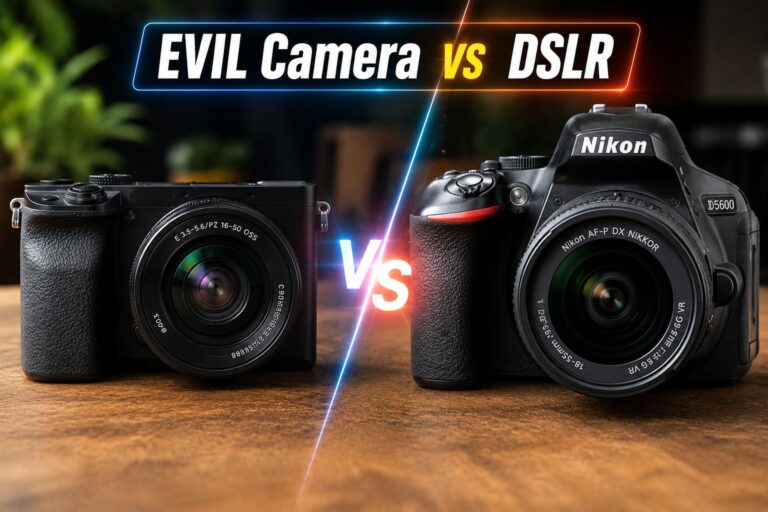
Choose a mirrorless camera if you want the best balance of image quality, size, and future-proofing.

Choose a DSLR if you’re on a tight budget and can find a used model or prefer an optical viewfinder.

Choose a compact if you want something pocketable for travel with better quality than a phone.

Choose a smartphone if you’re just starting and want to learn composition before spending money.

Best Camera for Beginners: Top Picks in 2026

These cameras consistently earn strong marks from photography educators and user communities for beginner use.

🥇 Sony ZV-E10 II — Best Overall Beginner Mirrorless

  • Sensor: 26MP APS-C
  • Video: 4K/60fps
  • Why beginners love it: Simple vlog-friendly design, excellent subject-tracking AF, compact body
  • Price (est.): Around $750 with kit lens
  • Best for: Vloggers, content creators, photography students

🥈 Canon EOS R50 — Best for Photo-First Beginners

  • Sensor: 24.2MP APS-C
  • Video: 4K (with crop)
  • Why beginners love it: Canon’s color science, beginner-friendly intuitive menus, and great RF-S lens lineup
  • Price (est.): Around $680 with kit lens
  • Best for: Portrait, family, and travel photography beginners

🥉 Fujifilm X-S20 — Best for Creative Learners

  • Sensor: 26.1MP APS-C X-Trans
  • Video: 6.2K open-gate, 4K/60fps
  • Why beginners love it: Film simulation modes make learning color grading fun, excellent build quality
  • Price (est.): Around $1,299 body only (slightly above entry-level but worth the stretch)
  • Best for: Beginners who want to grow fast and love a retro shooting experience

Budget Pick: Canon EOS Rebel SL3 (DSLR)

  • Sensor: 24.1MP APS-C
  • Why it works: It’s the Lightest DSLR Canon makes, and the guided mode walks beginners through every setting
  • Price (est.): Around $650 with kit lens (often found used for $350–$450)
  • Best for: Budget-conscious beginners who prefer a traditional camera feel

How Much Should a Beginner Spend on a Camera?

Most beginners get the best value in the $400–$800 range for a camera body plus kit lens. Spending more doesn’t accelerate learning — spending on courses and practice does.

A realistic beginner budget breakdown:

  • Camera body + kit lens: $450–$800
  • Extra battery: $25–$50
  • Memory card (UHS-I or UHS-II): $20–$50
  • Camera bag or strap: $30–$80
  • Editing software: Free (Lightroom mobile, Snapseed) to $10/month

Total realistic starter kit: $525–$980

One often-overlooked accessory: a stable tripod. If you plan to shoot landscapes, portraits, or video, a stable and portable tripod makes a meaningful difference even for beginners.

Common mistake: Buying a body-only camera without budgeting for a lens. Always factor in the full kit cost.

Best Camera for Beginners: Mirrorless vs. DSLR — Which Wins in 2026?

For most beginners starting in 2026, mirrorless cameras are the better choice. DSLRs are mature technology with shrinking manufacturer support, while mirrorless systems are where all major brands are investing.

Mirrorless advantages for beginners:

  • Faster, more accurate autofocus (especially face and eye tracking)
  • Lighter and more compact bodies
  • Better video capabilities at the same price point
  • The electronic viewfinder shows exposure preview before you shoot

DSLR advantages that still matter:

  • Longer battery life per charge (often 500–900 shots vs. 300–400 for mirrorless)
  • Lower used prices—a used Canon Rebel T8i or Nikon D3500 can be found for under $400
  • Optical viewfinder preferred by some photographers

Bottom line: If buying new, go mirrorless. If on a tight budget and buying used, a DSLR is still a solid learning tool.

Does Sensor Size Matter for Beginner Photographers?

Yes, but not as much as marketing suggests. For beginners, an APS-C sensor is the practical sweet spot — it produces noticeably better low-light photos than a smartphone and is far more affordable than a full-frame sensor.

Sensor size comparison:

  • Full-frame (35mm): Professional quality, expensive ($1,500+), heavier lenses
  • APS-C: Best beginner option — great image quality, affordable, wide lens selection
  • Micro Four Thirds (MFT): Compact system with good quality (Olympus/OM System, Panasonic)
  • 1-inch: Found in premium compacts like Sony RX100 series—good for travel

Choose APS-C if you want the best balance of image quality, cost, and lens availability as a beginner.

Can a smartphone replace a beginner camera in 2026?

For casual photography and social media content, yes — modern flagship smartphones are genuinely capable. For learning photography fundamentals or producing print-quality images, a dedicated camera still has clear advantages.

Smartphones like the Apple iPhone 17 Pro Max and Google Pixel 10 Pro XL produce stunning photos with computational photography. However, they have physical limits:

  • Smaller sensors struggle more in low light without AI processing
  • Limited optical zoom range compared to interchangeable lenses
  • Less manual control for learning aperture, shutter speed, and ISO

Use a smartphone if you’re just discovering photography and not ready to invest in gear yet. Transition to a dedicated camera when you find yourself frustrated by the phone’s limitations—that’s the signal you’re ready.

For content creators who shoot video on the go, pairing a smartphone with a DJI Osmo Mobile 8 gimbal is a practical alternative to buying a dedicated camera.

What Accessories Does a Beginner Photographer Actually Need?

Keep it simple at first. The gear that genuinely helps beginners:

Essential:

  • Extra battery (one is never enough)
  • Fast memory card (64GB–128GB, UHS-I minimum)
  • Microfiber cleaning cloth
  • Camera strap (the included one is usually fine)

Useful but not urgent:

  • Tripod (critical for video, landscapes, and low-light shots)
  • 50mm prime lens (often called the “nifty fifty” — cheap and teaches composition)
  • Camera bag or backpack

Skip for now:

  • External flash (learn natural light first)
  • Filters (useful later, not essential at the start)
  • Multiple lenses (the kit lens covers 90% of beginner needs)

For those who also shoot with a smartphone, explore the full range of camera accessories and gear to find options that complement your setup.

How Do You Learn Photography Faster as a Beginner?

Gear is secondary to practice and deliberate learning. The fastest path to improvement:

  1. Shoot in aperture priority (Av/A) mode first—learn how aperture affects depth of field before going full manual.
  2. Review your shots critically — ask why a photo didn’t work, not just whether you like it.
  3. Limit yourself to one lens for the first 3 months — constraints force creativity.
  4. Follow a structured online course — YouTube channels like Tony Northrup, Peter McKinnon, and Mango Street are free and excellent.
  5. Join a community — Reddit’s r/photography and r/photoclass are active and beginner-friendly.
  6. Edit your photos — post-processing is half the craft; start with free tools like Lightroom Mobile.

FAQ: Best Camera for Beginners

Q: What is the single best camera for an absolute beginner in 2026?
The Sony ZV-E10 II is the top pick for most beginners in 2026 — it’s compact, shoots excellent 4K video, has reliable autofocus, and is priced around $750 with a kit lens.

Q: Is a mirrorless or DSLR better for beginners?
Mirrorless is better for beginners buying new gear in 2026. DSLRs are still viable if bought used on a budget, but mirrorless cameras offer better autofocus, video, and future lens support.

Q: How much should a beginner spend on their first camera?
A budget of $500–$800 for a camera body plus kit lens is the practical sweet spot. Spending more won’t accelerate skill development.

Q: Can I learn photography with a smartphone first?
Yes. A flagship smartphone is a legitimate learning tool for composition and light. Upgrade to a dedicated camera when you consistently feel limited by the phone’s capabilities.

Q: What is the best beginner camera for video?
The Sony ZV-E10 II leads for video beginners due to its 4K/60fps output, subject-tracking AF, and vlog-friendly design. The Fujifilm X-S20 is the premium alternative.

Q: Do I need a full-frame camera as a beginner?
No. Full-frame cameras are heavier, more expensive, and require pricier lenses. An APS-C mirrorless camera will produce excellent results for years before you outgrow it.

Q: What lens should a beginner use first?
The kit lens (typically 15–45mm or 18–55mm) that comes bundled with the camera is the right starting point. A 50mm f/1.8 prime lens (around $100–$200) is the best first upgrade.

Q: Is the Canon EOS R50 good for beginners?
Yes. The Canon EOS R50 is one of the most beginner-friendly mirrorless cameras available, with intuitive menus, reliable autofocus, and excellent still image quality.

Q: What’s the best budget beginner camera under $500?
A used Canon EOS Rebel SL3 or Nikon D3500 can be found for under $400–$450 and is an excellent learning tool. For new purchases, the Sony ZV-E10 (original) occasionally dips below $500.

Q: Should a beginner buy a camera kit or body only?
Always buy a kit (body + lens) as a beginner. Kit lenses are genuinely useful and cost far less when bundled than when purchased separately.

Q: How important is megapixel count for beginners?
Not very important at the beginner stage. Any camera with 20+ megapixels produces more than enough detail for social media, prints, and learning. Focus on autofocus quality and usability instead.

Q: What camera brand is best for beginners?
Sony, Canon, and Fujifilm all make excellent beginner cameras in 2026. Canon is often recommended for its intuitive menus, Sony for its autofocus technology, and Fujifilm for its creative film simulations and build quality.

Conclusion: Your Next Steps

Finding the best camera for beginners comes down to three honest questions: How much do you want to spend? What will you shoot most (photos, videos, or travel)? And how seriously do you want to pursue photography long-term?

For most people reading this in 2026, the Sony ZV-E10 II or Canon EOS R50 are the clearest starting points—both are well-supported, genuinely capable, and won’t feel limiting for at least two to three years of active learning.

Actionable next steps:

  1. Set your budget before browsing—include a lens, a memory card, and a spare battery.
  2. Visit a camera store if possible to hold the body before buying—ergonomics matter.
  3. Buy the kit lens bundle rather than the body-only for your first camera.
  4. Start shooting the day it arrives — don’t wait to “learn more” first.
  5. Pick one free online course and work through it in your first month.
  6. Pair your camera with a stabilizer if video is a priority—check out the DJI Osmo Mobile 8 as a compact option.

The best camera for beginners is the one that gets you shooting, learning, and improving — not the one with the most impressive spec sheet.

References

  • Sony Official Product Page, ZV-E10 II Specifications—sony.com (2024)
  • Canon Official Product Page, EOS R50 Specifications—canon.com (2023)
  • Fujifilm Official Product Page, X-S20 Specifications — fujifilm.com (2023)
  • DPReview Camera Buying Guide for Beginners—dpreview.com (2024)
  • Photography Life, “Best Cameras for Beginners” — photographylife.com (2024)

When Were Cameras Invented? A Complete History of Camera Technology

When Were Cameras Invented

Quick Answer

When Were Cameras Invented? Cameras were invented in stages rather than at one exact moment. The first permanent photograph was captured in 1826 or 1827 by French inventor Nicéphore Niépce using a camera obscura and a light-sensitive surface. Later, in 1839, Louis Daguerre introduced the daguerreotype process, widely recognized as the beginning of modern photography and the first practical camera system.

Key Takeaways

  • 📷 The concept of the camera obscura (a light-projecting box) dates back to the 11th century, but it could not record images
  • 🖼️ The first permanent photograph was taken around 1826–1827 by Nicéphore Niépce
  • 📅 The daguerreotype, the first practical camera system, was publicly announced in 1839
  • 🎞️ Film cameras became widespread after George Eastman launched the Kodak camera in 1888
  • 💡 The first digital camera was built by Kodak engineer Steven Sasson in 1975
  • 📱 Smartphone cameras entered the mainstream with the Nokia 7650 in 2002 and exploded with the iPhone in 2007
  • 🔬 Camera technology has evolved from hours-long exposures to instant, AI-enhanced images in under 200 years
  • 🌍 As of 2026, an estimated 1.8 trillion photos are taken each year (Visual Capitalist, 2023 estimate)
  • 🏆 Understanding this history helps explain why modern cameras—from DSLRs to smartphone sensors—work the way they do

When Were Cameras Invented? The Origins Explained

When Were Cameras Invented

The question of when cameras were invented depends on how you define “camera.” If the definition includes any device that projects light to form an image, the answer reaches back over a thousand years. If the definition requires capturing and preserving that image, the answer is the early 19th century.

The camera obscura—Latin for “dark room”—was described by Arab scholar Ibn al-Haytham (Alhazen) around 1021 CE. It worked by allowing light through a small hole into a darkened space, projecting an inverted image of the outside world onto the opposite wall. Artists used it for centuries as a drawing aid, but it could not save images.

The leap from projection to preservation happened when chemistry caught up with optics.

The Camera Obscura: The Ancient Ancestor of Photography

The camera obscura is the direct ancestor of every camera in existence today. It is not an exaggeration to say that without it, modern photography — and by extension, the camera technology in today’s smartphones — would not exist.

How it worked:

  • Light enters through a tiny aperture (hole) in a darkened enclosure
  • The light rays cross and project an inverted, full-colour image on the opposite surface
  • The image is real and accurate, but disappears the moment light is blocked

By the 16th and 17th centuries, portable camera obscura boxes were common tools among European artists and scientists. The challenge everyone recognized: how do you make the image stay?

“The camera obscura gave artists a perfect image. Chemistry gave that image a permanent home.”

Who Took the First Photograph, and When?

The first known permanent photograph was taken by Nicéphore Niépce in 1826 or 1827 (historians debate the exact year). Niépce coated a pewter plate with bitumen of Judea, a naturally light-sensitive substance, and placed it inside a camera obscura pointed out of his upstairs window in Burgundy, France. The exposure took approximately 8 hours.

The result, known as “View from the Window at Le Gras,” is blurry by any modern standard, but it is the oldest surviving photograph in the world.

Key milestones in early photography:

Year Inventor Achievement
1826/27 Nicéphore Niépce First permanent photograph
1839 Louis Daguerre The daguerreotype process was announced publicly
1841 William Henry Fox Talbot The calotype (paper negative) process was patented
1851 Frederick Scott Archer Wet collodion process — sharper, faster
1871 Richard Leach Maddox Dry gelatin plates—no more wet chemistry in the field

Niépce and Daguerre later partnered, but Niépce died in 1833 before their work was complete. Daguerre refined the process, and on January 7, 1839, the French Academy of Sciences announced the daguerreotype to the world. France effectively gave the invention as a “gift to the world” by making the process available.

When Were Cameras Invented for Everyday Use? The Film Era

The daguerreotype was remarkable but impractical for most people. Each image was unique and fragile and required a trained operator. The shift toward cameras for everyday use came in the late 19th century.

George Eastman changed everything. In 1888, his company (later known as Kodak) released a simple box camera preloaded with enough film for 100 exposures. The tagline was direct: “You press the button, we do the rest.” Users mailed the entire camera back to Kodak, which developed the film and returned the camera reloaded.

This was the moment cameras became a consumer product rather than a professional tool.

The film era timeline:

  • 1888 — Kodak No. 1 box camera; roll film for consumers
  • 1900 — Kodak Brownie: cameras cost just $1, making photography accessible to children
  • 1925 — Leica I introduced the 35mm film format for still cameras
  • 1936 — Exakta released one of the first single-lens reflex (SLR) cameras
  • 1948 — Polaroid Model 95; instant photography arrives
  • 1959 — Nikon F, the professional SLR that defined photojournalism for decades

The 35mm SLR camera became the gold standard for serious photographers and remained dominant for over 50 years.

When Was the Digital Camera Invented?

The digital camera was invented in 1975 by Steven Sasson, an engineer at Eastman Kodak. His prototype weighed 3.6 kg (about 8 pounds), captured black-and-white images at a resolution of 0.01 megapixels (10,000 pixels), and took 23 seconds to record a single image to a cassette tape. Viewing the image required connecting the device to a television set.

Kodak held back commercial development for years, partly to protect its profitable film business—a decision widely cited as one of the most costly strategic mistakes in corporate history.

Digital camera milestones:

  • 1975 — Sasson’s prototype at Kodak (internal only)
  • 1981 — Sony Mavica; first commercial electronic still camera (stored images on floppy disk)
  • 1990 — Dycam Model 1; first fully digital consumer camera sold in the US
  • 1994 — Apple QuickTake 100; one of the first mass-market digital cameras
  • 1999 — Nikon D1; first affordable professional digital SLR
  • 2000s — Megapixel counts climbed rapidly; film cameras declined sharply

By the mid-2000s, digital had largely replaced film for consumer photography.

How Smartphone Cameras Changed Everything

Smartphone cameras represent the most recent and most disruptive chapter in the history of cameras. The Nokia 7650 (2002) was among the first phones with a built-in camera, but the quality was minimal. The Apple iPhone (2007) popularized the idea of a capable camera always in your pocket.

Today, the cameras built into flagship smartphones rival dedicated cameras for most everyday uses. Computational photography — using software and AI to enhance images — has become as important as the physical lens and sensor.

For a look at what modern smartphone cameras can do, the Apple iPhone 17 Pro Max and Samsung Galaxy S26 Ultra represent the current state of the art in 2026. The Google Pixel 10 Pro XL is another strong example of how AI-driven camera processing has reshaped what’s possible from a pocket-sized device.

What makes modern smartphone cameras different:

  • Multiple lenses (wide, ultrawide, telephoto) in a single device
  • AI scene detection and automatic optimization
  • Computational HDR and night mode
  • 8K video recording in some flagship models
  • Real-time object and face recognition

When Were Cameras Invented Compared to Other Key Technologies?

Putting camera history in context helps show how rapidly the technology evolved once it started.

Technology Year Invented Years After Camera Obscura Concept
Camera obscura (concept) ~1021 CE
First permanent photograph 1826 ~805 years
First practical camera (daguerreotype) 1839 ~818 years
Consumer roll-film camera 1888 ~867 years
First digital camera prototype 1975 ~954 years
First smartphone camera 2002 ~981 years
AI-enhanced computational photography ~2016 ~995 years

The gap between the camera obscura and the first photograph spans eight centuries. The gap between the first photograph and the digital camera spans less than 150 years. The acceleration is striking.

How Did Camera Technology Evolve So Quickly?

Three forces drove the rapid evolution of cameras after 1839: chemistry, mechanics, and electronics.

Chemistry made faster exposures possible. Early daguerreotypes required minutes of exposure time. By the 1870s, dry gelatin plates could capture a moving subject in a fraction of a second.

Mechanics made cameras smaller and more reliable. The development of precision optics, shutter mechanisms, and film transport systems turned cameras from fragile studio equipment into portable tools.

Electronics eliminated film and introduced computational processing. Once image sensors (CCDs and later CMOS chips) could convert light directly into digital data, the pace of improvement accelerated dramatically.

Today, pairing a quality camera with the right accessories — like a tripod for your phone camera — can produce results that would have seemed impossible even 20 years ago. Specialty cameras, such as the VIMTAG 5G Pet Camera with 360° rotation, show how far the technology has branched into niche applications.

FAQ: When Were Cameras Invented?

Q: What year was the camera officially invented?
A: There is no single official year. The first permanent photograph was taken around 1826–1827. The first publicly available camera system, the daguerreotype, launched in 1839. Most historians use 1839 as the birth year of practical photography.

Q: Who invented the first camera?
A: Nicéphore Niépce created the first permanent photograph around 1826. Louis Daguerre developed the first practical, commercially usable camera process, announced in 1839. Both men are credited as founding figures of photography.

Q: What was the first camera called?
A: The device Niépce used was a modified camera obscura. Daguerre’s commercial system was called the daguerreotype. The word “camera” itself derives from “camera obscura.”

Q: When was the first digital camera invented?
A: Steven Sasson at Kodak built the first digital camera prototype in 1975. The first consumer digital camera sold commercially in the US was the Dycam Model 1 in 1990.

Q: When did cameras become affordable for regular people?
A: The Kodak Brownie in 1900 sold for $1 and made cameras genuinely affordable for ordinary families. Before that, photography was largely limited to professionals and the wealthy.

Q: How long did early photographs take to expose?
A: Niépce’s first photograph required roughly 8 hours of exposure. By the 1840s, daguerreotypes needed only a few minutes. By the 1870s, exposures dropped to fractions of a second.

Q: When did film cameras become obsolete?
A: Film cameras declined sharply after 2000 as digital cameras became affordable. Kodak filed for bankruptcy in 2012. Film is still used by enthusiasts and some professional photographers in 2026, but it is no longer the mainstream format.

Q: What is computational photography?
A: Computational photography uses software algorithms — increasingly AI-based — to process and enhance images beyond what the physical lens and sensor capture alone. It became mainstream in smartphone cameras around 2016–2018.

Q: What was the camera obscura?
A: The camera obscura was a darkened box or room with a small hole that projected an inverted image of the outside world onto the opposite surface. It could not capture or save images, but it was the optical foundation for all cameras that followed.

Q: Is the iPhone considered a camera?
A: Yes. Modern smartphones are fully functional cameras with multiple lenses, large sensors, and advanced image processing. For most users in 2026, a smartphone camera handles all everyday photography needs.

Conclusion: From a Dark Room to Your Pocket

The history of cameras spans roughly 1,000 years if the camera obscura is included, or about 200 years if the starting point is the first preserved photograph. Either way, the trajectory is clear: each generation of inventors solved the problem left by the last one, moving from projection to preservation, from silver plates to film rolls, from film to digital sensors, and from dedicated devices to the computational cameras built into every modern smartphone.

Actionable next steps for camera enthusiasts in 2026:

  1. Explore camera history firsthand—many science museums hold original daguerreotypes and early Kodak cameras
  2. Understand your current camera’s heritage—the sensor in your smartphone is a direct descendant of Sasson’s 1975 prototype
  3. Upgrade thoughtfully—if you’re evaluating modern cameras, check out our reviews of the Samsung Galaxy S26 Ultra and the Google Pixel 10 Pro XL to see how far the technology has come
  4. Invest in accessories—even the best camera benefits from stable support; a quality cell phone tripod can meaningfully improve your results
  5. Browse the full camera category at TechnoItem’s camera hub for current reviews and buying guides

The camera was never invented just once. It has been reinvented, again and again, by people who believed the last version wasn’t good enough.

References

  • Gernsheim, H. (1982). The Origins of Photography. Thames and Hudson.
  • Rosenblum, N. (1997). A World History of Photography (3rd ed.). Abbeville Press.
  • Sasson, S. (2007). “We Had No Idea.” Plugged In (Kodak blog). [Archived source]
  • Visual Capitalist. (2023). “How Many Photos Will Be Taken in 2023?” visualcapitalist.com
  • The George Eastman Museum (2020). Photography and the Invention of the Camera. eastman.org
  • British Journal (2020). “Nokia 7650: The Camera Phone Arrives.” BJP archive (2002).
  • Ibn al-Haytham (Alhazen). (c. 1021 CE). Book of Optics (Kitab al-Manazir)—historical text.

Best Vlogging Camera in 2026: The Complete Buyer’s Guide

best vlogging camera

Key Takeaways

  • 📷 Flip screens are non-negotiable for solo vloggers — always check for a fully articulating display before buying.
  • 🎙️ Audio quality matters as much as video — built-in mics are rarely enough; plan for an external mic from day one.
  • 🔋 Battery life and overheating are the two most common complaints in real-world vlogging use — check user reviews carefully.
  • 💡 Sensor size affects low-light performance — APS-C sensors offer the best balance of image quality and compact body size for most vloggers.
  • 🎯 4K at 30fps is now the baseline — look for 4K/60fps if you plan to slow down footage or future-proof your content.
  • 💰 Budget tiers matter — under $500, $500–$1,200, and $1,200+ each offer meaningfully different capabilities.
  • 🤳 Smartphone cameras have closed the gap — for travel vloggers who prioritize portability, a phone like the Apple iPhone 18 Pro Max is a serious contender.
  • 🎬 Stabilization type matters — in-body image stabilization (IBIS) beats electronic stabilization for quality; a gimbal adds another layer.
  • ⚖️ Weight and form factor affect how often you actually use the camera — the best camera is the one you carry.
  • 🔌 USB-C charging is now expected — avoid cameras that still rely on proprietary chargers.

What Makes a Camera the Best Vlogging Camera?

Best Vlogging Camera

The best vlogging camera must solve three practical problems at once: capturing clean video in variable lighting, recording usable audio, and staying portable enough to use consistently.

Unlike filmmaking cameras built for controlled sets, a vlogging camera lives in the real world — in bags, on selfie sticks, and in front of faces in coffee shops. That context changes everything about what specs actually matter.

Core features every vlogging camera should have:

  • Fully articulating or flip-out touchscreen — essential for framing yourself when shooting solo
  • Fast, reliable autofocus — face and eye tracking saves footage that would otherwise be blurry and unusable
  • 4K video recording — at minimum 4K/30fps; 4K/60fps is better for flexibility in editing
  • Good low-light performance — most vlogging happens in imperfect lighting; a larger sensor helps significantly
  • External microphone input — a 3.5mm jack or USB-C audio input opens up far better audio options
  • Compact, lightweight body — anything over 700g with a lens becomes a burden on long shooting days
  • USB-C charging — charge from a power bank while traveling; this is a practical necessity in 2026

Features that sound important but rarely matter for vloggers:

  • RAW photo shooting (most vloggers shoot video only)
  • Weather sealing (useful but rarely decisive)
  • Dual card slots (overkill for solo content creators)

Best Vlogging Camera by Budget: Which Tier Is Right for You?

Choosing the best vlogging camera starts with being honest about budget, because the performance gap between tiers is real but not always worth the price difference for new creators.

Under $500: Best Entry-Level Vlogging Cameras

At this price, the options are compact cameras, older mirrorless bodies, and smartphones. The Sony ZV-1 II (compact, fixed lens) and Canon PowerShot V10 are purpose-built for vlogging at this price point. Both include flip screens, decent autofocus, and built-in ND filters or wind noise reduction.

Choose this tier if: You’re just starting, unsure about long-term commitment, or primarily shooting in good lighting conditions.

Common mistake: Buying a DSLR at this price. Older DSLRs lack flip screens and have poor video autofocus compared to modern mirrorless options.

Visit Amazon: https://amzn.to/4eMk5Hd

$500–$1,200: The Sweet Spot for Most Vloggers

This range includes the Sony ZV-E10 II, Canon EOS R50, and Fujifilm X-S20 — all APS-C mirrorless cameras with interchangeable lenses, excellent autofocus, and 4K video. This is where most serious vloggers land, and for good reason. The image quality jump from the sub-$500 tier is significant.

Choose this tier if: You’re committed to creating content regularly and want room to grow your lens collection.

$1,200 and Above: Advanced Vlogging Cameras

The Sony ZV-E1 (full-frame, designed specifically for video creators), Canon EOS R7, and Sony A7C II live here. Full-frame sensors deliver noticeably better low-light footage and a more cinematic look. These cameras also tend to have better heat management for long recording sessions.

Choose this tier if: You’re monetizing content, shooting in challenging environments, or need the absolute best image quality.

Mirrorless vs. Compact vs. Smartphone: Which Type Wins?

For most vloggers in 2026, a mirrorless camera is the best vlogging camera type — but that’s not true for everyone.

Camera Type Best For Drawbacks
Mirrorless (APS-C) Most vloggers; best balance of quality and size Requires lens investment; learning curve
Mirrorless (Full-Frame) Professional creators; low-light, heavy shooting Expensive, larger, and heavier
Compact/Fixed Lens Travel, simplicity, and budget-conscious creators Limited upgrade path; smaller sensors
Action Camera (GoPro) Adventure, sports, hands-free vlogging Poor audio; limited zoom; small sensor
Smartphone Ultra-portability; casual creators Limited manual control; smaller sensor

The smartphone case: Modern flagships like the Google Pixel 10 Pro XL or Samsung Galaxy S26 Ultra shoot genuinely impressive 4K video with computational stabilization. For travel vloggers who can’t carry extra gear, a flagship phone paired with a wireless microphone and a phone tripod can replace a dedicated camera entirely.

What Autofocus Features Actually Matter for Vlogging?

Autofocus quality is arguably the most important spec for solo vloggers, more than resolution or sensor size.

When shooting alone — walking, talking, moving — the camera must track your face and eyes without losing focus or hunting. The difference between good and bad autofocus is the difference between usable and unusable footage.

What to look for:

  • Real-time face and eye tracking — Sony’s autofocus system (used in the ZV-E10 II and ZV-E1) is widely considered the benchmark; Canon’s Dual Pixel CMOS AF II is a close competitor
  • Subject recognition — some cameras now recognize animals, vehicles, and even specific face profiles
  • Tracking speed — test how quickly the camera reacquires focus after you step out of frame and return

Edge case: In very low light (below EV 0), even the best autofocus systems struggle. If you shoot in dark environments regularly, manual focus peaking becomes a useful fallback.

How Important Is Audio for a Vlogging Camera?

Audio quality can make or break a vlog more than video quality. Viewers tolerate imperfect visuals far longer than they tolerate bad audio.

Built-in microphones on most cameras — even good ones — pick up wind noise, camera handling sounds, and room echo. An external microphone is almost always worth the investment.

Audio setup options by budget:

  • Budget: Rode VideoMicro II or DJI Mic Mini (clips directly to camera or clothing; under $80)
  • Mid-range: Rode Wireless GO II (wireless lavalier system; around $300)
  • Pro: Sennheiser MKE 400 (directional shotgun mic; excellent for outdoor use)

What to check on the camera itself:

  • 3.5mm microphone input (standard; most mirrorless cameras have this)
  • Headphone monitoring jack (lets you hear audio while recording — underrated feature)
  • Wind noise reduction settings (useful for outdoor shooting)

For wireless microphone options, the Mini Mic Pro Wireless is a compact and affordable solution that works well with most cameras and smartphones.

Stabilization: IBIS, Electronic, or Gimbal?

Shaky footage kills viewer retention. Stabilization is a must-have for any vlogging camera used while walking or moving.

Three stabilization approaches:

  1. In-Body Image Stabilization (IBIS): Physical sensor movement compensates for camera shake. Delivers the best quality with no crop. Found in Sony ZV-E1, Canon EOS R7, Fujifilm X-S20.
  2. Electronic Image Stabilization (EIS): Crops the image and uses software to smooth footage. Works well, but reduces the field of view and can look artificial in fast movement.
  3. Gimbal: A motorized stabilizer that physically keeps the camera level. Adds bulk but delivers cinema-quality smooth footage. The DJI Osmo Mobile 8 is a popular option for smartphone vloggers.

Best approach for most vloggers: IBIS combined with a wide-angle lens. Add a gimbal only if you shoot a lot of walking footage or action sequences.

Top Vlogging Camera Picks for 2026 at a Glance

Camera Sensor 4K Flip Screen IBIS Price Range
Sony ZV-E10 II APS-C 4K/60fps ~$750
Canon EOS R50 APS-C 4K/30fps ~$680
Fujifilm X-S20 APS-C 4K/60fps ~$1,299
Sony ZV-E1 Full-Frame 4K/60fps ~$2,200
Canon EOS R7 APS-C 4K/60fps ~$1,499
Sony ZV-1 II 1-inch 4K/30fps ~$750

Prices are approximate retail estimates as of mid-2026 and may vary by region and retailer.

Common Mistakes When Buying a Vlogging Camera

Even experienced buyers make avoidable errors. Here are the most common ones:

  • Prioritizing megapixels over video specs. Megapixels are a photometric. For video, look at bitrate, color profiles, and rolling shutter performance instead.
  • Ignoring the lens. A $700 camera body with a kit lens will often underperform a $500 body with a quality prime lens. Budget for glass.
  • Forgetting about battery life. Most mirrorless cameras get 200–400 shots per charge. For long shooting days, buy at least two extra batteries and a dual charger.
  • Skipping audio planning. Buying a great camera and using the built-in mic is one of the most common beginner mistakes.
  • Buying too many cameras too soon. A $2,000 camera won’t make content better if the fundamentals — lighting, framing, audio — aren’t in place first.

For broader camera and tech gear reviews, the TechnoItem camera category covers a wide range of options across budgets.

FAQ: Best Vlogging Camera Questions Answered

Q: What is the best vlogging camera for beginners in 2026?
The Sony ZV-E10 II or Canon EOS R50 are the top beginner picks. Both offer flip screens, reliable face-tracking autofocus, 4K video, and interchangeable lenses at under $800.

Q: Can a smartphone replace a dedicated vlogging camera?
For casual creators and travel vloggers, yes. Flagships like the Apple iPhone 18 Pro Max or Samsung Galaxy S26 Ultra shoot excellent 4K video. A dedicated camera still wins on low-light performance, shallow depth of field, and external audio options.

Q: Do I need a full-frame camera for vlogging?
No. APS-C cameras handle the vast majority of vlogging scenarios well. Full-frame is worth considering only if you shoot heavily in low light or want a more cinematic look and have the budget.

Q: What lens should I use for vlogging?
A wide-angle prime lens (16mm–24mm equivalent) works best for solo vlogging at arm’s length. The Sony 15mm f/1.4 G and Sigma 16mm f/1.4 are popular choices for APS-C cameras.

Q: Is 4K really necessary for vlogging?
In 2026, yes — 4K is the standard upload resolution for YouTube and most platforms. It also gives you the flexibility to crop in editing without losing quality.

Q: How much should I spend on my first vlogging camera?
A realistic starting budget is $500–$800 for the body, plus $100–$200 for a lens and $50–$100 for a basic external microphone. Total: around $700–$1,100 for a solid beginner setup.

Q: What’s the best vlogging camera for travel?
The Sony ZV-1 II (compact, fixed lens, built-in ND filter) or a flagship smartphone with a gimbal like the DJI Osmo Mobile 8. Both prioritize portability without sacrificing too much quality.

Q: Does the camera need Wi-Fi or Bluetooth?
It’s a useful feature but not essential. Wi-Fi and Bluetooth allow wireless file transfer to a phone for quick social media uploads. Most modern cameras include this.

Q: What’s the difference between a vlogging camera and a regular camera?
A vlogging camera prioritizes video features — flip screen, face-tracking autofocus, clean HDMI output, good audio input, and compact size. A “regular” camera may prioritize still photo specs instead.

Q: How do I stabilize my vlogging footage without IBIS?
Use a gimbal, shoot with a wide-angle lens (wider lenses hide shake better), enable electronic stabilization in-camera, or use stabilization in editing software. Combining two of these methods works well.

Conclusion: Choosing the Best Vlogging Camera for Your Needs

The best vlogging camera isn’t the one with the most specs — it’s the one that fits your workflow, budget, and the environments where you actually shoot.

Actionable next steps:

  1. Define your use case first. Are you shooting indoors, outdoors, traveling, or in a studio? This narrows your options faster than any spec sheet.
  2. Set a realistic total budget — body, lens, microphone, and extra batteries together.
  3. Prioritize flip screen + autofocus + audio input as your three non-negotiables.
  4. Test before you buy if possible — many camera stores allow in-store demos.
  5. Don’t wait for the perfect camera. Start with what you can afford and upgrade once you understand what you actually need.

For creators who want the best balance of quality and value in 2026, the Sony ZV-E10 II and Canon EOS R50 remain the strongest recommendations at the mid-range. If budget allows, the Fujifilm X-S20 adds IBIS and better video specs for a meaningful quality upgrade. And if portability is the priority, pair a flagship phone with a quality wireless mic and a phone tripod — that setup will outperform many dedicated cameras in the hands of a skilled creator.

References

  • Sony Corporation. ZV-E10 II Product Specifications. Sony.com. 2024.
  • Canon USA. EOS R50 Product Page. Canon.com. 2023.
  • Fujifilm. X-S20 Specifications. Fujifilm.com. 2023.
  • DPReview Staff. Best Cameras for Video 2024. DPReview.com. 2024.
  • Rode Microphones. VideoMicro II Product Overview. Rode.com. 2023.
  • DJI. Osmo Mobile 8 Product Specifications. DJI.com. 2024.

Best 10000mAh vs 20000mAh Power Bank Comparison for Smart Charging

10000mAh vs 20000mAh Power Bank

Key Takeaways

  • A 10000mAh power bank typically weighs 180–220g and fits in a jacket pocket; a 20000mAh unit usually weighs 350–450g and needs a bag.
  • A 10000mAh bank can fully charge most modern smartphones (4000–5000mAh batteries) roughly 1.5–2 times; a 20000mAh bank can do it 3–4 times.
  • Real-world usable capacity is about 70–80% of the rated mAh due to conversion losses.
  • Most airlines allow power banks up to 100Wh (roughly 27000mAh at 3.7V) in carry-on luggage — both sizes are generally permitted.
  • 20000mAh banks cost more and charge more slowly (longer recharge time for the bank itself).
  • For single-device, daily commuters: choose 10000mAh.
  • For multi-day trips, multiple devices, or tablet/laptop charging: choose 20000 mAh.
  • Fast-charging support (PD 45W, 65W) matters more than raw capacity for many users in 2026.
  • Visit Amazon: https://amzn.to/3RKV9Gn

What Do 10000mAh and 20000mAh Actually Mean?

Best 10000mAh vs 20000mAh Power Bank

“mAh” stands for “milliampere-hour”; it measures how much electrical charge a battery can store. A higher number means more stored energy, which translates to more charges for your devices.

Here’s the practical breakdown:

Spec 10000mAh Power Bank 20000mAh Power Bank
Typical weight 180–220g 350–450g
Typical size Pocket-sized Palm-to-fist-sized
Smartphone charges (5000mAh phone) ~1.5–2x ~3–4x
Tablet charges (8000mAh tablet) ~0.8–1x ~1.5–2x
Recharge time (via 18W) ~3–4 hours ~6–8 hours
Average price range (2026) $20–$45 $35–$70

Important caveat: No power bank delivers 100% of its rated capacity. Energy is lost during the conversion from battery voltage (3.7V) to output voltage (5V or higher). Expect roughly 70–80% usable efficiency. So a 10000mAh bank delivers about 7000–8000mAh of actual charging power to your device.

How Many Charges Does Each Size Actually Provide?

The number of charges you get depends on your device’s battery size, not just the power bank’s capacity. Use the 70–80% efficiency rule as your baseline.

Here are realistic estimates for popular devices in 2026:

10000mAh Power Bank (usable ~7500mAh):

  • iPhone 18 Pro Max (~4685mAh battery): ~1.5 full charges
  • Samsung Galaxy S26 Ultra (~5000mAh battery): ~1.5 full charges — see our Samsung Galaxy S26 Ultra review for battery details
  • Google Pixel 10 Pro XL (~5000mAh battery): ~1.5 full charges — check the Google Pixel 10 Pro XL review for real-world battery performance
  • iPad Pro (~10758mAh): ~0.7 partial charge

20000mAh Power Bank (usable ~15000mAh):

  • iPhone 18 Pro Max: ~3 full charges
  • Samsung Galaxy S26 Ultra: ~3 full charges
  • iPad Pro: ~1.4 full charges
  • Small laptop (45Wh battery): ~1 full charge (with 65W PD output)

Decision rule: If you charge one phone per day and return home each evening, 10000mAh is more than enough. If you’re away for 2+ days or carry multiple devices, the 20000mAh bank pays for the extra weight.

10000 mAh vs. 20000 mAh Power Bank: Which One Should You Buy for Travel?

Best 10000mAh vs 20000mAh Power Bank

For air travel, both sizes are allowed on most airlines as carry-on items. The key limit is 100Wh (watt-hours), which equals roughly 27,000mAh at 3.7V—so both 10,000mAh and 20,000mAh banks fall well within limits. Always check your specific airline’s policy before flying.

For daily commuting or short trips:

  • A 10000 mAh bank slips into a jacket pocket or small bag
  • It adds minimal weight to your daily carry
  • It handles one full emergency charge with capacity to spare

For international travel or multi-day trips:

  • A 20000 mAh bank covers 3–4 days of moderate phone use without finding an outlet
  • It can charge a phone and wireless earbuds simultaneously
  • The extra 200–250g weight is a fair trade for peace of mind

“The best power bank is the one you actually bring with you. A 20000 mAh bank left at home because it’s too heavy helps nobody.”

Common mistake: Buying the largest capacity available “just in case.” Most users overestimate how much backup power they need. A 20000mAh bank that takes 8 hours to recharge itself becomes inconvenient on a fast-paced trip.

For users who travel with flagship phones like the Apple iPhone 16 Pro Max or the Xiaomi 13T Pro 5G, a 10000mAh bank covers most day-trip scenarios comfortably.

Does the Size Affect Charging Speed?

Capacity and charging speed are separate specs — a larger bank doesn’t automatically charge your device faster. What matters is the output wattage (measured in watts, W) and whether the bank supports fast-charging protocols like USB Power Delivery (PD) or Qualcomm Quick Charge (QC).

Key charging speed facts:

  • Standard output: 5W–10W (slow, works on any device)
  • Quick Charge 3.0/4.0: 18W–27W (fast for Android phones)
  • USB-C PD 45W/65W: Fast for phones and tablets; required for most laptops
  • Both 10000mAh and 20000mAh banks are available with 65W PD output in 2026

Using a quality USB-C to USB-C cable rated for the correct wattage is just as important as the power bank’s output spec. A 65W bank paired with a 5W cable will only charge at 5W.

Edge case: Some ultra-compact 10000mAh banks cap output at 12W–18W to keep the form factor small. If fast charging is a priority, check the spec sheet before buying — don’t assume a higher price means faster output.

10000 mAh vs. 20000 mAh Power Bank: Which One Should You Buy for Specific Use Cases?

The answer changes depending on who you are and how you use your devices. Here’s a direct breakdown:

Choose 10000mAh if you:

  • Charge one smartphone per day
  • Commute to work or school and return home daily
  • Prioritize a lightweight bag or minimalist carry
  • Travel on short weekend trips (1–2 nights)
  • Use your power bank as an emergency backup, not a primary source

Choose 20000mAh if you:

  • Carry two or more devices (phone + tablet, phone + earbuds + smartwatch)
  • Travel for 3+ days without reliable outlet access
  • Use a power-hungry device like a foldable phone (see the Samsung Galaxy Z Fold7 for battery demands)
  • Work remotely and need to charge a small laptop in a pinch
  • Camp, hike, or work in locations with no power access

For budget-conscious buyers: The price difference between a good 10000mAh and a good 20000mAh bank is typically $15–$25. That’s a small premium for double the capacity—but only worth it if you’ll actually use the extra power.

What Are the Pros and Cons of Each Size?

10000mAh Power Bank

Pros:

  • Lightweight and pocket-friendly
  • Faster to recharge itself (3–4 hours)
  • Lower price point
  • Easier to carry every day, so you’re more likely to have it when needed
  • Passes through security and airline checks without any concern

Cons:

  • Limited to 1.5–2 smartphone charges
  • Not practical for tablets or laptops
  • May not last a full multi-day trip

20000mAh Power Bank

Pros:

  • 3–4 smartphone charges per cycle
  • Can handle tablets, earbuds, and small laptops
  • Ideal for long trips and remote work
  • Better value per mAh at most price points

Cons:

  • Heavier (350–450g) — noticeable in a bag
  • Takes 6–8 hours to fully recharge
  • Bulkier form factor; won’t fit in a pocket
  • Slight overkill for everyday single-device users

Are there better alternatives to consider?

In some cases, neither size is the best answer. Here are three scenarios where an alternative makes more sense:

  1. You only need a top-up, not a full charge: A 5000mAh “slim” power bank (credit card size, ~100g) is enough for a 30–50% emergency charge and fits in a wallet case.
  2. You need laptop-level power regularly: Look at 25000–30000mAh banks with 100W PD output. These are heavier but purpose-built for laptops.
  3. You’re at a desk all day: A compact GaN charger with a short cable at your desk is lighter, cheaper, and more practical than carrying a power bank daily.

For users pairing a power bank with a rugged phone like the Samsung Galaxy XCover7 Pro, the phone’s own large battery may reduce how often you need the power bank at all.

What Should You Look for Beyond Capacity?

Capacity is just one spec. These features often matter more in daily use:

  • Number of ports: At least one USB-C and one USB-A covers most devices
  • Simultaneous charging: Can it charge two devices at full speed at the same time?
  • Pass-through charging: Can it charge your devices while itself being recharged?
  • LED indicator: Shows the remaining battery level clearly
  • Brand reliability: Established brands (Anker, Baseus, Belkin, RAVPower) publish verified capacity specs; off-brand banks often overstate capacity
  • Warranty: Look for at least an 18-month warranty

Quick checklist before buying:

  •  Check the output wattage matches your device’s fast-charge spec
  •  Confirm airline compliance (under 100Wh) if you fly
  •  Verify the number of output ports
  •  Read verified reviews for real-world capacity tests
  •  Check the recharge input wattage (higher = faster to top up the bank itself)

FAQ: 10000 mAh vs. 20000 mAh Power Bank

Q: Is a 20000mAh power bank allowed on planes?
A: Yes, in most cases. Most 20000mAh banks at 3.7V equal about 74Wh, which is under the standard 100Wh airline carry-on limit. Always verify with your specific airline before travel.

Q: How long does it take to charge a 20000mAh power bank?
A: Using an 18W charger, expect 6–8 hours. With a 65W PD charger and a compatible input port, some banks can recharge in 3–4 hours. Check the bank’s maximum input wattage.

Q: Can a 10000mAh power bank charge a laptop?
A: Only if the bank has a USB-C PD output of at least 45W and the laptop accepts USB-C charging. Most 10000 mAh banks with PD can provide a partial charge to thin laptops, but it’s not ideal for sustained use.

Q: Why does my power bank show less charge than the rated capacity?
A: Conversion losses during the step-up from 3.7V (battery) to 5V+ (output) consume 20–30% of stored energy. This is normal and applies to all power banks regardless of brand.

Q: Which is better for camping — 10000mAh or 20000mAh?
A: For camping trips of 2+ days without power access, a 20000mAh bank is strongly recommended. It can keep a phone charged for 3–4 days with moderate use.

Q: Does a higher mAh rating mean the power bank charges devices faster?
A: No. Charging speed depends on output wattage, not capacity. A 10000mAh bank with 45W PD charges a phone faster than a 20000mAh bank with only 10W output.

Q: What’s the best brand for power banks in 2026?
A: Anker, Baseus, Belkin, and RAVPower consistently receive high marks for accuracy of rated capacity and build quality. Always buy from brands that publish third-party test results.

Q: Can I bring two power banks on a plane?
A: Most airlines allow multiple power banks as long as each is under 100Wh and the total doesn’t exceed two units. Some airlines cap at two bags per passenger. Check your carrier’s policy.

Conclusion: Making the Right Choice in 2026

The 10000 mAh vs 20000 mAh power bank debate comes down to one honest question: how long are you away from an outlet, and how many devices do you carry?

For most people—daily commuters, students, and casual travelers—a 10000 mAh power bank is the smarter buy. It’s lighter, cheaper, faster to recharge, and provides enough backup for a full day with one smartphone.

For road warriors, remote workers, multi-device users, and anyone on trips of 3+ days, the 20000mAh bank is worth every extra gram. The capacity advantage is real, and the price difference is modest.

Actionable next steps:

  1. Count the devices you charge on a typical day away from home.
  2. Add up their battery capacities and multiply by 1.3 (to account for efficiency losses).
  3. If that number is under 8000mAh, buy a 10000mAh bank. If it’s over, go with 20000mAh.
  4. Prioritize fast-charging output (45W PD minimum) over raw capacity if you need quick top-ups.
  5. Stick to reputable brands and verify the spec sheet before purchasing.

The right power bank is the one that matches your actual routine — not the one with the biggest number on the box.

References

Sony Cyber-Shot Digital Camera: Complete Buyer’s Guide for 2026

Sony Cyber-Shot Digital Camera

Quick Answer

The Sony Cyber-shot digital camera line is one of the longest-running and most trusted compact camera families in consumer electronics. Sony’s Cyber-shot cameras range from affordable point-and-shoot models to advanced 1-inch sensor compacts, making them suitable for casual photographers and serious enthusiasts alike. Choosing the right model depends on your sensor size preference, zoom range, and budget.

Key Takeaways

  • Sony launched the Cyber-shot brand in 1996, and it remains one of the most recognized names in digital compact cameras.
  • Cyber-shot cameras span several sub-series: RX, WX, HX, and DSC lines, each targeting different shooting needs.
  • The RX100 series (with a 1-inch sensor) is widely regarded as the best compact camera line for image quality in a pocket-sized body.
  • Most Cyber-shot models include built-in Wi-Fi or Bluetooth for easy image transfer to smartphones.
  • Optical zoom range varies widely: from 3x on premium compacts to 30x+ on bridge-style models.
  • Sony’s BIONZ image processors deliver fast autofocus and low-light performance across the lineup.
  • Cyber-shot cameras are generally not interchangeable-lens systems — buyers who want lens flexibility should consider Sony’s Alpha (α) mirrorless lineup instead.
  • Street prices in 2026 range from roughly $150 for entry-level models to $1,300+ for the RX100 VII.
  • Accessories like a stable tripod for your camera can significantly improve your Cyber-shot results, especially in low light.
  • Cyber-shot cameras pair well with Sony’s Imaging Edge mobile app for wireless shooting and editing.

What Is the Sony Cyber-shot Digital Camera?

Sony Cyber-Shot Digital Camera

Sony’s Cyber-shot is a line of digital compact cameras first introduced in 1996. The name “Cyber-shot” covers a broad family of fixed-lens digital cameras designed for consumers who want better image quality than a smartphone but don’t want to carry interchangeable lenses.

The Cyber-shot lineup sits between smartphone cameras and Sony’s professional Alpha mirrorless system. It’s the right choice for travelers, vloggers, and everyday photographers who prioritize portability without sacrificing image quality.

Visit Amazon: https://amzn.to/4tufCwg

How Does the Sony Cyber-Shot Digital Camera Line Break Down?

Sony organizes its Cyber-shot range into distinct sub-series. Each targets a different type of photographer.

Sub-Series Sensor Size Best For Typical Zoom
RX100 series 1-inch Enthusiasts, travel, vlogging 24–200mm equiv.
RX10 series 1-inch Wildlife, events, versatility 24–600mm equiv.
HX series 1/2.3-inch Superzoom, travel Up to 30x optical
WX series 1/2.3-inch Casual, family photos 10x–30x optical
DSC-W/B series 1/2.3-inch Budget, beginners 3x–5x optical

Choose the RX100 series if you want the best image quality in a pocketable body and are willing to pay a premium.

Choose the HX or WX series if you need a long zoom range and keep costs under $300.

Choose the RX10 series if you want a 1-inch sensor with a superzoom range for sports or wildlife.

“The RX100 line essentially redefined what a compact camera could do—1-inch sensor, fast lens, pocketable form factor.” —A widely held view among camera reviewers since the RX100’s 2012 launch.

What Are the Best Sony Cyber-Shot Models in 2026?

The best model depends on your use case. Here are the standout options currently available.

Sony RX100 VII

  • Sensor: 1-inch, 20.1 MP
  • Lens: 24–200mm f/2.8–4.5 ZEISS
  • Autofocus: Real-time Eye AF, 357-point phase-detection
  • Video: 4K, 120fps slow-motion at 1080p
  • Best for: Vloggers, travel photographers, anyone who wants near-mirrorless performance in a shirt pocket
  • Street price (2026 estimate): ~$1,100–$1,300

Sony RX100 V / VA

  • Same 1-inch sensor, slightly older AF system
  • More affordable than the VII at roughly $700–$850
  • Still shoots 4K and has 24fps burst shooting
  • A strong pick if the VII’s price is out of range

Sony HX99

  • 18.2 MP, 1/2.3-inch sensor
  • 24–720mm equivalent optical zoom (30x)
  • Compact enough for a jacket pocket
  • Best for travelers who prioritize zoom range over low-light quality
  • Street price: ~$350–$450

Sony DSC-W800

  • Entry-level, 20.1 MP, 5x optical zoom
  • No Wi-Fi, no 4K — purely a budget point-and-shoot
  • Ideal for seniors or children learning photography
  • Street price: ~$80–$130

How Does the Sony Cyber-Shot Compare to Smartphone Cameras?

Smartphone cameras have improved dramatically, but the digital Cyber-shot Sony camera lineup still holds clear advantages in specific areas.

Where Cyber-shot wins:

  • Optical zoom: Even the HX99’s 30x optical zoom beats any smartphone’s digital or hybrid zoom for true detail at a distance.
  • Low-light performance (RX series): The 1-inch sensor captures significantly more light than a smartphone’s tiny sensor.
  • Dedicated controls: Physical dials and buttons give faster access to settings during shooting.
  • Battery life: Most Cyber-shot models last 200–400 shots per charge, comparable to many smartphones.

Where smartphones win:

  • Computational photography (HDR, AI scene detection)
  • Connectivity (instant sharing, cloud backup)
  • Convenience (always in your pocket)

For a direct comparison of modern smartphone camera quality, see the Google Pixel 10 Pro XL review and the Apple iPhone 17 Pro Max review—both represent what flagship phones can do in 2026.

Bottom line: If you already own a flagship smartphone and mostly share photos online, a budget Cyber-shot adds little. But if you shoot in low light, need real optical zoom, or want manual controls, a mid-range or premium Cyber-shot is still worth the investment.

What key features should you look for in a Sony Cyber-shot digital camera?

Not every Cyber-shot feature matters equally. Focus on these when comparing models.

Sensor Size (Most Important)

Larger sensors capture more light and produce less noise in dim conditions. The 1-inch sensors in the RX series are significantly better than the 1/2.3-inch sensors in the HX and WX lines. If image quality is your top priority, don’t compromise on sensor size.

Autofocus System

Newer Cyber-shot models use Sony’s Fast Hybrid AF, which combines phase-detection and contrast-detection points. The RX100 VII adds real-time tracking and Eye AF, making it far superior for portraits and moving subjects compared to older or budget models.

Video Capabilities

  • 4K video: Available on RX100 V and above, and the RX10 IV
  • 1080p 120fps slow motion: RX100 VII and RX10 IV
  • Basic 1080p: Most HX and WX models

Vloggers should also look for a flip-up selfie screen — the RX100 VII has one; the HX99 does not.

Connectivity

Wi-Fi and Bluetooth allow wireless image transfer via Sony’s Imaging Edge Mobile app. This feature is standard on most models released after 2018 but absent on budget DSC-W-series cameras.

Zoom Range vs. Aperture Trade-off

A wider maximum aperture (f/1.8 vs. f/3.5) lets in more light but usually means a shorter zoom range. The RX100 VII starts at f/2.8 and reaches 200 mm—a reasonable balance. The HX99 reaches 720mm but starts at f/3.5, which limits low-light performance.

How Does the Sony Cyber-shot Fit Against Other Camera Brands?

The digital Cyber-shot Sony camera lineup competes primarily with the Canon PowerShot, Panasonic Lumix, and Ricoh GR series cameras in the compact market.

Brand/Model Sensor Key Strength Weakness
Sony RX100 VII 1-inch AF speed, video, portability Price
Canon G7X Mark III 1-inch Vlogging, live streaming Fewer AF points
Panasonic LX100 II 4/3-inch Larger sensor, manual controls Bulkier
Ricoh GR IIIx APS-C Image quality, street photography Fixed lens, no zoom

Sony’s main advantage is its autofocus technology, which leads the compact camera category. Canon’s G7X III is the closest competitor for vloggers.

For broader camera and electronics coverage, the TechnoItem camera category has reviews and comparisons across multiple brands and form factors.

What accessories work best with Sony Cyber-shot cameras?

Sony Cyber-Shot Digital Camera

A few well-chosen accessories extend what a Cyber-shot can do.

  • Tripod: Essential for low-light shots, time-lapses, and self-portraits. A portable tripod designed for cameras works well with compact Cyber-shot bodies.
  • Extra batteries: Most Cyber-shot batteries last 200–300 shots. Carry a spare for full-day shoots.
  • UV/ND filters: Some RX models accept 49mm filters via an adapter ring — useful for video and long-exposure photography.
  • Waterproof housing: Sony and third-party brands offer underwater cases for select Cyber-shot models, extending shooting to snorkeling and water sports.
  • Gimbal stabilizer: For smooth video, a compact gimbal pairs well with the RX100 series. The DJI Osmo Mobile 8 is a popular option, though it’s designed for smartphones—check compatibility before purchasing.

Common Mistakes When Buying a Sony Cyber-Shot Digital Camera

Mistake 1: Choosing zoom range over sensor size.
A 30x zoom sounds impressive, but photos from a 1/2.3-inch sensor at full zoom are often soft and noisy. For most buyers, a 1-inch sensor with a 24–200 mm lens is more useful than a tiny sensor with a 30x zoom.

Mistake 2: Ignoring the lens aperture.
A lens that opens to f/1.8 or f/2.8 makes a real difference indoors and at night. Budget models often start at f/3.5 or slower, which limits their usefulness in dim conditions.

Mistake 3: Buying an older RX100 generation without checking the price gap.
The RX100 III and IV are still sold new or refurbished, but the price difference between them and the V or VA is often small enough that the newer model is the better value.

Mistake 4: Expecting interchangeable lenses.
Cyber-shot cameras have fixed lenses. Buyers who want to swap lenses should look at Sony’s Alpha mirrorless system (a6000 series or ZV-E series) instead.

FAQ: Sony Cyber-Shot Digital Camera

Q: Is the Sony Cyber-shot good for beginners?
Yes. Models like the HX99 and WX series are straightforward to use, with automatic scene modes that handle most situations. The RX100 series also works in full auto but adds manual controls for when you’re ready to learn.

Q: Does the Sony Cyber-shot shoot RAW files?
The RX100 and RX10 series support RAW (ARW format). Budget HX and WX models typically shoot JPEG only.

Q: Can I use a Sony Cyber-shot for vlogging?
The RX100 VII is one of the most recommended compact cameras for vlogging in 2026, thanks to its flip screen, 4K video, real-time eye AF, and built-in ND filter. The Canon G7X III is its main competitor.

Q: How long does a Sony Cyber-shot battery last?
Battery life varies by model. The RX100 VII is rated for approximately 260 shots per charge (CIPA standard). The HX99 is rated for around 310 shots. Actual life depends on Wi-Fi use, screen brightness, and video recording.

Q: Is the Sony Cyber-shot waterproof?
Most Cyber-shot models are not waterproof. Sony’s DSC-RX0 II is splashproof (IP68), and some older WX series models had waterproof variants. Always check the specific model’s specs before taking it near water.

Q: What is the difference between the Sony Cyber-shot and the Sony Alpha?
Cyber-shot cameras have fixed, non-removable lenses. Sony Alpha cameras (mirrorless and DSLR) accept interchangeable lenses. Alpha cameras generally offer larger sensors and more advanced controls at higher prices.

Q: Does Sony still make new Cyber-shot cameras?
Sony has slowed new Cyber-shot releases in recent years, focusing more on its ZV series (ZV-1, ZV-E series) for content creators. However, existing Cyber-shot models remain in production and are widely available in 2026.

Q: What app works with Sony Cyber-shot cameras?
Sony’s Imaging Edge Mobile app (available for iOS and Android) handles wireless image transfer, remote shooting, and location tagging for compatible Cyber-shot models.

Q: How does Cyber-shot compare to the Samsung Galaxy S24 Ultra camera?
For social media sharing and computational photography, the Samsung Galaxy S24 Ultra is extremely capable. But for optical zoom accuracy and low-light depth-of-field control, a dedicated Cyber-shot RX100 still has technical advantages.

Q: What memory card does a Sony Cyber-shot use?
Most Cyber-shot models use SD/SDHC/SDXC cards. Some older models use Sony’s proprietary Memory Stick Micro (M2). Always check the specific model’s manual before buying a card.

Conclusion: Should You Buy a Sony Cyber-shot Digital Camera in 2026?

The Sony Cyber-shot digital camera lineup remains a solid choice for anyone who wants dedicated camera quality without the bulk of a mirrorless system. The RX100 VII is the clear pick for enthusiasts who want the best compact camera available — its 1-inch sensor, fast AF, and 4K video hold up well even against newer competition. Budget buyers who need a long zoom range will find the HX99 a practical option.

Actionable next steps:

  1. Define your primary use case — travel, vlogging, wildlife, or casual family photos — before comparing models.
  2. Prioritize sensor size over zoom range if image quality matters to you.
  3. Check current street prices on Sony’s official site and major retailers, as refurbished RX100 models often offer excellent value.
  4. Pick up a spare battery and a tripod before your first shoot — these two accessories solve the most common complaints about compact cameras.
  5. Download Imaging Edge Mobile to your phone before the camera arrives, so wireless transfer is ready from day one.

For more camera and electronics reviews, explore the full camera section at TechnoItem or check out the Sony WH-CH720N headphones review if you’re building out a broader Sony ecosystem.

References

  • Sony Corporation. Cyber-shot Product History and Specifications. Sony.com. (Ongoing, accessed 2026)
  • CIPA (Camera & Imaging Products Association). Digital Camera Battery Life Standards. CIPA.jp. 2023.
  • DPReview. Sony RX100 VII Review. DPReview.com. 2019.
  • DPReview. Sony HX99 Review. DPReview.com. 2018.
  • Imaging Resource. Sony Cyber-shot RX100 VII Hands-On. ImagingResource.com. 2019.

Snapshot Wisconsin Trail Camera Photos: The Complete Guide for Hunters & Wildlife Watchers

Snapshot Wisconsin Trail Camera Photos

Quick Answer: Snapshot Wisconsin is the Wisconsin Department of Natural Resources’ (DNR) citizen science program that uses trail camera photos submitted by hunters and landowners to track white-tailed deer populations, monitor wildlife health, and collect harvest data. Participants set up trail cameras on their property, photograph deer and other wildlife, and submit images through the DNR’s online portal. The data helps wildlife managers make smarter decisions about deer season regulations across the state.

Key Takeaways

  • Snapshot Wisconsin is a free, DNR-run program that turns trail camera photos into statewide wildlife population data.
  • Any Wisconsin resident with a trail camera can participate — no hunting license required.
  • Submitted photos are reviewed by volunteers and DNR staff who identify species, count animals, and flag health concerns.
  • The program focuses on white-tailed deer but also captures bears, turkeys, coyotes, and other species.
  • Snapshot Wisconsin trail camera photos have directly influenced deer season bag limits and antlerless permit allocations.
  • Participants receive access to aggregated data reports, making it useful for personal scouting as well as conservation.
  • Camera placement, timing, and SD card management are the biggest factors in photo quality and submission success.
  • The program runs year-round, but fall submissions (August–November) carry the most weight for deer management decisions.

What Is Snapshot Wisconsin and How Do Trail Camera Photos Fit In?

Snapshot Wisconsin is a collaborative wildlife monitoring program launched by the Wisconsin DNR. It collects trail camera photos from volunteer participants across the state to build a large-scale picture of wildlife activity, population trends, and animal health.

Trail cameras are the backbone of the program. Volunteers place cameras on their land, capture images of passing animals, and upload those photos to the DNR’s online platform. Trained volunteers and DNR biologists then classify the images—identifying species, estimating age and sex of deer, and noting any signs of disease like Chronic Wasting Disease (CWD).

Why it matters: Traditional population surveys rely on roadside counts and harvest reports, which have significant blind spots. Snapshot Wisconsin trail camera photos fill those gaps with ground-level data from private and public lands that biologists rarely access directly.

Who Can Participate in Snapshot Wisconsin?

Any Wisconsin resident or landowner can join the program at no cost. Participation does not require a hunting license, a specific land size, or prior wildlife knowledge.

Eligible participants include:

  • Deer hunters scouting their property
  • Landowners interested in wildlife on their land
  • Conservation-minded residents who want to contribute to science
  • Farmers monitoring crop damage from deer or bear

Who it’s NOT ideal for: Participants living in dense urban areas with little wildlife habitat, or those without a secure outdoor location to mount a camera. Trail cameras placed in high-traffic public areas also raise privacy concerns the DNR takes seriously—always confirm camera placement follows Wisconsin’s surveillance laws.

How to Submit Snapshot Wisconsin Trail Camera Photos

Snapshot Wisconsin Trail Camera Photos

Submitting photos is straightforward, but doing it correctly ensures your data actually gets used by DNR biologists.

Step-by-step process:

  1. Register at the Wisconsin DNR’s Snapshot Wisconsin portal (dnr.wisconsin.gov).
  2. Set up your trail camera at an approved location on land you own or have permission to use.
  3. Check and collect your SD card monthly, or more often during peak deer season.
  4. Upload images through the portal — the system accepts JPEG files and auto-tags location data if your camera records GPS coordinates.
  5. Classify images yourself (optional) or let volunteer classifiers handle it through the program’s crowd-sourced review system.
  6. Review your data — the portal shows you what species were detected on your property and when.

💡 Pro tip: Cameras with time-lapse mode capture more usable data than motion-only cameras during low-activity periods. Set your camera to capture at least one image per hour during daylight in addition to motion triggers.

Best Trail Camera Settings for Snapshot Wisconsin Trail Camera Photos

Camera settings directly affect photo quality, battery life, and the usefulness of your images to DNR classifiers.

Setting Recommended Value Why It Matters
Resolution 12MP or higher Allows accurate age/sex identification
Trigger speed 0.5 seconds or faster Captures full-body images, not just tails
Photo burst 3 images per trigger Reduces missed captures
Timestamp Always ON Required for DNR data logging
Detection range 60–80 feet Balances coverage with false triggers
Battery type Lithium AA Performs better in Wisconsin winters
SD card capacity 32GB minimum Holds enough images between monthly checks

Common mistake: Setting image resolution too low to save battery. DNR classifiers need to clearly see ear shape, antler development, and body condition. Blurry or small images get flagged as “unclassifiable” and don’t contribute to population data.

For hunters who also want to use their cameras for personal scouting, pairing a quality trail camera with a capable smartphone for reviewing images in the field is worth considering. Phones with strong cameras — like those reviewed in our camera category — can help you quickly assess image quality before leaving the field.

Where to Place Cameras for the Best Snapshot Wisconsin Trail Camera Photos

Camera placement determines whether you capture 10 usable images per month or 300. The DNR recommends sites that reflect typical wildlife movement rather than baited or artificially concentrated locations.

High-value placement locations:

  • Travel corridors: Fence lines, creek crossings, and field edges where deer move between bedding and feeding areas
  • Scrapes and rubs: Active scrape lines during October–November produce high deer-photo rates
  • Food plots and crop field edges: Consistent evening activity, especially August through December
  • Water sources: Underused by most hunters but effective during dry summers
  • Forest openings: Captures multiple species, including turkeys, bears, and coyotes

Placement rules that affect data quality:

  • Mount cameras 24–30 inches off the ground, angled slightly downward
  • Face cameras north or south to avoid sun glare washing out images at dawn and dusk
  • Clear brush within 10 feet of the lens to reduce false triggers from moving vegetation
  • Use a sturdy tripod or mounting system if tree mounting isn’t possible on your property

What Wildlife Shows Up in Snapshot Wisconsin Trail Camera Photos?

White-tailed deer dominate submissions, but the program captures a broad range of Wisconsin wildlife. DNR biologists use non-deer images for secondary research projects on predator-prey dynamics and habitat use.

Commonly photographed species:

  • White-tailed deer (primary focus — bucks, does, and fawns classified separately)
  • Wild turkey
  • Black bear
  • Coyote
  • Red and gray fox
  • Raccoon and opossum
  • Bobcat (rare but increasingly documented in northern Wisconsin)
  • Sandhill crane

Edge case: Wolves appear in trail camera photos from northern Wisconsin counties. If your camera captures a wolf, the DNR requests that you flag the image separately, as wolf sightings feed into a different monitoring program with federal reporting requirements.

How Snapshot Wisconsin Trail Camera Photos Influence Deer Management

This is where the program’s real value shows up. DNR wildlife managers use aggregated trail camera photo data to adjust antlerless deer permits, set season lengths, and monitor CWD spread.

Specific ways the data gets used:

  • Fawn recruitment rates: The ratio of fawns to does in late summer photos indicates how well the population is reproducing. A low fawn-to-doe ratio can trigger reduced antlerless permits the following season.
  • Buck-to-doe ratios: Helps managers assess hunting pressure and set harvest goals.
  • CWD surveillance: Deer showing signs of emaciation, stumbling, or abnormal behavior in trail camera photos are flagged for targeted testing in those zones.
  • Population trend tracking: Year-over-year photo submission data from the same camera sites shows whether local deer numbers are rising or falling.

“Trail camera data from citizen scientists gives us spatial coverage we simply can’t achieve with agency staff alone.” — Wisconsin DNR Wildlife Management (program documentation, dnr.wisconsin.gov)

For hunters who want to review large volumes of trail camera images efficiently, having a quality display matters. Reviewing photos on a high-resolution monitor makes it easier to spot details like CWD symptoms or antler characteristics before uploading.

Common Problems With Snapshot Wisconsin Trail Camera Photos (And How to Fix Them)

Even experienced hunters run into issues that reduce photo quality or prevent successful submission.

Problem 1: Blurry or overexposed images
Fix: Check your camera’s IR flash range. If deer are triggering the camera from beyond the flash’s effective range, images will be dark and grainy. Reposition the camera closer to the trail.

Problem 2: Too many false triggers (wind, grass)
Fix: Clear vegetation within 10 feet of the lens. Set sensitivity to “medium” rather than “high” in heavy brush areas.

Problem 3: The SD card is full before the monthly check
Fix: Use a higher-capacity card (64GB or 128GB) or increase the interval between time-lapse captures during slow periods.

Problem 4: Upload errors on the DNR portal
Fix: The portal has a 20MB per-image limit. If your camera shoots RAW or very high-resolution JPEG, compress the images before uploading. Most modern smartphones handle this automatically if you transfer photos through a USB-C cable to your computer for batch processing.

Problem 5: Camera stolen or vandalized
Fix: Use a security cable and lock box. Place cameras slightly off obvious trails so they’re not visible to casual passersby. The DNR does not reimburse for stolen equipment.

Snapshot Wisconsin Trail Camera Photos: Tips for Getting the Most From the Program

Participants who treat Snapshot Wisconsin as a two-way exchange — contributing quality data and using the program’s feedback — get the most value out of it.

Maximize your contribution:

  • Submit photos monthly rather than waiting until the end of the season. Early data helps DNR staff catch disease outbreaks faster.
  • Use at least two camera sites on your property to capture different habitat types.
  • Note unusual behavior in the photo comments field when uploading — this context helps classifiers.

Maximize your personal benefit:

  • Review your site’s species detection reports each season. Patterns in deer movement timing are directly useful for hunting strategy.
  • Compare your fawn-to-doe ratios against your county’s reported averages (available through the DNR portal) to understand local herd health.
  • Use the program’s historical data to identify long-term trends on your land — a declining deer detection rate over three years is a signal worth investigating.

If you’re building out a broader outdoor tech setup, a rugged smartphone designed for field use can make managing SD cards and uploading photos much easier during hunting season.

FAQ: Snapshot Wisconsin Trail Camera Photos

Q: Is Snapshot Wisconsin only for hunters?
No. Any Wisconsin resident with a trail camera and outdoor access can participate. The program welcomes landowners, naturalists, and conservation volunteers regardless of whether they hunt.

Q: Do I need to buy a special trail camera for the program?
No. Any trail camera that produces JPEG images with a time stamp works. Higher resolution cameras (12 MP+) produce more classifiable images, but there’s no required brand or model.

Q: How many photos should I expect to submit per month?
It varies by location and season. Active sites near food sources during October–November can generate 500–1,000+ images per month. Quieter sites in summer might produce 50–100.

Q: Can I use my Snapshot Wisconsin camera data for hunting scouting?
Yes. The data you collect is yours to use. Many hunters find the program’s detection reports and movement timing data directly useful for stand placement decisions.

Q: Does the DNR share my location data with the public?
No. Camera site locations are kept confidential. Aggregated data is reported at the county or deer management unit level, not by individual property.

Q: What happens if my trail camera photos show a deer with CWD symptoms?
Flag the image in the portal using the “health concern” tag. DNR staff will follow up and may request additional information about the specific location to prioritize targeted CWD testing in that area.

Q: How long does it take for my photos to be classified?
Volunteer classifiers typically review images within 2–4 weeks of submission. During peak fall season, the backlog can extend to 6–8 weeks.

Q: Can I participate if I only have access to public land?
The DNR prefers cameras on private land where placement can be controlled and monitored consistently. Public land camera placement requires a permit and is subject to additional restrictions. Check with your local DNR office before setting up on public land.

Q: Is there a minimum number of photos required to stay in the program?
No minimum is enforced, but the DNR encourages consistent monthly submissions. Sites that go inactive for more than one season may be removed from the active monitoring network.

Q: What file format should my photos be in?
JPEG is the required format. Most trail cameras shoot JPEG by default. RAW files are not accepted by the DNR portal.

Conclusion

Snapshot Wisconsin trail camera photos represent one of the most effective citizen science programs in the country for wildlife management. By contributing quality images from well-placed cameras, participants directly shape how Wisconsin manages its deer herd — from antlerless permit allocations to CWD response zones.

Actionable next steps for 2026:

  1. Register at the Wisconsin DNR’s Snapshot Wisconsin portal if you haven’t already.
  2. Audit your camera placement using the location guidelines above — small adjustments often double your usable photo count.
  3. Check your camera settings against the recommended table in this guide before the fall season begins.
  4. Submit monthly rather than in one end-of-season batch to maximize your data’s impact on real-time management decisions.
  5. Use your own data — review the species detection reports the portal generates and apply movement timing insights to your hunting strategy.

The program costs nothing to join and takes minimal time to maintain. The return, both for Wisconsin’s wildlife and for your own understanding of what’s happening on your land, is substantial.

Sources

  • Wisconsin Department of Natural Resources, Snapshot Wisconsin Program Overview — dnr.wisconsin.gov (2023)
  • Wisconsin DNR, Deer Management Reports and CWD Surveillance Documentation — dnr.wisconsin.gov (2024)
  • Snapshot Wisconsin Volunteer Classifier Training Materials — Wisconsin DNR (2022)