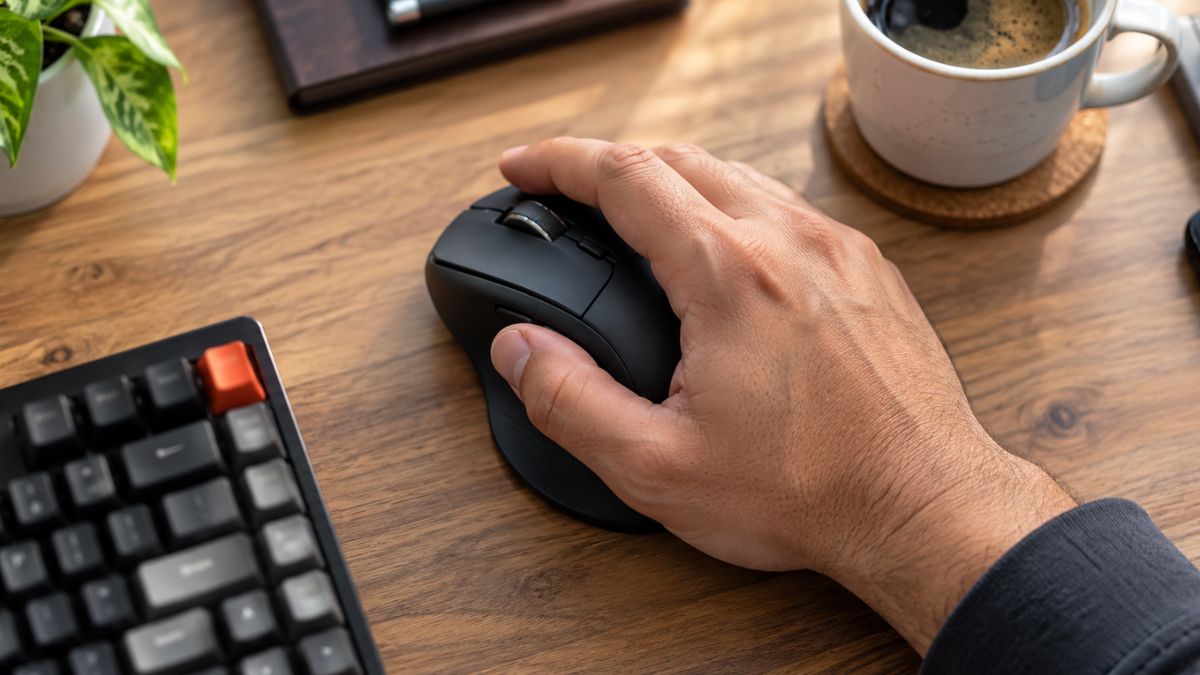
TL;DR: The best wireless mouse for large hands is a full-size model that supports your entire palm and keeps your wrist completely straight. If your hand measures over 7.5 inches long, standard mice will likely cause severe cramps. Top models like the Logitech MX Master series offer the ultimate ergonomic support for daily work. Read on to find your perfect fit and stop hand pain today.
Do you constantly feel your fingers dragging across your desk while you work? Maybe you experience sharp hand cramps after just an hour of clicking. Standard computer mice are simply too small for many people. If you have big hands, using a tiny travel mouse is like trying to wear shoes that are two sizes too small. You need the best wireless mouse for large hands to stop the pain and boost your productivity.
I have practical experience in technology research, product comparison, and SEO content creation. I evaluate tech products based on their actual features, usability, and value for everyday users. Through my years of testing and comparing gear, I have learned that you cannot judge a mouse just by reading its spec sheet. Fit and feel dictate true value. A proper mouse can completely transform your home office setup.
In this guide, I will show you exactly how to measure your hand and match it to your personal grip style. We will also compare the most comfortable, research-backed picks for 2026 so you can finally work without wrist pain.
What Size Mouse Is Best for Large Hands?
A mouse is best for large hands if it measures at least 4.7 inches long and features a wide body to support your entire palm. Generally, if your hand measures over 7.5 inches from your wrist crease to the tip of your middle finger, you need a large or extra-large mouse to prevent cramping.
Knowing your exact hand size is the first step to finding comfort. You cannot guess this measurement. Grab a ruler or a standard tape measure. Place the zero mark right at the first crease of your wrist. Then, measure in a straight line up to the very tip of your middle finger.
If that number is between 7.5 inches and 8 inches, you fall into the large category. If your measurement goes over 8 inches, you have extra-large hands. A standard office mouse usually measures around 4 inches long. Using a standard mouse forces large hands to scrunch up, which leads to joint fatigue very quickly.
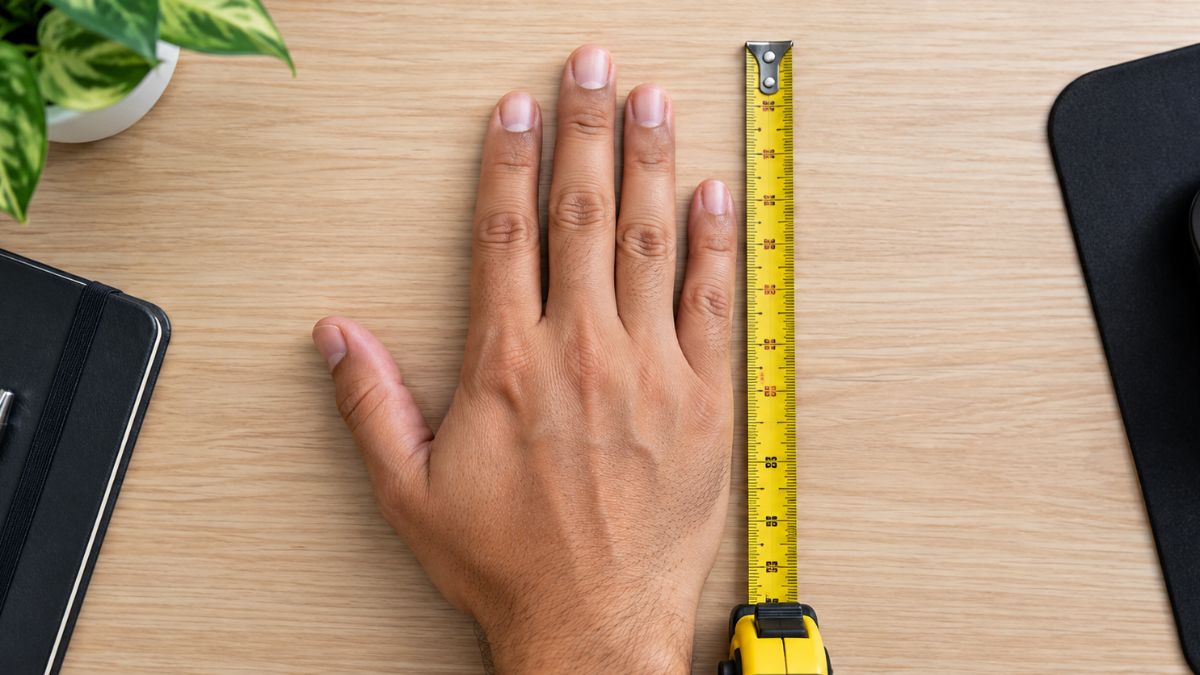
Independent testing experts at RTINGS regularly categorize computer mice by size, and their dimension testing confirms that length and grip width are the most critical factors for comfort. A longer mouse supports your fingers, while a wider grip stops your thumb and pinky from dragging on your mouse pad.
How Do You Choose an Ergonomic Wireless Mouse for Large Hands?
You should choose an ergonomic wireless mouse for large hands by looking for a high back profile, a wide thumb rest, and an asymmetrical shape. These specific features keep your wrist in a neutral posture and distribute the weight of your hand evenly across the device.
Ergonomics is all about fitting the tool to the worker. When you use a flat, symmetrical mouse, you have to twist your forearm slightly to rest your palm on it. This unnatural twisting pinches nerves over time. An ergonomic mouse tilts your hand slightly outward, which mimics a natural handshake position.
The Occupational Safety and Health Administration (OSHA) provides clear computer workstation ergonomic guidelines to prevent repetitive strain injuries. They recommend keeping your hands and wrists in a straight, neutral posture while working. A large ergonomic mouse physically prevents you from bending your wrist downward.
Look for models that have a pronounced thumb wing on the left side (for right-handed users). This wing acts like a tiny shelf. It keeps your thumb elevated and stops you from squeezing the sides of the mouse too tightly. When you do not have to squeeze the mouse, your forearm muscles stay relaxed.
Top Picks: The Best Wireless Mouse for Large Hands in 2026
Finding a high-quality, full-size wireless mouse can feel overwhelming with so many options on the market. Based on thorough feature comparisons and ergonomic principles, here are the top models that truly cater to larger hand sizes.
1. Logitech MX Master 3S (Best Overall for Office Work)
The Logitech MX Master series is the undisputed king of office productivity. It measures almost 5 inches long and features a massive thumb rest. The asymmetrical shape perfectly cradles a large right hand.
It also includes a MagSpeed electromagnetic scroll wheel that lets you fly through thousands of lines of code or spreadsheets in seconds. The clicks are incredibly quiet, which makes it perfect for a shared office environment. You can connect it via Bluetooth or the included USB receiver, and the battery lasts up to 70 days on a single charge.
2. Razer Basilisk V3 Pro (Best Crossover for Work and Play)
If you want a wireless mouse for big hands that handles both gaming and graphic design, the Razer Basilisk V3 Pro is a fantastic choice. It features a long, sweeping body that supports your middle and index fingers perfectly.
While it is heavily marketed to gamers, its ergonomic shape makes it a brilliant office tool. It has a dedicated thumb rest and highly textured side grips. You will never feel like the mouse is slipping away from you. The optical sensor is flawless, which means your cursor will never stutter during delicate design tasks.
3. Logitech Signature M650 L (Best Budget Option)
You do not have to spend over a hundred dollars to get a comfortable fit. Logitech specifically created the Signature M650 series in multiple sizes. Make sure you select the “Large” or “L” version.
This is a fantastic large wireless mouse for anyone on a strict budget. It has a slightly more traditional shape than the MX Master, but it still offers enough length for big hands. It runs on a single AA battery that can last up to two years. Plus, it comes in a left-handed model, which is incredibly rare in the ergonomic mouse market.
4. Keychron M4 (Best Lightweight Option)
Some people with big hands still prefer a mouse that feels feather-light. Heavy mice can sometimes cause wrist fatigue if you have to lift them frequently. The Keychron M4 offers a large shell but keeps the weight surprisingly low.
It features excellent Bluetooth connectivity and a very precise sensor. The shape is less aggressive than the Logitech models, making it a safe choice if you are new to ergonomic designs.
Which Grip Style Works Best for a Large Wireless Mouse?
The palm grip works best for a large wireless mouse. This style allows your entire hand to rest completely flat on the device. It relies on the high arch of the mouse to support your palm, which severely reduces finger strain during long work sessions.
Everyone holds their mouse a little differently. The three main styles are the palm grip, the claw grip, and the fingertip grip. With a claw grip, you arch your fingers and only touch the mouse with your fingertips and the very back of your palm. The fingertip grip means your palm never touches the mouse at all.
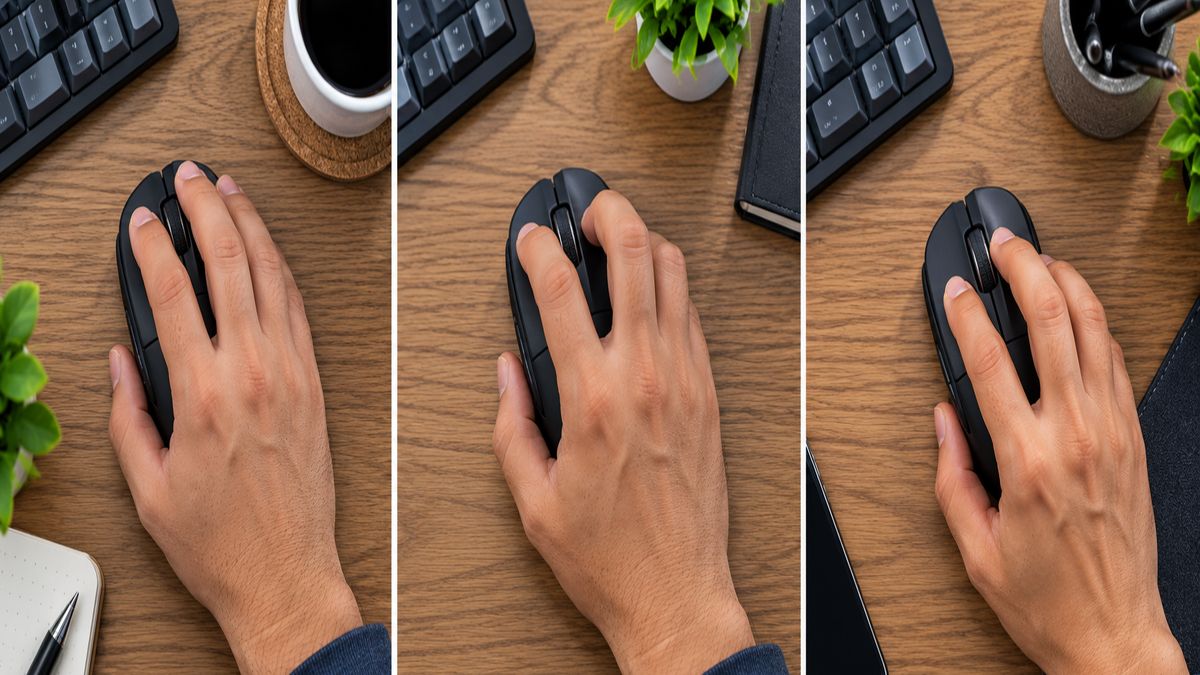
If you have large hands, using a claw or fingertip grip on a small mouse forces your hand into a tight, tense claw. This tension causes rapid cramping. A large mouse allows you to transition into a relaxed palm grip. Your hand can simply rest on the device while your arm does the moving.
Are Gaming Mice Better for Large Hands?
Yes, gaming mice are often much better for large hands because they feature wider bodies and larger thumb rests. Brands design them specifically for long, intense sessions. This focus on prolonged comfort makes a large wireless gaming mouse an excellent choice for everyday office work.
Do not let the bright RGB lights fool you. Gaming gear is built for extreme durability and ergonomic comfort. Gamers spend eight or more hours with their hand glued to the mouse. Manufacturers know that if the mouse causes pain, the gamer will return it immediately.
Because of this, gaming mice are often larger and more contoured than standard office mice. If you recently upgraded your workspace with budget 144Hz gaming monitors, a large gaming mouse will perfectly complete your setup. You can always turn off the flashing lights using the manufacturer’s software if you need a professional look for the office.
Essential Features to Look for in a Full-Size Wireless Mouse
Size and shape are your top priorities, but internal features determine how well the mouse actually performs. When shopping for a full-size wireless mouse, you need to pay close attention to connectivity and battery life.
First, look for a mouse that offers both Bluetooth and a 2.4GHz USB receiver. Bluetooth is incredibly convenient for modern laptops that lack traditional USB ports. However, a 2.4GHz USB receiver provides a much stronger, lag-free connection. Having both options ensures your mouse will work with any computer you own.
Next, consider the DPI (Dots Per Inch) settings. DPI measures how sensitive the mouse is to movement. If you have a large desk and use a laptop stand with multiple monitors, you want a mouse with an adjustable DPI. A higher DPI lets you move the cursor across three screens with just a tiny flick of your wrist.
Finally, look for customizable side buttons. Most large mice include at least two buttons near your thumb. You can program these buttons to copy and paste text, switch between browser tabs, or mute your microphone on video calls. These small shortcuts save you a massive amount of time every week.
Conclusion
You do not have to accept hand cramps and wrist pain as a normal part of your workday. Upgrading to the best wireless mouse for large hands is a simple investment that pays massive dividends in physical comfort. A mouse that properly fits your palm will keep your wrist straight and your fingers relaxed.
Remember to measure your hand from the wrist crease to the tip of your middle finger before you buy. If you measure over 7.5 inches, skip the standard models entirely. Look for full-size, ergonomic designs that support a relaxed palm grip.
Are you ready to completely overhaul your desk for maximum comfort and productivity? Check out our comprehensive guide to the best keyboard and mouse combos to find the perfect matching gear. Upgrade your setup today, and give your hands the support they actually deserve.
Frequently Asked Questions
How do I know if a mouse is too small for my hand?
Your mouse is too small if your pinky finger constantly drags on the desk. You will also notice that your index and middle fingers hang over the front edge of the left and right click buttons. Furthermore, if you feel a cramping sensation in your palm after an hour of use, the device is definitely too small.
What is the most comfortable wireless mouse for big hands?
The Logitech MX Master 3S is widely considered the most comfortable option for big hands. It features a tall, ergonomic arch that perfectly fills the palm. It also includes a generous thumb rest that prevents your thumb from gripping the side too tightly.
Can a large wireless mouse prevent carpal tunnel?
A large, ergonomic mouse can greatly reduce the risk factors associated with carpal tunnel syndrome. It encourages a neutral wrist position and prevents you from twisting your forearm. However, you should always consult a medical professional if you are experiencing severe, chronic wrist pain.
Is a heavier mouse better for large hands?
A heavier mouse can feel more stable, but it is not automatically better for large hands. If a mouse is too heavy, lifting it can cause fatigue in your wrist over time. You should aim for a balanced weight that glides easily across your desk.
Do I need a special mouse pad for a large wireless mouse?
You do not strictly need a special pad, but an ergonomic mouse pad with built-in wrist support is highly recommended. A large mouse takes up more physical space, so a wider pad prevents you from running off the edges. Gel wrist support also helps maintain the neutral posture that your large mouse creates.