Last Updated: September 27, 2026
By TechnoItem Expert Team
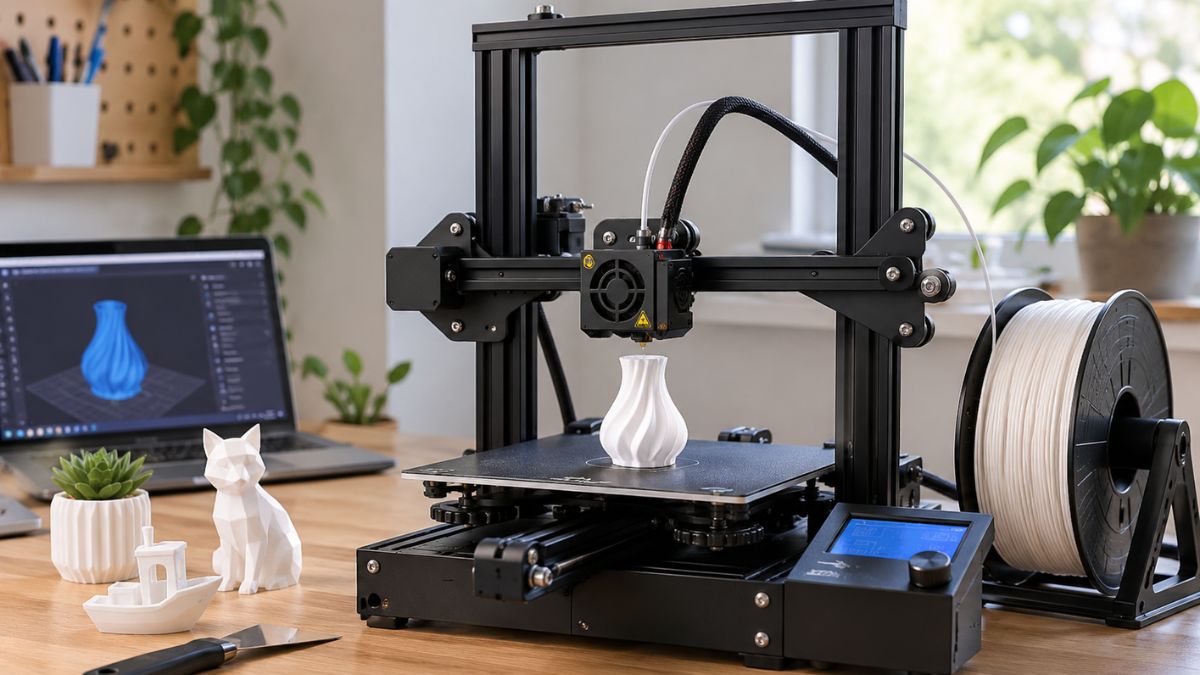
Cheap 3D printers for beginners are no longer limited to difficult machines that require constant manual adjustment. Today, affordable FDM printers can offer automatic bed leveling, direct-drive extruders, flexible build plates, and simple software. For most first-time users, an FDM printer using PLA filament is the easiest place to start. Resin printers can produce highly detailed models, but they require more careful handling, cleaning, and ventilation.
Introduction
Buying your first 3D printer can feel harder than actually using one.
There are dozens of models, different printing technologies, confusing specifications, and plenty of technical terms. The good news is that you don’t need an expensive machine to start making useful things at home.
The best cheap 3D printers for beginners focus on the basics: simple setup, reliable automatic leveling, easy filament loading, decent print quality, and software that doesn’t make you fight the printer.
For most beginners, an FDM printer is the practical starting point. It melts plastic filament and builds an object layer by layer. PLA filament is also a popular starting material because it is relatively easy to print compared with many more demanding materials.
In this guide, we’ll look at what actually matters before buying, which affordable models are worth considering in 2026, and where cheap printers can save money or create extra headaches.
What Should Beginners Look for in a Cheap 3D Printer?
A good beginner 3D printer should make the first few prints easier, not turn every print into a repair project. Look for automatic bed leveling, a straightforward interface, easy filament loading, a removable build plate, and support for common materials such as PLA and PETG.
The printer doesn’t need every advanced feature. In fact, paying for features you won’t use can make a budget purchase less sensible.
1. Automatic bed leveling
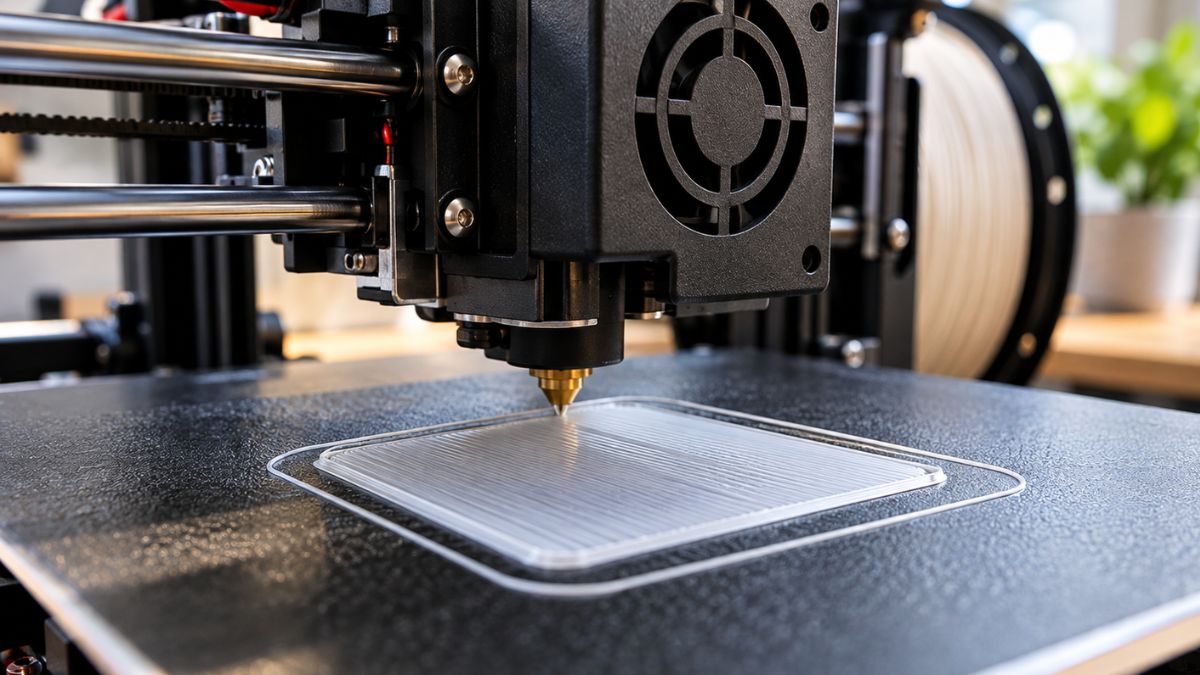
Bed leveling is one of the first things beginners encounter. If the print surface isn’t correctly aligned, the first layer can fail before the rest of the print even starts.
Automatic leveling reduces this setup work. For example, the Creality Ender-3 V3 SE uses CR Touch automatic leveling and automatic Z-offset functionality.
2. Direct-drive extrusion
A direct-drive extruder places the drive mechanism close to the nozzle. This can make filament feeding easier and is useful when working with flexible materials.
You don’t need to become an extrusion expert on day one. A printer that handles basic filament loading reliably is much more useful to a beginner.
3. Removable build plate
A flexible or removable build plate makes it easier to take finished prints off the machine.
It’s a small feature that becomes surprisingly important after you’ve printed a few models.
4. Simple slicer software
A 3D printer needs slicing software to turn a 3D model into instructions the printer understands.
The Creality Ender-3 V3 SE support page, for example, lists Creality Print for preparing and sending prints.
For your first printer, simple software is often more valuable than a long list of advanced settings.
Which Cheap 3D Printers Are Worth Considering in 2026?
Several affordable printers stand out because they combine beginner-friendly features with relatively accessible pricing. The Creality Ender-3 V3 SE, Bambu Lab A1 mini, and Anycubic Photon Mono 2 cover different beginner needs.
Here’s a practical comparison:
| 3D Printer | Type | Build Volume | Beginner-Friendly Features | Best For |
| Creality Ender-3 V3 SE | FDM | 220 × 220 × 250 mm | Auto leveling, direct drive | General beginners |
| Bambu Lab A1 mini | FDM | 180 × 180 × 180 mm | Full-auto calibration, camera, easy setup | Easiest compact setup |
| Anycubic Photon Mono 2 | Resin | 165 × 89 × 143 mm | Detailed prints, simple slicer | Miniatures and detail |
| Sovol SV06 Ace | FDM | 220 × 220 × 250 mm | Auto leveling, direct drive, camera | Feature-focused budget users |
| Elegoo Centauri Carbon | FDM | Not listed here | Enclosed design, automatic calibration | Users wanting more speed |
Tom’s Hardware’s August 2026 budget guide lists the Ender-3 V3 SE as a budget beginner option and also includes the Sovol SV06 Ace, Anycubic Kobra 3 V2, Elegoo Centauri Carbon, and Photon Mono 2 among its budget recommendations.
The important point is that these machines aren’t interchangeable. Your choice should depend on what you plan to print.
Is the Bambu Lab A1 mini good for a first 3D printer?
The Bambu Lab A1 mini is a compact FDM printer designed to reduce much of the setup work beginners normally face. It has a 180 × 180 × 180 mm build volume, full automatic calibration, a built-in monitoring camera, and support for PLA, PETG, TPU, and PVA.
The biggest attraction is convenience.
According to Bambu Lab’s official product information, the A1 mini arrives pre-assembled and uses automatic calibration for functions such as Z-offset, bed leveling, vibration resonance, and nozzle pressure.
That makes it interesting for someone who wants to spend more time making models and less time learning printer adjustments.
The smaller build area is the main limitation. At 180 mm cubed, it isn’t designed for large objects.
The A1 mini can also be paired with the AMS Lite for four-color printing, although that increases the overall cost.
Best for: beginners who want a compact printer with a simple setup.
Is the Creality Ender-3 V3 SE Still a Good Cheap 3D Printer?
The Creality Ender-3 V3 SE remains an affordable option for beginners who want a larger build area without moving into a much more expensive printer. It offers a 220 × 220 × 250 mm build volume, direct-drive extrusion, automatic leveling, and support for PLA, PETG, and TPU.
Creality currently lists the Ender-3 V3 SE at $179, with an original listed price of $219 on its comparison page. Prices can change with promotions and region.
One reason it continues to attract beginners is its straightforward hardware.
It doesn’t try to be a premium multicolor machine. Instead, it gives you the core features needed to learn FDM printing without spending a huge amount.
Tom’s Hardware also reports that the printer can be assembled quickly and includes automatic bed leveling and direct-drive extrusion.
Best for: first-time users who want an affordable general-purpose FDM printer.
FDM vs Resin: Which Is Easier for Beginners?
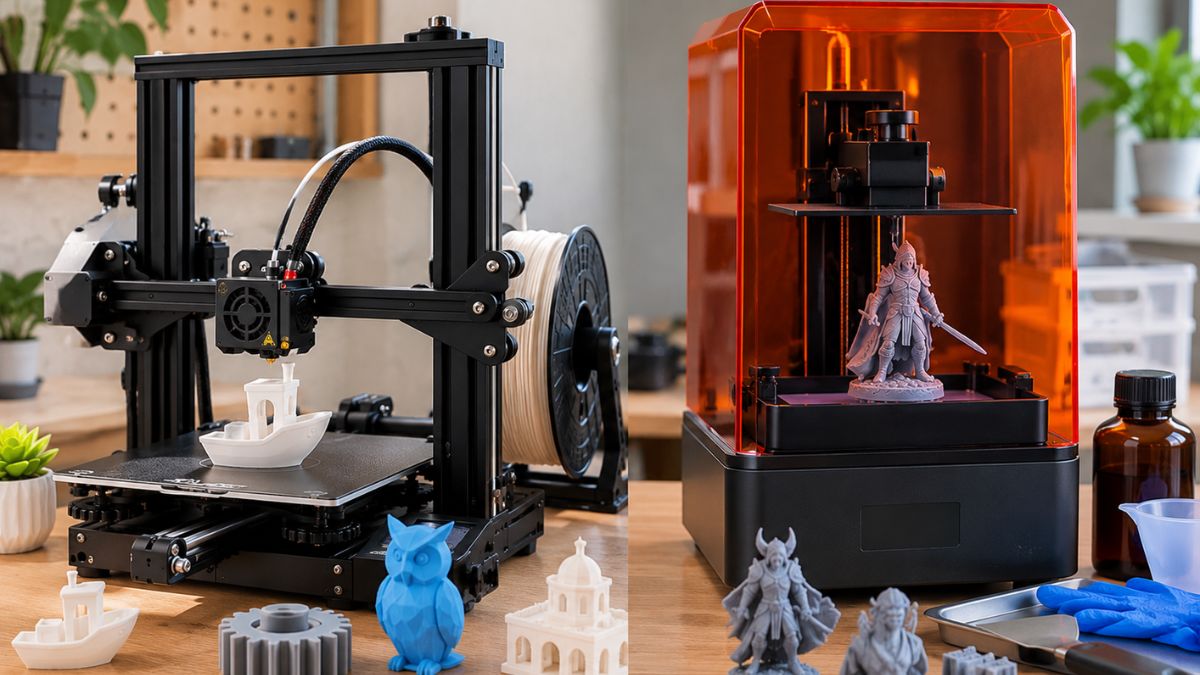
For most beginners, FDM is the simpler starting point because it uses filament and generally involves less post-processing than resin printing. Resin printers can produce highly detailed models, but they add extra handling, cleaning, curing, and ventilation considerations.
FDM printers melt filament and deposit it layer by layer. Resin printers use light to cure liquid photopolymer resin. NIOSH identifies both fused filament fabrication and vat polymerization as common additive manufacturing methods and notes that their potential hazards vary by material, process, and environment.
FDM advantages
- Easier starting workflow
- PLA filament is widely available
- Good for household parts and basic models
- Less messy post-processing
- Suitable for larger everyday objects
Resin advantages
- Excellent fine detail
- Strong choice for miniatures
- Smooth-looking small models
- Useful when tiny features matter
The Anycubic Photon Mono 2 has a 165 × 89 × 143 mm printing area and a 6.6-inch monochrome screen with 4,096 × 2,560 resolution. Anycubic also provides its Photon Workshop slicer for preparing prints.
For a first printer, I’d generally start with FDM unless miniature detail is the main reason you’re buying.
What Can You Actually Print With a Cheap 3D Printer?
Cheap 3D printers can make far more useful objects than many beginners expect. Simple projects include cable clips, phone stands, drawer organizers, hooks, replacement knobs, plant accessories, small storage parts, toys, and decorative models.
This is where 3D printing becomes more than a hobby.
Instead of ordering a small plastic part online, you can download or create a model and print it yourself.
For example, a beginner could start with:
- A simple phone stand
- A cable organizer
- A small storage tray
- A key holder
- A desk hook
- A replacement knob
- A simple decorative model
Start with small objects. A two-hour successful print teaches you more than a complicated 20-hour project that fails halfway through.
A practical beginner workflow
Step 1: Choose a simple model.
Step 2: Load PLA filament.
Step 3: Open the model in your slicer.
Step 4: Use the printer’s standard or beginner profile.
Step 5: Check the first layer.
Step 6: Let the printer finish.
Step 7: Remove the model and inspect it.
That basic cycle helps you learn the machine without getting overwhelmed by advanced settings.
How Much Should You Spend on a Beginner 3D Printer?
For a first FDM printer, a budget around $150 to $300 gives you a useful range to explore. You can spend less, but the cheapest machines may require more manual adjustment or compromise on features.
Tom’s Hardware currently describes the budget category as printers priced at $300 or less, with some capable models available below $200.
The price of the printer isn’t your complete starting budget, though.
Remember to consider:
- Filament
- Spare nozzles
- Build plates
- Basic cleaning tools
- Replacement parts
- Storage for filament
- Optional enclosure
- Safety equipment where appropriate
A $180 printer that needs another $100 of accessories immediately isn’t really an $180 purchase.
That’s why total setup cost matters more than the sticker price.
What Should You Avoid When Buying a Cheap 3D Printer?
The cheapest printer isn’t automatically the best beginner choice. Avoid buying based only on maximum print speed, flashy specifications, or a low headline price.
Don’t chase speed first.
A printer claiming extremely high speed may look impressive, but beginners usually benefit more from reliable first layers and predictable results.
Don’t ignore the build plate
A poor build surface can make removing prints frustrating. A removable flexible plate is often worth paying attention to.
Don’t buy more printer than you need
If you plan to print small toys and desk accessories, you probably don’t need a huge-format machine.
Don’t forget filament costs
PLA is a sensible starting material, but you’ll still need a steady supply. Factor consumables into the budget before buying.
Don’t ignore the workspace
A 3D printer needs a stable surface with enough room around it for operation and maintenance.
For a broader workspace checklist, TechnoItem’s home office setup guide can help you think through desk space, equipment placement, and workspace organization.
Is 3D Printing Safe to Use at Home?
3D printing should be treated like any other machine that uses heat, moving parts, electricity, and consumable materials. Good ventilation and following the manufacturer’s instructions are especially important.
NIOSH notes that 3D printing can involve potential exposure to ultrafine particles and volatile organic compounds, along with risks from heat, moving components, electrical systems, and certain materials.
For beginners, keep the setup simple:
- Place the printer in a well-ventilated area.
- Don’t touch hot printer components during operation.
- Keep loose clothing and fingers away from moving parts.
- Follow the manufacturer’s material recommendations.
- Take extra care with liquid resin.
- Keep children and pets away from operating equipment.
- Follow the printer manufacturer’s safety instructions.
NIOSH specifically recommends considering ventilation and source-control measures when managing emissions from 3D printing.
A Simple Beginner Buying Checklist
Before clicking the Buy button, check these points:
| Feature | What Beginners Should Look For |
| Printer type | FDM for most first-time users |
| Automatic leveling | Strongly recommended |
| Filament | PLA support |
| Build plate | Removable or flexible |
| Extruder | Direct drive is useful |
| Build volume | Around 180 to 220 mm+ for general projects |
| Software | Beginner-friendly slicer |
| Connectivity | USB, SD, Wi-Fi, or LAN depending on preference |
| Replacement parts | Easy to find |
| Support | Manufacturer documentation and community help |
If you already own a traditional printer, TechnoItem’s guide to ink cartridges and toner cartridges covers a completely different type of printing cost, but it’s useful when you’re comparing your existing printing setup with a new maker workflow.
What Is the Best Way to Start 3D Printing?
Start small, use PLA, and learn one printer setting at a time. Don’t try to master every slicer option on your first day.
My practical research approach for beginner-friendly 3D printers is to compare setup difficulty, print quality, filament compatibility, print speed, useful features, and overall value rather than simply choosing the printer with the longest specification list.
Your first goal should be a successful print.
Then print something slightly larger.
After that, experiment with different layer heights, infill settings, supports, and materials. Once you understand how those settings affect the result, advanced projects become much easier.
Conclusion
Cheap 3D printers for beginners have become much more capable than the basic machines of a few years ago. Automatic leveling, direct-drive extrusion, flexible build plates, better slicer software, and automatic calibration can make the first experience much less frustrating.
For most new users, an affordable FDM printer is the easiest place to begin. The Creality Ender-3 V3 SE offers a practical larger build area at a relatively low price, while the Bambu Lab A1 mini focuses heavily on automatic calibration and convenience. Resin options such as the Anycubic Photon Mono 2 make more sense when detailed miniatures are the priority.
Don’t buy based only on price or maximum speed. Think about what you want to print, how much space you have, which materials you’ll use, and how much setup you’re willing to handle.
Start simple. Make something useful. Then let your projects determine when it’s time to upgrade.
Frequently Asked Questions
1. What are the best cheap 3D printers for beginners?
The Creality Ender-3 V3 SE and Bambu Lab A1 mini are two affordable FDM options worth considering for first-time users. The Anycubic Photon Mono 2 is another option if detailed resin printing is your main goal.
2. Is FDM or resin better for beginners?
FDM is generally the simpler starting point for general-purpose printing. Resin is better suited to users who specifically want highly detailed small models and are prepared for additional handling, cleaning, and safety requirements.
3. How much does a cheap 3D printer cost?
In 2026, budget FDM 3D printers commonly fall within the sub-$300 category, with some models available below $200. Actual prices change with sales, bundles, and region.
4. What filament should beginners use?
PLA is a practical starting material for many beginners because it is widely supported and relatively easy to print. Always check the printer manufacturer’s recommended materials before printing.
5. Are cheap 3D printers worth buying?
They can be, especially if the printer includes beginner-friendly features such as automatic leveling, a removable build plate, simple software, and readily available replacement parts. The best value depends on what you plan to print and how much setup work you’re comfortable doing.