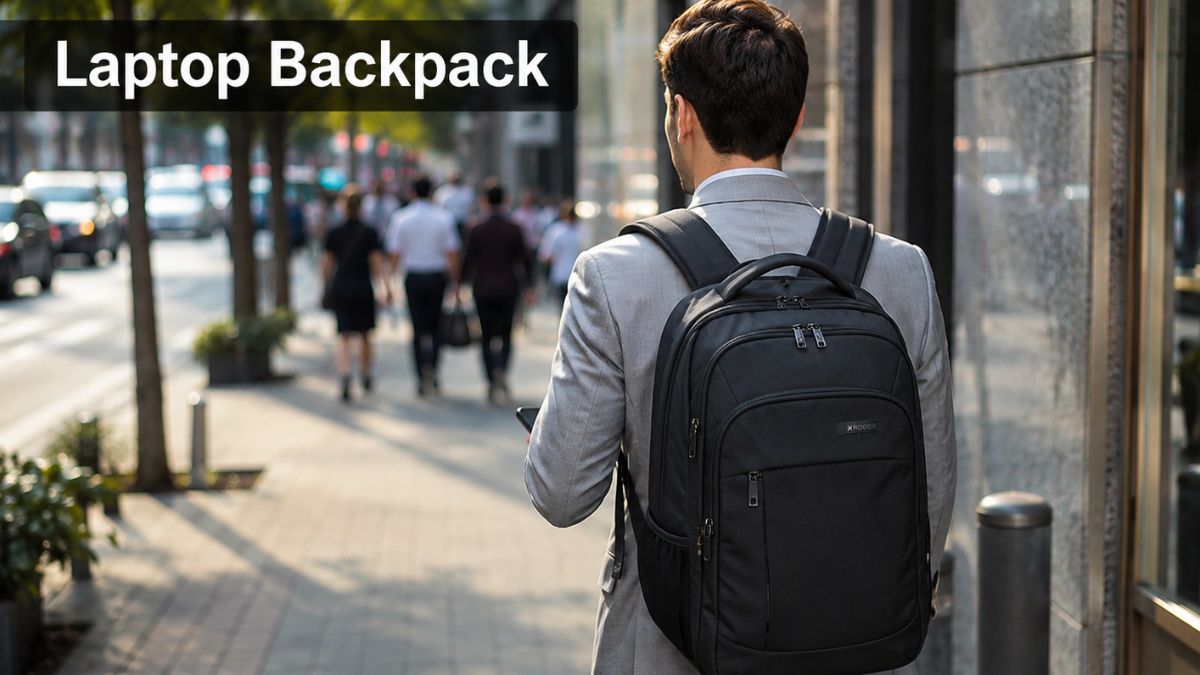
Finding the perfect laptop backpack can feel like searching for a needle in a haystack. With so many brands claiming to offer the ultimate protection, it is easy to end up with a bag that looks great but fails to protect your expensive gear. In 2026, tech bags are no longer just basic fabric sacks; they are mobile workstations. Whether you are a student, a frequent flyer, or a daily commuter, carrying your devices safely is a non-negotiable priority.
Our team has spent countless hours testing zippers, tossing bags into overhead bins, and walking miles in the rain. We know exactly what separates a cheap knockoff from a durable, lifelong companion. If you want to protect your investment and avoid the dreaded cracked screen, keep reading. We are breaking down everything you need to know before buying your next everyday carry.
For more tech gear advice, explore our latest tech accessories to complete your setup.
Quick Answer: Top Buying Advice for 2026 ⚡
Don’t have time to read the whole guide? Here are the critical rules for buying a tech bag today:
- Suspended Padding is Mandatory: Never buy a bag where the laptop sleeve touches the very bottom of the backpack.
- Check the Zippers: Look for YKK zippers; they are the gold standard for durability.
- Know Your Liters: 20L is great for minimalism, 26L is perfect for work, and 30L+ is strictly for travel.
- Material Matters: Opt for high-denier nylon or DWR-coated fabrics for weather resistance.
What Is a Laptop Backpack?
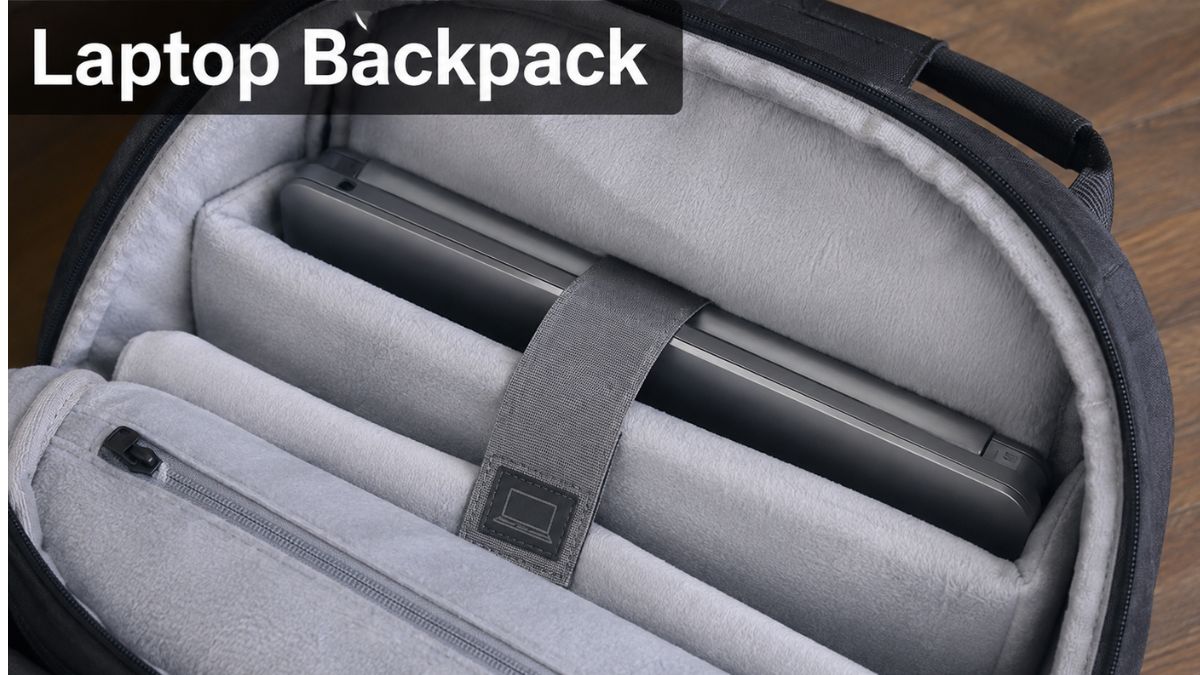
A laptop backpack is a specialized carrying bag designed specifically to transport and protect computers and sensitive electronics. Unlike a standard school bag, it features dedicated, padded compartments built to absorb shock. These bags prioritize weight distribution, making heavy tech gear feel lighter on your shoulders.
Why a Laptop Backpack Is Useful
The primary benefit is absolute protection. A dedicated tech bag features structural padding that prevents your devices from getting crushed by books or gym shoes. It also frees up your hands, distributing the weight evenly across your back. Over 68% of commuters report shoulder pain from single-strap messenger bags, making a dual-strap system the healthier choice.
Who Should Use One?
Honestly, anyone who steps out of the house with a computer needs one. Students rushing across campus need drop protection. Entrepreneurs hopping between coffee shops need organization for cables and chargers. If you regularly carry a device worth over $1,000, trusting it to a flimsy canvas tote is a massive risk.
Types of Laptop Backpacks
Not all bags are created equal. The market has evolved to offer hyper-specific designs based on exactly what you do during the day.
Everyday and School Backpacks
These are lightweight, affordable, and usually hover around the 20-liter capacity mark. They offer a simple padded sleeve, a main compartment for notebooks, and a front pocket for pens. While they lack heavy-duty travel features, they are perfect for campus life.
Business and Travel Backpacks
If you are hopping on flights, a laptop backpack travel edition is your best bet. These open flat like a suitcase (clamshell design) for easy TSA checks. They often feature luggage pass-through sleeves, allowing you to slide the bag right over your rolling suitcase handle.
Gaming and Waterproof Backpacks
Gamers carry massive, heavy rigs that require intense protection and extra width. Gaming bags feature hard-shell exteriors and extreme padding. Meanwhile, waterproof bags use sealed seams and roll-top closures to ensure not a single drop of rain reaches your motherboard during a wet commute.
How to Choose the Best Laptop Backpack
Buying a bag based solely on its color is a rookie mistake. You need to evaluate the bag based on your specific daily requirements.
Check Laptop Size and Fit
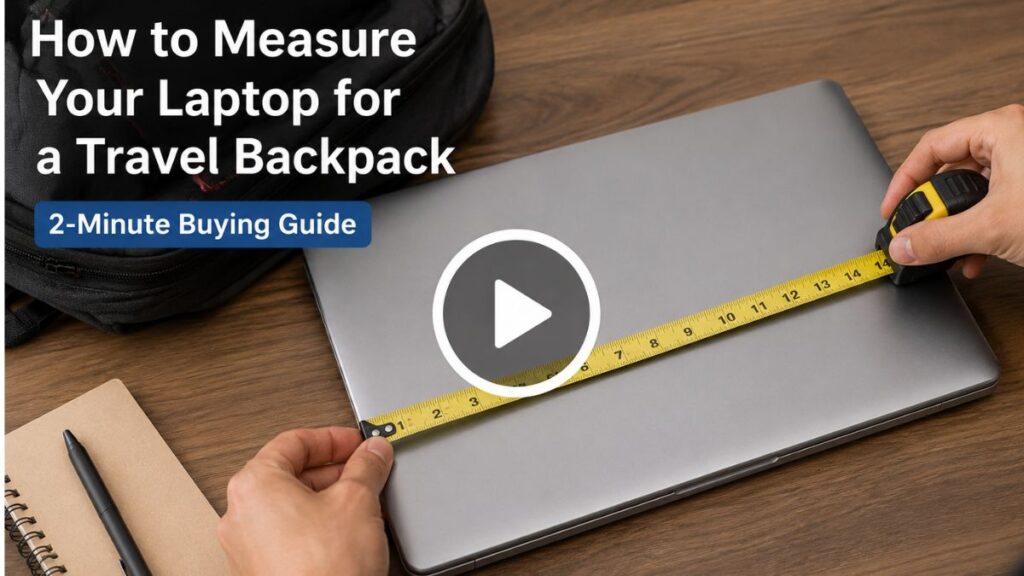
Do not assume your 15-inch computer will fit in every 15-inch bag. Gaming laptops are significantly thicker than MacBooks. If you own a massive desktop replacement, you absolutely need a dedicated 17-inch laptop backpack model. Always check the actual dimensions of the sleeve, not just the overall bag size.
For more sizing guides, check out our essential gear reviews to find the perfect match.
Consider Comfort and Protection
Look for EVA foam padding on the shoulder straps and a breathable mesh back panel. If the bag doesn’t have a “false bottom” (where the laptop sleeve stops an inch above the floor of the bag), do not buy it. A false bottom prevents your computer from slamming against the concrete when you drop your bag down.
Evaluate Storage and Capacity
Do you carry a lunchbox, gym clothes, and a water bottle alongside your tech? You need ample secondary storage. Look for dedicated tech organizers for your mouse, charging bricks, and external hard drives. Pockets are great, but thoughtful pockets are game-changers.
Best Laptop Backpack Features
The devil is in the details. The best bags of 2026 share a few cutting-edge features that completely upgrade the user experience.
Padded Laptop Compartment
This is the heart of the bag. The best models use high-density foam or even fleece-lined interiors to prevent scratches. Some premium bags now feature adjustable hammock systems that cradle the device in mid-air. This guarantees zero impact, even if the bag takes a hard tumble.
Water Resistance and Durable Materials
Spilled coffee and sudden rainstorms are a laptop’s worst nightmare. Look for materials treated with a DWR (Durable Water Repellent) coating. Aqua-guard zippers are another massive bonus, as zippers are usually the first place water sneaks into a bag.
Anti-Theft and Charging Features
Working in crowded cities? Anti-theft features like lockable zippers and hidden RFID-blocking passport pockets keep pickpockets at bay. Many modern bags also feature integrated USB pass-through ports. You can leave your heavy power bank inside the bag while charging your phone on the go.
Explore more smart gear in our premium tech gadgets section.
Laptop Backpack Size and Capacity
Capacity is measured in liters (L). Getting the wrong size will either leave you frustrated by a lack of space or burdened by a bulky turtle shell.
[Insert Image: Infographic showing 15L, 25L, and 35L backpacks side-by-side for scale]
Small Backpacks (10L – 18L)
These are minimalist bags designed purely for a computer, a charger, and a thin notebook. They are incredibly sleek and lightweight. If your office is completely paperless and you don’t carry gym gear, this is the most comfortable option for subway commutes.
Medium Backpacks (20L – 28L)
This is the golden sweet spot for 90% of users. A 24L bag holds your tech, an extra hoodie, a water bottle, and a lunch container without looking overly bulky. It transitions perfectly from the boardroom to the gym.
Large Backpacks (30L – 45L)
These are the heavy haulers. A 35L bag is essentially carry-on luggage you wear on your back. They are too massive for a daily office commute but are absolute lifesavers for weekend business trips, photographers, or digital nomads carrying two devices.
Best Laptop Backpack for Different Users
Your job dictates the type of gear you need. A stylish leather bag might look great in a meeting, but it will ruin a hiker’s back.
Students
Students need volume for textbooks and extreme durability for rough campus life. Affordability is also key. Look for canvas or thick polyester bags with sturdy water bottle pockets and a reinforced top handle for grabbing the bag quickly between classes.
Office Professionals
Corporate environments demand a sleek, minimalist aesthetic. A clean, structured laptop backpack for work made of premium materials like ballistic nylon or leather is ideal. Furthermore, a highly stylized laptop backpack for women specifically tailored with ergonomic straps for narrower shoulders has become a huge trend in 2026.
For the guys, a rugged yet professional laptop backpack for men with matte black hardware ensures you look sharp during client meetings. Need help upgrading your desk? See our office productivity tools.
Travelers and Remote Workers
Digital nomads need maximum security and organization. Bags with clamshell openings, hidden AirTag compartments, and waterproof exteriors are vital. If you work from Bali one week and New York the next, your bag is essentially your mobile office.
See our top recommendations for remote work setups to optimize your travel life.
Laptop Backpack Materials and Build Quality
A bag is only as good as the fabric and stitching holding it together. If you buy cheap materials, the bag will tear within six months.
Nylon and Polyester
These are the most common materials. Ballistic nylon (often 1680D) was originally developed for military flak jackets and is virtually indestructible. Cordura nylon offers excellent abrasion resistance. Polyester is cheaper and lighter but won’t last as long under heavy strain.
Canvas and Premium Materials
Waxed canvas offers a beautiful, vintage aesthetic while providing natural water resistance. However, it is significantly heavier than nylon. Leather is the ultimate luxury choice for executives, but it requires regular conditioning and performs poorly in heavy rain.
Zippers, Stitching, and Handles
Never ignore the hardware. YKK is the most trusted zipper brand globally—if a bag uses unbranded zippers, run away. Look for reinforced bar-tack stitching at stress points where the shoulder straps meet the top of the bag. A thickly padded top grab handle is also essential for picking up a heavy bag.
Laptop Backpack vs Laptop Bag
Should you buy a backpack or a traditional messenger-style laptop bag? The debate usually comes down to health versus formal style.
Benefits of a Laptop Backpack
Backpacks win in ergonomics, capacity, and comfort. By distributing a 15-pound load across both shoulders, you prevent spinal misalignment and muscle fatigue. They also hold vastly more gear, making them practical for long commutes or bike rides.
Benefits of a Laptop Bag
Messenger bags and briefcases excel in formal settings. They look incredible with a tailored suit and allow quick, swing-around access to your gear without taking the bag off. However, they are terrible for your posture if carried for more than 20 minutes.
Which One Is Better for You?
If you walk more than three blocks a day, take public transit, or carry more than just a laptop, the backpack is the clear winner. Only choose a messenger bag if you have a short car-to-office commute and strict corporate dress codes.
Read our comprehensive laptop protection guides for more carrying solutions.
Common Laptop Backpack Buying Mistakes
Avoid these frequent pitfalls to ensure you don’t waste your money on a bag you’ll hate wearing.
Choosing the Wrong Size
Many people buy bags that are way too big “just in case” they need the space. A half-empty 35L bag sags, looks sloppy, and strains your back. Buy a bag that fits your daily carry, not your once-a-year vacation carry.
Ignoring Comfort and Padding
A bag can look incredible on Instagram, but if the straps are thin and unpadded, it will dig into your shoulders like knives. Always check the back panel for air-mesh padding. Sweaty backs ruin morning commutes.
Buying Based Only on Appearance
Form should never completely override function. A beautiful vintage leather bag without a false bottom is essentially a $300 hazard for your $2000 MacBook. Always prioritize structural tech protection over trendy aesthetics.
Laptop Backpack Buying Guide: Final Verdict & FAQs
The perfect laptop backpack blends seamless organization, robust physical protection, and all-day comfort. In 2026, there is no excuse to settle for a flimsy, unpadded sack. Focus on getting the right capacity, demanding YKK zippers, and ensuring a suspended false-bottom sleeve. Invest in a quality bag once, and it will protect your digital life for a decade.
Frequently Asked Questions (People Also Ask)
- Are laptop backpacks allowed as personal items on planes?
Yes! Most backpacks under 25L comfortably fit beneath an airplane seat and qualify as a free personal item. However, massive 35L+ travel bags usually need to go in the overhead bin and may count as a carry-on depending on the airline. - How do I clean a smelly laptop backpack?
Never put a structured tech bag in the washing machine! Use mild dish soap, warm water, and a soft brush to spot-clean stains. Wipe the interior with antibacterial wipes and let it air dry completely in a shaded, well-ventilated area. - What is a “false bottom” in a laptop bag?
A false bottom is a crucial safety feature. It means the laptop sleeve stops about an inch or two above the actual bottom of the backpack. This ensures that when you drop your bag on the floor, the computer never takes the impact. - Can a 15.6-inch laptop fit in a 15-inch backpack?
Usually, yes, but it is risky. Modern 15.6-inch laptops with thin bezels often have the same footprint as older 15-inch models. Always check the exact inch-by-inch measurements of the bag’s sleeve against your device’s specs before buying. - Are waterproof laptop bags actually 100% waterproof?
Most are “water-resistant,” meaning they handle rain and spills perfectly fine. True 100% waterproof bags (which can be fully submerged in water) are rare and usually feature roll-top closures and welded seams, mostly used by boaters and motorcyclists.
✍️ Author Box
Written by the TechnoItem Gear Team
With over a decade of experience reviewing tech accessories, luggage, and everyday carry gear, the TechnoItem team rigorously tests bags in real-world scenarios. We break zippers, brave rainstorms, and log thousands of travel miles so you can buy with absolute confidence.