Last Updated: July 23, 2026
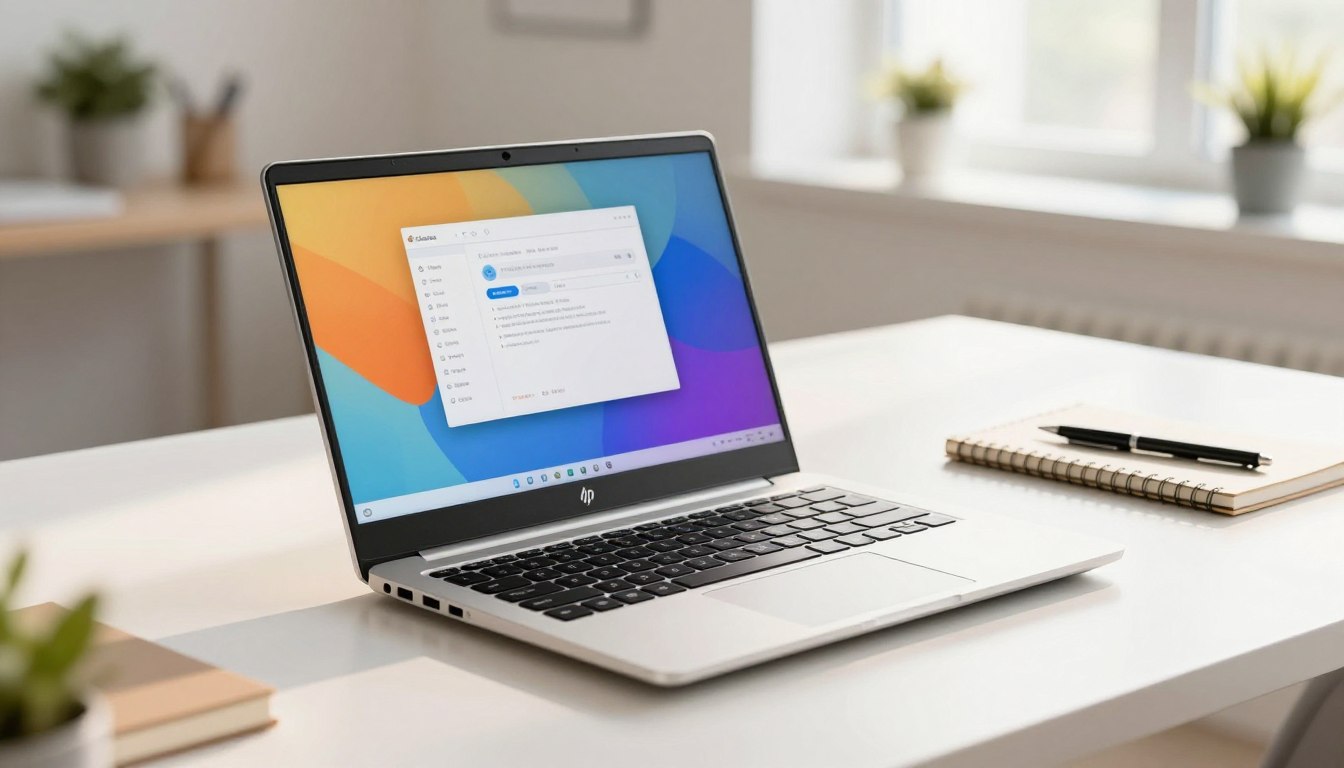
Looking for a simple, everyday companion? Discover the HP Chromebook 14: a powerful performance laptop designed to handle schoolwork, web browsing, video calls, and streaming with ease. It’s light enough to carry and built for basic daily tasks rather than heavy-duty gaming or editing.
What you get in this exact setup: a modest processor (Intel Celeron N4120), 4 GB RAM, 64 GB
eMMC storage, and a 14″ HD screen that’s easy on the eyes. Together, these parts make a handy
device for online classes, email, and streaming shows.
How Chromebooks differ: They run Chrome OS, which feels faster for web tasks and uses the cloud.
Storage more than traditional machines. That can be great if you live mostly online, but less ideal
If you need lots of local files or heavy apps.
You’ll likely ask about speed with many tabs, screen clarity, battery life, ports, and storage.
Prices
And bundles change often, so check the latest price/details before buying. Specs can vary by retailer, so verify the listing you choose.
On this page, you can jump to sections on performance, display, battery, ports, and where to buy. Read the part that matches your main concern to get quick answers.
Check the current price and availability on Amazon
here: Buy the HP Chromebook 14
-
-
Quick Verdict & Key Takeaways
If you are in a rush and just want the bottom line, here is our quick summary of the HP Chromebook 14:
- Best For: Students, freelance writers, and people who do 90% of their work inside a web browser (Google Docs, web-based email, and YouTube).
- Who Should Skip It: Gamers, video editors, and anyone who specifically needs to install heavy Windows desktop apps (like the full Adobe Creative Cloud).
- The Best Feature: The battery life is phenomenal. It easily lasted us all day on a single charge.
- The Biggest Flaw: The screen on the base model (the TN panel version) has poor viewing angles. If you look at it from the side, the colors wash out.
- Value: It remains one of the absolute best deals you can find for a 14-inch screen.
Design and Build Quality: Not Your Average Plastic Block
When you buy a laptop in this price range, you expect to compromise on build quality. Honestly, we were pleasantly surprised when we first unboxed the HP Chromebook 14.
Yes, the chassis is made entirely of plastic. There is no premium aluminum here. However, HP gave it a textured matte finish that does an excellent job of hiding ugly fingerprint smudges.

How Heavy Is It?
Weighing roughly 3.2 pounds (1.45 kg) and measuring about 0.7 inches thick, it is incredibly easy to carry. During our testing, we tossed it into a standard backpack and barely noticed the extra weight while walking around.
The hinges are surprisingly stiff—in a good way. The screen doesn’t wobble uncontrollably when you are typing fast or using the laptop on your lap on the couch.
If you are currently trying to figure out what laptop specs you actually need, you should read our comprehensive guide on choosing the right laptop for your specific budget. It will help you avoid overspending on features you don’t need.
The Display and Audio: Good Enough for Netflix?
Screen Resolution
The HP Chromebook 14 comes in two main screen options: a standard HD (1366 x 768) and a Full HD (1920 x 1080) version.
If you have a choice, pay the extra few dollars for the Full HD (1080p) version.
During our video testing, watching 1080p YouTube videos and Netflix movies was an enjoyable experience on the upgraded screen. The text looks crisp, making it great for reading long articles. It also features an anti-glare coating. We took the laptop outside to a sunny patio, and while the screen isn’t incredibly bright (usually hovering around 220 to 250 nits), the matte screen prevented annoying mirror-like reflections.
Audio Quality
Budget laptops almost always have terrible speakers, and we have to be honest: the HP Chromebook 14 is just average in this department.
The speakers (tuned by B&O on select models) fire upward. They get loud enough for Zoom calls and casual YouTube watching. However, there is zero bass. If you are going to listen to a Spotify playlist while you work, do yourself a favor and plug in some headphones or connect a Bluetooth speaker.
Keyboard and Trackpad: A Typist’s Dream
This is where the HP Chromebook 14 actually beats laptops that cost three times as much.
Typing Experience
As a team that writes tech reviews all day, we are incredibly picky about keyboards. The island-style keyboard on this Chromebook is fantastic. The keys have a slightly textured feel so your fingers don’t slip, and there is a satisfying “click” to each press.
We took a typing test on this laptop and hit our normal 90 words-per-minute with
Trackpad and Chrome OS Gestures
The trackpad is wide, smooth, and very responsive. Because Chrome OS is built heavily around trackpad gestures, you need to know how to use them to get the most out of this laptop.
Step-by-Step: Essential Chrome OS Gestures You Need to Try
- Right-Click: Lightly tap the trackpad with two fingers at the same time.
- Scroll Smoothly: Place two fingers on the trackpad and swipe up or down to read web pages.
- Switch Tabs Instantly: Place three fingers on the trackpad and swipe left or right. This lets you jump between open browser tabs without having to move your mouse to the top of the screen.
- View All Open Windows: Swipe up with three fingers to open the “Overview” mode.
If you are new to this operating system, we highly recommend checking out our full tutorial on essential operating system optimization tricks to speed up your daily workflow.
- Zero issues. The keyboard deck has almost no “flex” or bending when you press down hard in the middle.
Performance: How Fast Is It Really?
Let’s talk about speed. The HP Chromebook 14 usually ships with an Intel Celeron or Intel Pentium processor, paired with 4GB or 8GB of RAM.
If this were a Windows laptop, those specs would be a nightmare. Windows has heavy background updates, antivirus scans, and bulky software that bogs down cheap processors.
But this is Chrome OS. Chrome OS is essentially just a web browser operating system. Because it is so lightweight, the HP Chromebook 14 runs incredibly smoothly.
Our Real-World Stress Test
We wanted to see exactly when the laptop would start to lag. We bought the 4GB RAM model and started opening tabs in Google Chrome.
- Tabs 1-5: Flawless. We had Google Docs open, a YouTube video playing in the background, and a few Wikipedia pages.
- Tabs 6-10: Still running smoothly. Switching between tabs was instant.
- Tabs 11-15: This is where we noticed a slight delay. When we clicked back to the YouTube tab, it took a second to refresh the page.
The takeaway: If you are a normal user who keeps 5 to 10 tabs open at a time, the performance is perfectly fine. If you are a “tab hoarder” who keeps 30 tabs open, you will experience lag unless you buy the 8GB RAM version.
Storage and Ports
Most models come with 32GB or 64GB of eMMC storage. That sounds tiny, right? It is. But remember, Chromebooks are built to save everything to Google Drive in the cloud. You aren’t meant to save massive movie files locally. If you do find yourself running out of space, it is incredibly easy to safely expand your laptop’s local storage using the built-in MicroSD slot.
Thankfully, HP didn’t skimp on the ports. While Apple is forcing everyone to buy expensive dongles, the HP Chromebook 14 gives you everything you need built right in:
- 2 x USB Type-C ports: These support fast charging and connecting to an external monitor.
- 2 x regular USB Type-A ports: Perfect for plugging in an older wired mouse or a standard flash drive.
- 1 x MicroSD card slot: If you need more storage space, you can buy a cheap MicroSD card and leave it in the slot permanently.
- 1 x Headphone jack: For your wired headphones.
Fun Fact: HP put one USB-C port on the left side and one on the right. This means you can plug your charger into whichever side of the laptop is closest to your wall outlet. It’s a tiny detail, but we loved it.

Battery Life: Leave Your Charger at Home
This is the main reason you should buy this laptop.
HP claims you can get up to 11.5 hours of battery life. Manufacturer claims are usually exaggerated, so we did our own test. We set the screen brightness to 70%, connected to Wi-Fi, and used it for a normal workday (writing articles, checking emails, and watching a 45-minute YouTube video on our lunch break).
The result? The laptop lasted an incredible 9 hours and 40 minutes before finally shutting down.
For students taking notes in class all day, or for anyone who just wants to use a laptop on the couch without a power cord dragging across the floor, this battery life is a massive win. To ensure your battery keeps holding this kind of charge years down the line, read our guide on how to properly maintain laptop battery health.
Experience this all-day battery life yourself. Check current pricing on Amazon: Buy the HP Chromebook 14
Comparison Table: HP Chromebook 14 vs The Competition
How does the HP Chromebook 14 compare to other popular budget laptops? Let’s look at the facts.
| Feature | HP Chromebook 14 | Acer Chromebook 314 | Lenovo IdeaPad 3 Chromebook |
| Screen Size | 14-inch | 14-inch | 14-inch |
| Processor Base | Intel Celeron | Intel Celeron | MediaTek / Intel Celeron |
| Keyboard Feel | Excellent, very sturdy | Good, but a bit mushy | Very good, tactile |
| Battery Life | ~9.5 to 10 Hours | ~10 Hours | ~9.5 Hours |
| USB-C Charging? | Yes (Both sides) | Yes | Yes |
| Best Trait | Best Overall Typing / Ports | Cheapest Option | Lightest Weight |
Are you still confused about whether you should buy a Google-powered laptop or a traditional Windows machine? Check out our deep-dive comparison where we explain the exact differences between a Chromebook and a Windows laptop.
Pros and Cons
To be completely fair and unbiased, here is a quick summary of what we loved and what we hated during our time with the device.
What We Loved (Pros):
- The Price: It is incredibly affordable, making it low-risk for students or kids.
- The Keyboard: One of the most comfortable typing experiences in this price tier.
- The Battery Life: Lasts almost 10 hours on a single charge.
- Security: Because it runs Chrome OS, you don’t have to worry about traditional Windows viruses or malware.
- Port Selection: Dual USB-C ports on opposite sides is brilliant.
What We Didn’t Like (Cons):
- Base Screen Quality: The cheapest TN panel versions have bad viewing angles. (Again, try to buy the 1080p IPS version).
- Audio: The speakers are loud but sound slightly tinny.
- No Heavy Gaming: You cannot play PC games like Valorant or Cyberpunk 2077 on this.
- Software Limitations: You cannot install Microsoft Windows .exe files or Mac .dmg files.
Buying Guide: Who Should Actually Buy the HP Chromebook 14?
Let’s make sure you don’t waste your money. Laptops aren’t “one size fits all.” Here is exactly who this device is built for.
1. The High School or College Student
If your daily routine involves typing essays, researching topics on Google, watching recorded lectures, and using Google Classroom, this laptop is practically built for you. It’s cheap enough that if you accidentally drop your backpack, you won’t be out $1,000, but it is reliable enough to get you through finals week. For more options like this, see our list of the best budget tech for students.
2. The Remote Office Worker
Do you use a web-based CRM? Do you manage your work through Google Docs, Slack, and Zoom? The HP Chromebook 14 handles all of these web apps effortlessly. It boots up in about 8 seconds, meaning you can open the lid and start working immediately. If you are currently setting up a work-from-home space on a tight budget, we highly recommend reading our home office tech recommendations to complete your setup.
Who Should Avoid This Laptop?
If you are a photographer who needs the full desktop version of Adobe Photoshop, a video editor rendering 4K video, or a gamer wanting to play the latest Steam releases locally, do not buy this laptop. Chrome OS is not designed for heavy, localized computing.
Frequently Asked Questions (FAQ)
We get a lot of questions from our readers about Chromebooks. Here are the direct answers to the most common things people ask before buying the HP Chromebook 14.
- Can the HP Chromebook 14 run Microsoft Word and Excel?
Yes, but you have to use them a little differently. You cannot download the heavy desktop versions of Microsoft Office. However, you can use the web-based versions of Word, Excel, and PowerPoint for free via your browser. You can also download the Microsoft Office Android app directly from the Google Play Store on the laptop. - Can I use the HP Chromebook 14 without Wi-Fi?
Yes. A lot of people think Chromebooks turn into useless bricks without the internet. That isn’t true anymore. You can enable “Offline Mode” in Google Docs to type without Wi-Fi. You can also download movies on the Netflix Android app to watch on an airplane and play offline Android games. - Does it have a touchscreen?
It completely depends on the exact configuration you choose on Amazon. HP makes versions with standard screens and versions with touchscreens. If a touchscreen is important to you for scrolling or using Android apps, double-check the product description before you hit “buy.” - Can I print from a Chromebook?
Yes, as long as you have a modern Wi-Fi-enabled printer. Chrome OS easily connects to wireless printers on the same network. For older printers, you can use a direct USB connection using the built-in USB-A port.
Final Verdict: Should You Buy It?
The HP Chromebook 14 does exactly what it is supposed to do, and it does it very well. It doesn’t try to be a $2,000 MacBook Pro, and it doesn’t pretend it can edit Hollywood movies.
What it does offer is a fast, highly secure, virus-free web browsing experience. Between the fantastic, clicky keyboard and the battery that just refuses to die, it is one of the most practical budget laptops we have tested.
If you understand that this is meant for web browsing, writing, and watching videos, you are going to love this laptop.
Ready to upgrade your daily computing without breaking the bank?
👉 Click here to check the current price and buy the HP Chromebook 14 on Amazon!
Author: TechnoItem Expert Team