Amazing Top Inexpensive Digital Cameras: Best Budget Picks for Stunning Photos in 2026

Top Inexpensive Digital Cameras

By TechnoItem Expert Team | Last Updated: July 24, 2026

Quick Answer

The top inexpensive digital cameras in 2026 sit in the $100–$350 price range and deliver genuinely good image quality for everyday photography, travel, and content creation. Brands like Canon, Sony, Nikon, and Kodak all offer solid budget options with features that would have cost twice as much five years ago. For most casual photographers, a budget point-and-shoot or entry-level mirrorless camera is all they’ll ever need.

Key Takeaways

  • Budget digital cameras ($100–$350) now offer 20MP+ sensors, optical zoom, and 4K video in many cases.
  • Canon PowerShot, Sony Cyber-shot, and Nikon Coolpix are the most reliable budget camera lines in 2026.
  • A dedicated camera still outperforms most smartphones in optical zoom, low-light performance, and battery life for long shooting sessions.
  • Point-and-shoot cameras are best for beginners and travelers; entry-level DSLRs and mirrorless cameras suit those who want to grow their skills.
  • Always check sensor size, optical zoom range, and battery life before buying—these three specs matter most at the budget level.
  • Memory cards, cases, and a stable tripod add value without breaking the budget.
  • Refurbished cameras from certified sellers can cut costs by 30–50% with minimal risk.
  • Smartphone cameras (like those on the Google Pixel 10 Pro XL) are a legitimate alternative but lack optical zoom depth and manual controls.

What Makes a Digital Camera “Inexpensive” in 2026?

A digital camera is generally considered inexpensive when it costs under $350. At this price point, buyers can find capable point-and-shoot cameras, entry-level mirrorless models, and older DSLR bodies that still perform well.

The $100–$200 range covers basic compact cameras ideal for casual use. The $200–$350 range unlocks better sensors, faster autofocus, and more manual control. Anything above $350 starts entering mid-range territory, where features like interchangeable lenses and larger sensors become standard.

Budget doesn’t mean bad. Many professional photographers keep a compact budget camera as a backup or travel body precisely because modern inexpensive cameras punch well above their price tag.

Key price tiers to know:

Price Range What You Get
Under $100 Basic point-and-shoot, fixed lens, 720p–1080p video
$100–$200 20MP+, optical zoom, 1080p–4K video, Wi-Fi connectivity
$200–$350 Larger sensors, faster AF, manual modes, better low-light
$350+ (mid-range) Interchangeable lenses, APS-C sensors, and advanced controls


Visit Amazon:https://amzn.to/4fnYYvh

Who Are the Top Inexpensive Digital Cameras Actually For?

Budget cameras are the right choice for specific types of users. They’re not for everyone, and knowing whether you fit the profile saves time and money.

Choose a budget digital camera if you are

  • A beginner photographer learning composition and exposure basics
  • A traveler who wants a lightweight, durable camera without worrying about theft or damage
  • A parent or family photographer capturing everyday moments without complex settings
  • A content creator who needs a dedicated camera for YouTube vlogs or social media
  • A student studying photography or visual media on a tight budget

A budget camera may not be enough if you:

  • Shoot professional events, weddings, or commercial work
  • Need fast burst shooting for sports or wildlife
  • Require interchangeable lenses for creative flexibility
  • Work in very low-light conditions regularly

If you fall into that second group, consider stretching the budget to $500+ or exploring a used mid-range body. For smartphone comparisons, the Samsung Galaxy A16 with its 50MP camera is worth a look as a hybrid option.

Top Inexpensive Digital Cameras Worth Buying in 2026

Top Inexpensive Digital Cameras

These are the most consistently recommended budget cameras across photography communities, retailer reviews, and hands-on testing in 2026. Prices reflect approximate retail at the time of publication.

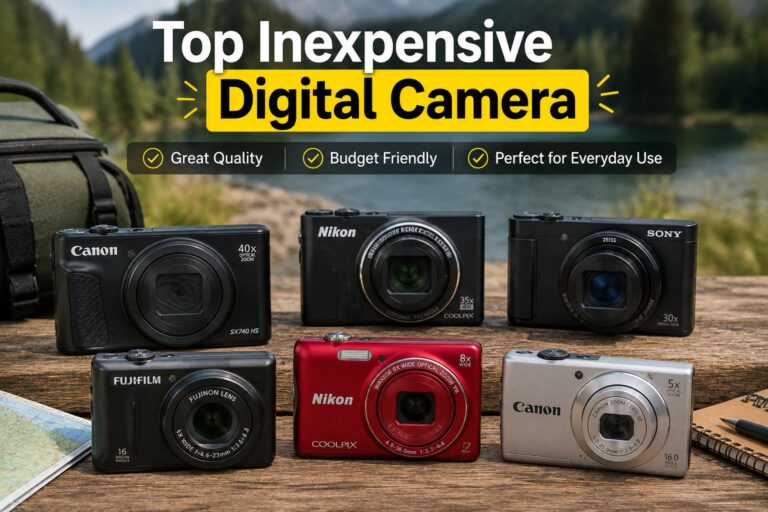
🏆 Best Overall: Canon PowerShot ELPH 360 HS (~$150)

  • 12x optical zoom, 20.2MP sensor
  • Wi-Fi and NFC for easy sharing
  • Slim, pocket-friendly design
  • Great for travel and everyday shooting

📸 Best for Video: Sony Cyber-shot DSC-W800 (~$100)

  • 20.1 MP, 5x optical zoom
  • Simple controls, excellent color accuracy
  • Ideal for beginners who want reliable stills and 720p video
  • Lightweight at under 120g

🎥 Best for Vloggers: Canon PowerShot G7 X Mark II (~$320)

  • 1-inch sensor (significantly larger than most budget cameras)
  • 4.2x optical zoom, flip-up screen for selfies
  • 1080p video at 60fps
  • Popular with YouTube creators for a reason

🔍 Best Zoom: Nikon Coolpix B500 (~$200)

  • 40x optical zoom—best in class at this price
  • 16MP, Bluetooth, built-in Wi-Fi
  • Excellent for wildlife, sports, and events where you can’t get close

💰 Best Under $100: Kodak PIXPRO FZ45 (~$75)

  • 16MP, 4x optical zoom
  • Simple interface, good for kids or casual users
  • AA battery compatible — no proprietary charger needed

🔄 Best Refurbished Value: Sony Cyber-shot DSC-RX100 (Refurbished, ~$200)

  • Originally a $700+ camera, now available certified refurbished
  • 1-inch sensor, 10x optical zoom, exceptional image quality
  • Best image-per-dollar ratio in 2026 for budget shoppers

How Do Budget Cameras Compare to Smartphone Cameras?

Top Inexpensive Digital Cameras

Budget digital cameras beat smartphones in three specific areas: optical zoom, battery endurance, and physical controls. Smartphones win on convenience, software processing, and connectivity.

Feature Budget Camera Mid-Range Smartphone
Optical Zoom 5x–40x 3x–10x (most models)
Low-Light Moderate Good (AI-enhanced)
Battery Life 200–350 shots All-day (multi-use)
Manual Controls Full Limited
Portability Good Excellent
Sharing Speed Moderate (Wi-Fi) Instant

For most casual users, a smartphone like the Google Pixel 9a handles daily photography well. But for travel photography, wildlife, or situations where you want a dedicated device, a budget camera still makes sense.

What Specs Matter Most When Buying an Inexpensive Digital Camera?

Three specs separate a good budget camera from a frustrating one: sensor size, optical zoom, and battery life. Everything else is secondary.

  1. Sensor Size
    Larger sensors capture more light and produce better images, especially indoors or at dusk. A 1/2.3-inch sensor is standard at the budget level. A 1-inch sensor (found in the Sony RX100 line) is noticeably better and worth paying for if available.
  2. Optical Zoom (not digital zoom)
    Digital zoom is just cropping — it degrades image quality. Optical zoom uses actual glass elements and preserves sharpness. Look for at least 5x optical zoom for versatility.
  3. Battery Life
    Budget cameras often use small batteries. Check the CIPA rating (shots per charge). Anything under 180 shots per charge will frustrate you on a full day of shooting. Carry a spare battery if possible.

Other specs worth checking:

  • Image stabilization (OIS beats digital stabilization)
  • Video resolution (1080p minimum; 4K is a bonus)
  • Wi-Fi or Bluetooth for easy transfers
  • Weight and build quality for travel durability

For accessories that extend your shooting capability, a portable tripod pairs well with any budget camera for stable shots and long exposures.

Where to Buy Top Inexpensive Digital Cameras for the Best Price

The best prices on budget cameras come from a mix of sources, and knowing where to look saves real money.

Best places to buy in 2026:

  • Amazon — Competitive pricing, easy returns, frequent deals on Canon and Sony models
  • B&H Photo—Reliable for camera-specific purchases, often has open-box deals
  • Best Buy — Good for in-store testing before buying; price-match guarantee
  • eBay (certified refurbished) — Strong option for getting premium cameras at budget prices
  • Manufacturer websites — Canon, Sony, and Nikon all run periodic direct sales

Common mistake: Buying from unknown third-party sellers without checking return policies. Always confirm the seller’s rating and return window before purchasing a camera online.

For more tech buying guides and reviews, the Camera category at TechnoItem covers a wide range of options across price points.

What Accessories Should You Buy With a Budget Camera?

A budget camera performs better with a few low-cost accessories. None of these is required, but each one solves a real problem.

  • Extra battery (~$15–$25): Most budget cameras ship with one battery. A spare eliminates the fear of running out mid-shoot.
  • Class 10 or UHS-I SD card (~$10–$20): Slow cards cause lag between shots. A fast card fixes this immediately.
  • Camera case or bag (~$15–$30): Protects the investment and makes carrying easier.
  • Tripod or mini tripod (~$20–$40): Essential for low-light shots, group photos, and video. See options at TechnoItem’s tripod guide.
  • Screen protector (~$5–$10): Budget cameras often have plastic LCD screens that scratch easily.

Total accessory budget: $65–$125 covers everything needed to shoot confidently from day one.

Are Refurbished Budget Cameras Worth Buying?

Certified refurbished cameras from reputable sellers are worth buying in most cases. They typically cost 30–50% less than new, come with a warranty, and have been tested and repaired to manufacturer standards.

Choose refurbished if:

  • The camera is certified by the manufacturer or a verified retailer (not just “seller refurbished”)
  • It includes at least a 90-day warranty
  • You’re targeting a premium model (like Sony RX100) that’s outside your new-camera budget

Avoid refurbished if:

  • There’s no return policy or warranty
  • The listing doesn’t specify what was repaired or tested
  • The price is only 10–15% less than new—the risk isn’t worth the small saving

FAQ: Top Inexpensive Digital Cameras

Q: What is the best budget digital camera under $150 in 2026?
The Canon PowerShot ELPH 360 HS ($150) and Sony Cyber-shot DSC-W800 ($100) are the top picks. Both offer reliable image quality, optical zoom, and easy controls for beginners.

Q: Is a $100 camera worth buying, or should I just use my phone?
A $100 camera is worth buying if you need optical zoom, a dedicated shooting device, or longer battery life. For casual daily photos, a modern smartphone is equally capable or better.

Q: What’s the difference between optical zoom and digital zoom?
Optical zoom uses physical lens movement to magnify the subject without losing quality. Digital zoom simply crops the image, which reduces sharpness. Always prioritize optical zoom when comparing cameras.

Q: How many megapixels do I actually need?
For most uses, including 8×10 prints and social media, 16–20MP is more than enough. Megapixel count matters less than sensor size and lens quality at the budget level.

Q: Can budget cameras shoot good video?
Yes. Most cameras in the $150–$350 range shoot 1080p at 30fps or higher. Some, like the Canon G7 X Mark II, shoot 1080p at 60fps. True 4K is rare under $200 but available in some models.

Q: Do budget cameras work well in low light?
Budget cameras with small sensors (1/2.3-inch) struggle in low light compared to smartphones with AI processing. Cameras with 1-inch sensors (like the Sony RX100 series) perform noticeably better indoors and at night.

Q: What brand makes the most reliable budget cameras?
Canon and Sony consistently receive the highest reliability ratings in the budget camera segment. Nikon is also strong, particularly for zoom-range options.

Q: Should I buy a point-and-shoot or a used DSLR on a budget?
A point-and-shoot is better for portability and simplicity. A used DSLR gives more creative control and better image quality but is bulkier and requires learning more settings. Choose based on how serious you are about photography.

Q: Is Wi-Fi important in a budget camera?
Wi-Fi makes transferring photos to a phone or laptop much faster and easier. It’s a useful feature, especially for content creators. Most cameras above $150 now include it.

Q: What memory card should I buy for a budget camera?
A SanDisk or Lexar Class 10 or UHS-I SD card with at least 32GB storage is the standard recommendation. It ensures fast write speeds and enough space for a full day of shooting.

Conclusion: How to Choose the Right Budget Camera

The top inexpensive digital cameras in 2026 offer real value for photographers at every skill level. The decision comes down to three questions: How much do you want to spend? How important is zoom range? And will you grow into manual controls?

Actionable next steps:

  1. Set a firm budget before browsing—$100, $200, or $350 each unlocks a different tier of quality.
  2. Prioritize optical zoom and sensor size over megapixel count when comparing models.
  3. Check battery life ratings (CIPA standard) and budget for a spare battery.
  4. Consider certified refurbished if you want a premium model at a budget price.
  5. Add a fast SD card and a basic tripod to your order — these two accessories make an immediate difference in usability.
  6. Compare with smartphone options if portability is your top priority — devices like the Motorola Moto G 2026 offer strong cameras at competitive prices.

For more camera reviews, comparisons, and tech buying guides, browse the full Camera section at TechnoItem.

References

Best Vlogging Camera in 2026: The Complete Buyer’s Guide

best vlogging camera

Key Takeaways

  • 📷 Flip screens are non-negotiable for solo vloggers — always check for a fully articulating display before buying.
  • 🎙️ Audio quality matters as much as video — built-in mics are rarely enough; plan for an external mic from day one.
  • 🔋 Battery life and overheating are the two most common complaints in real-world vlogging use — check user reviews carefully.
  • 💡 Sensor size affects low-light performance — APS-C sensors offer the best balance of image quality and compact body size for most vloggers.
  • 🎯 4K at 30fps is now the baseline — look for 4K/60fps if you plan to slow down footage or future-proof your content.
  • 💰 Budget tiers matter — under $500, $500–$1,200, and $1,200+ each offer meaningfully different capabilities.
  • 🤳 Smartphone cameras have closed the gap — for travel vloggers who prioritize portability, a phone like the Apple iPhone 18 Pro Max is a serious contender.
  • 🎬 Stabilization type matters — in-body image stabilization (IBIS) beats electronic stabilization for quality; a gimbal adds another layer.
  • ⚖️ Weight and form factor affect how often you actually use the camera — the best camera is the one you carry.
  • 🔌 USB-C charging is now expected — avoid cameras that still rely on proprietary chargers.

What Makes a Camera the Best Vlogging Camera?

Best Vlogging Camera

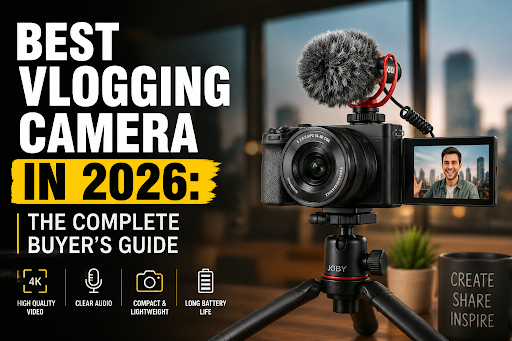
The best vlogging camera must solve three practical problems at once: capturing clean video in variable lighting, recording usable audio, and staying portable enough to use consistently.

Unlike filmmaking cameras built for controlled sets, a vlogging camera lives in the real world — in bags, on selfie sticks, and in front of faces in coffee shops. That context changes everything about what specs actually matter.

Core features every vlogging camera should have:

  • Fully articulating or flip-out touchscreen — essential for framing yourself when shooting solo
  • Fast, reliable autofocus — face and eye tracking saves footage that would otherwise be blurry and unusable
  • 4K video recording — at minimum 4K/30fps; 4K/60fps is better for flexibility in editing
  • Good low-light performance — most vlogging happens in imperfect lighting; a larger sensor helps significantly
  • External microphone input — a 3.5mm jack or USB-C audio input opens up far better audio options
  • Compact, lightweight body — anything over 700g with a lens becomes a burden on long shooting days
  • USB-C charging — charge from a power bank while traveling; this is a practical necessity in 2026

Features that sound important but rarely matter for vloggers:

  • RAW photo shooting (most vloggers shoot video only)
  • Weather sealing (useful but rarely decisive)
  • Dual card slots (overkill for solo content creators)

Best Vlogging Camera by Budget: Which Tier Is Right for You?

Choosing the best vlogging camera starts with being honest about budget, because the performance gap between tiers is real but not always worth the price difference for new creators.

Under $500: Best Entry-Level Vlogging Cameras

At this price, the options are compact cameras, older mirrorless bodies, and smartphones. The Sony ZV-1 II (compact, fixed lens) and Canon PowerShot V10 are purpose-built for vlogging at this price point. Both include flip screens, decent autofocus, and built-in ND filters or wind noise reduction.

Choose this tier if: You’re just starting, unsure about long-term commitment, or primarily shooting in good lighting conditions.

Common mistake: Buying a DSLR at this price. Older DSLRs lack flip screens and have poor video autofocus compared to modern mirrorless options.

Visit Amazon: https://amzn.to/4eMk5Hd

$500–$1,200: The Sweet Spot for Most Vloggers

This range includes the Sony ZV-E10 II, Canon EOS R50, and Fujifilm X-S20 — all APS-C mirrorless cameras with interchangeable lenses, excellent autofocus, and 4K video. This is where most serious vloggers land, and for good reason. The image quality jump from the sub-$500 tier is significant.

Choose this tier if: You’re committed to creating content regularly and want room to grow your lens collection.

$1,200 and Above: Advanced Vlogging Cameras

The Sony ZV-E1 (full-frame, designed specifically for video creators), Canon EOS R7, and Sony A7C II live here. Full-frame sensors deliver noticeably better low-light footage and a more cinematic look. These cameras also tend to have better heat management for long recording sessions.

Choose this tier if: You’re monetizing content, shooting in challenging environments, or need the absolute best image quality.

Mirrorless vs. Compact vs. Smartphone: Which Type Wins?

For most vloggers in 2026, a mirrorless camera is the best vlogging camera type — but that’s not true for everyone.

Camera Type Best For Drawbacks
Mirrorless (APS-C) Most vloggers; best balance of quality and size Requires lens investment; learning curve
Mirrorless (Full-Frame) Professional creators; low-light, heavy shooting Expensive, larger, and heavier
Compact/Fixed Lens Travel, simplicity, and budget-conscious creators Limited upgrade path; smaller sensors
Action Camera (GoPro) Adventure, sports, hands-free vlogging Poor audio; limited zoom; small sensor
Smartphone Ultra-portability; casual creators Limited manual control; smaller sensor

The smartphone case: Modern flagships like the Google Pixel 10 Pro XL or Samsung Galaxy S26 Ultra shoot genuinely impressive 4K video with computational stabilization. For travel vloggers who can’t carry extra gear, a flagship phone paired with a wireless microphone and a phone tripod can replace a dedicated camera entirely.

What Autofocus Features Actually Matter for Vlogging?

Autofocus quality is arguably the most important spec for solo vloggers, more than resolution or sensor size.

When shooting alone — walking, talking, moving — the camera must track your face and eyes without losing focus or hunting. The difference between good and bad autofocus is the difference between usable and unusable footage.

What to look for:

  • Real-time face and eye tracking — Sony’s autofocus system (used in the ZV-E10 II and ZV-E1) is widely considered the benchmark; Canon’s Dual Pixel CMOS AF II is a close competitor
  • Subject recognition — some cameras now recognize animals, vehicles, and even specific face profiles
  • Tracking speed — test how quickly the camera reacquires focus after you step out of frame and return

Edge case: In very low light (below EV 0), even the best autofocus systems struggle. If you shoot in dark environments regularly, manual focus peaking becomes a useful fallback.

How Important Is Audio for a Vlogging Camera?

Audio quality can make or break a vlog more than video quality. Viewers tolerate imperfect visuals far longer than they tolerate bad audio.

Built-in microphones on most cameras — even good ones — pick up wind noise, camera handling sounds, and room echo. An external microphone is almost always worth the investment.

Audio setup options by budget:

  • Budget: Rode VideoMicro II or DJI Mic Mini (clips directly to camera or clothing; under $80)
  • Mid-range: Rode Wireless GO II (wireless lavalier system; around $300)
  • Pro: Sennheiser MKE 400 (directional shotgun mic; excellent for outdoor use)

What to check on the camera itself:

  • 3.5mm microphone input (standard; most mirrorless cameras have this)
  • Headphone monitoring jack (lets you hear audio while recording — underrated feature)
  • Wind noise reduction settings (useful for outdoor shooting)

For wireless microphone options, the Mini Mic Pro Wireless is a compact and affordable solution that works well with most cameras and smartphones.

Stabilization: IBIS, Electronic, or Gimbal?

Shaky footage kills viewer retention. Stabilization is a must-have for any vlogging camera used while walking or moving.

Three stabilization approaches:

  1. In-Body Image Stabilization (IBIS): Physical sensor movement compensates for camera shake. Delivers the best quality with no crop. Found in Sony ZV-E1, Canon EOS R7, Fujifilm X-S20.
  2. Electronic Image Stabilization (EIS): Crops the image and uses software to smooth footage. Works well, but reduces the field of view and can look artificial in fast movement.
  3. Gimbal: A motorized stabilizer that physically keeps the camera level. Adds bulk but delivers cinema-quality smooth footage. The DJI Osmo Mobile 8 is a popular option for smartphone vloggers.

Best approach for most vloggers: IBIS combined with a wide-angle lens. Add a gimbal only if you shoot a lot of walking footage or action sequences.

Top Vlogging Camera Picks for 2026 at a Glance

Camera Sensor 4K Flip Screen IBIS Price Range
Sony ZV-E10 II APS-C 4K/60fps ~$750
Canon EOS R50 APS-C 4K/30fps ~$680
Fujifilm X-S20 APS-C 4K/60fps ~$1,299
Sony ZV-E1 Full-Frame 4K/60fps ~$2,200
Canon EOS R7 APS-C 4K/60fps ~$1,499
Sony ZV-1 II 1-inch 4K/30fps ~$750

Prices are approximate retail estimates as of mid-2026 and may vary by region and retailer.

Common Mistakes When Buying a Vlogging Camera

Even experienced buyers make avoidable errors. Here are the most common ones:

  • Prioritizing megapixels over video specs. Megapixels are a photometric. For video, look at bitrate, color profiles, and rolling shutter performance instead.
  • Ignoring the lens. A $700 camera body with a kit lens will often underperform a $500 body with a quality prime lens. Budget for glass.
  • Forgetting about battery life. Most mirrorless cameras get 200–400 shots per charge. For long shooting days, buy at least two extra batteries and a dual charger.
  • Skipping audio planning. Buying a great camera and using the built-in mic is one of the most common beginner mistakes.
  • Buying too many cameras too soon. A $2,000 camera won’t make content better if the fundamentals — lighting, framing, audio — aren’t in place first.

For broader camera and tech gear reviews, the TechnoItem camera category covers a wide range of options across budgets.

FAQ: Best Vlogging Camera Questions Answered

Q: What is the best vlogging camera for beginners in 2026?
The Sony ZV-E10 II or Canon EOS R50 are the top beginner picks. Both offer flip screens, reliable face-tracking autofocus, 4K video, and interchangeable lenses at under $800.

Q: Can a smartphone replace a dedicated vlogging camera?
For casual creators and travel vloggers, yes. Flagships like the Apple iPhone 18 Pro Max or Samsung Galaxy S26 Ultra shoot excellent 4K video. A dedicated camera still wins on low-light performance, shallow depth of field, and external audio options.

Q: Do I need a full-frame camera for vlogging?
No. APS-C cameras handle the vast majority of vlogging scenarios well. Full-frame is worth considering only if you shoot heavily in low light or want a more cinematic look and have the budget.

Q: What lens should I use for vlogging?
A wide-angle prime lens (16mm–24mm equivalent) works best for solo vlogging at arm’s length. The Sony 15mm f/1.4 G and Sigma 16mm f/1.4 are popular choices for APS-C cameras.

Q: Is 4K really necessary for vlogging?
In 2026, yes — 4K is the standard upload resolution for YouTube and most platforms. It also gives you the flexibility to crop in editing without losing quality.

Q: How much should I spend on my first vlogging camera?
A realistic starting budget is $500–$800 for the body, plus $100–$200 for a lens and $50–$100 for a basic external microphone. Total: around $700–$1,100 for a solid beginner setup.

Q: What’s the best vlogging camera for travel?
The Sony ZV-1 II (compact, fixed lens, built-in ND filter) or a flagship smartphone with a gimbal like the DJI Osmo Mobile 8. Both prioritize portability without sacrificing too much quality.

Q: Does the camera need Wi-Fi or Bluetooth?
It’s a useful feature but not essential. Wi-Fi and Bluetooth allow wireless file transfer to a phone for quick social media uploads. Most modern cameras include this.

Q: What’s the difference between a vlogging camera and a regular camera?
A vlogging camera prioritizes video features — flip screen, face-tracking autofocus, clean HDMI output, good audio input, and compact size. A “regular” camera may prioritize still photo specs instead.

Q: How do I stabilize my vlogging footage without IBIS?
Use a gimbal, shoot with a wide-angle lens (wider lenses hide shake better), enable electronic stabilization in-camera, or use stabilization in editing software. Combining two of these methods works well.

Conclusion: Choosing the Best Vlogging Camera for Your Needs

The best vlogging camera isn’t the one with the most specs — it’s the one that fits your workflow, budget, and the environments where you actually shoot.

Actionable next steps:

  1. Define your use case first. Are you shooting indoors, outdoors, traveling, or in a studio? This narrows your options faster than any spec sheet.
  2. Set a realistic total budget — body, lens, microphone, and extra batteries together.
  3. Prioritize flip screen + autofocus + audio input as your three non-negotiables.
  4. Test before you buy if possible — many camera stores allow in-store demos.
  5. Don’t wait for the perfect camera. Start with what you can afford and upgrade once you understand what you actually need.

For creators who want the best balance of quality and value in 2026, the Sony ZV-E10 II and Canon EOS R50 remain the strongest recommendations at the mid-range. If budget allows, the Fujifilm X-S20 adds IBIS and better video specs for a meaningful quality upgrade. And if portability is the priority, pair a flagship phone with a quality wireless mic and a phone tripod — that setup will outperform many dedicated cameras in the hands of a skilled creator.

References

  • Sony Corporation. ZV-E10 II Product Specifications. Sony.com. 2024.
  • Canon USA. EOS R50 Product Page. Canon.com. 2023.
  • Fujifilm. X-S20 Specifications. Fujifilm.com. 2023.
  • DPReview Staff. Best Cameras for Video 2024. DPReview.com. 2024.
  • Rode Microphones. VideoMicro II Product Overview. Rode.com. 2023.
  • DJI. Osmo Mobile 8 Product Specifications. DJI.com. 2024.

Best Budget Mirrorless Cameras in 2026: Top Picks for Every Shooter

Best Budget Mirrorless Cameras in 2026

Quick Answer

The best budget mirrorless cameras in 2026 fall in the $400–$900 range and include the Sony ZV-E10 II, Fujifilm X-S20, Canon EOS R50, and Nikon Z30. These cameras feature APS-C sensors, 4K video, and interchangeable lenses at a price lower than full-frame bodies. For most beginners and hobbyists, any of these options will outperform a smartphone camera by a wide margin.

Key Takeaways 📷

  • Budget mirrorless cameras typically cost between $400 and $900 for the body only in 2026.
  • APS-C sensors dominate this price range and deliver excellent image quality for stills and video.
  • The Sony ZV-E10 II, Canon EOS R50, Fujifilm X-S20, and Nikon Z30 are the top picks for most buyers.
  • Lens ecosystem matters as much as the camera body—factor in future lens costs before buying.
  • 4K video recording is now standard, even at entry-level prices.
  • In-body image stabilization (IBIS) is rare below $700; expect electronic stabilization instead.
  • Beginners benefit most from cameras with guided shooting modes and strong autofocus.
  • Content creators should prioritize flip screens, USB-C charging, and clean HDMI output.
  • Mirrorless cameras are lighter and more compact than DSLRs, making them great for travel.
  • Pairing a camera with a stable phone tripod works well for solo shooting setups.

What Makes a Mirrorless Camera “Budget” in 2026?

A mirrorless camera qualifies as budget-friendly when it costs under $900 body-only and doesn’t require expensive proprietary accessories to function well. In 2026, this price band delivers genuinely capable hardware — not stripped-down compromises.

Key characteristics of budget mirrorless cameras:

  • Sensor size: APS-C (most common) or Micro Four Thirds
  • Price range: $400–$900 body-only
  • Video: 4K at 24/30fps, often with a crop
  • Autofocus: Phase-detect or hybrid AF with subject tracking
  • Build: Polycarbonate body (not weather-sealed at most price points)
  • Stabilization: Electronic or lens-based (IBIS rare under $700)

Who this is NOT for: Professional photographers needing weather sealing, full-frame dynamic range, or high-speed burst shooting should budget $1,200 or more.

Visit Amazon: https://amzn.to/3QVInES

Which are the best budget mirrorless cameras right now?

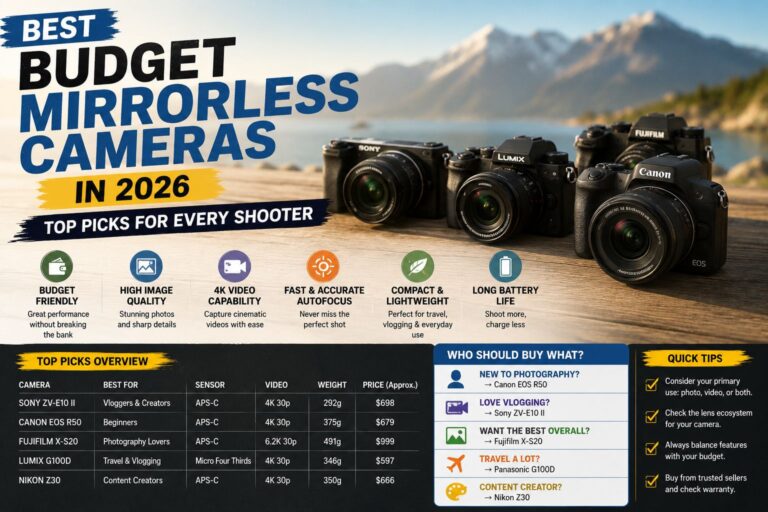
The best budget mirrorless cameras in 2026 are the Sony ZV-E10 II, the Canon EOS R50, the Fujifilm X-S20, and the Nikon Z30. Each targets a slightly different type of shooter, so the “best” one depends on your priorities.

📊 Top Budget Mirrorless Cameras Compared (2026)

Camera Price (Body) Sensor 4K Video IBIS Best For
Sony ZV-E10 II ~$500 APS-C Yes (4K/30p) No Vloggers, content creators
Canon EOS R50 ~$680 APS-C Yes (4K/30p) No Beginners, photo/video hybrid
Fujifilm X-S20 ~$800 APS-C Yes (6.2K/30p) Yes Enthusiasts, film simulation fans
Nikon Z30 ~$630 APS-C Yes (4K/30p) No Video-first creators
OM System OM-5 ~$900 MFT Yes (4K/30p) Yes Outdoor/travel shooters

Choose the Sony ZV-E10 II if you want the lightest, most vlog-friendly body with a massive lens selection through Sony’s E-mount ecosystem.

Choose the Fujifilm X-S20 if you want in-body stabilization, exceptional film simulations, and the best still-image color science in this price range.

Choose the Canon EOS R50 if you’re new to photography and want Canon’s intuitive menus, strong autofocus, and a large support community.

Choose the Nikon Z30 if you shoot video primarily and want a clean, no-viewfinder design optimized for vlogging and streaming.

What Should You Look for When Buying a Budget Mirrorless Camera?

Best Budget Mirrorless Cameras

The right budget mirrorless camera depends on five core factors: sensor quality, autofocus performance, video specs, lens ecosystem, and ergonomics. Prioritizing all five equally is a mistake — rank them by your actual use case first.

The 5 Factors That Matter Most

  1. Sensor size and resolution — APS-C sensors (around 24MP) handle low light well and produce files with plenty of detail for printing and cropping.
  2. Autofocus system — Look for phase-detect AF with eye/face tracking. This makes a real difference for portraits, run-and-gun video, and action shots.
  3. Video capabilities — 4K is the baseline in 2026. Check for overheating limits, rolling shutter performance, and whether the camera supports clean HDMI output for external recording.
  4. Lens ecosystem — A cheap body paired with expensive lenses defeats the purpose. Sony E-mount, Canon RF-S, and Nikon Z all have affordable kit lens options, but long-term costs vary.
  5. Ergonomics and interface — A camera you enjoy using gets used more. Flip screens, physical dials, and intuitive menus matter more than spec sheets suggest.

Common mistake: Buying a camera body without researching the cost of a second lens. The kit lens is fine to start, but a fast 35mm or 50mm prime can cost $150–$400, depending on the system.

Are Budget Mirrorless Cameras Good Enough for Video?

 Budget Mirrorless Cameras
Budget Mirrorless Cameras

Yes—the best budget mirrorless cameras in 2026 are more than capable for YouTube, social media, and even short film production. 4K video is standard across all major budget models, and most support USB-C charging, which simplifies on-location power management.

What you get at this price:

  • 4K/30p video (some models offer 4K/60p with a crop)
  • Continuous autofocus with subject tracking
  • Microphone input (3.5mm jack on most models)
  • Flat/log picture profiles for colour grading (varies by model)

What you may miss:

  • 10-bit colour depth (usually reserved for $1,000+ cameras)
  • Unlimited recording time (some budget cameras have 30-minute limits)
  • Full-size HDMI port (micro-HDMI is common at this price)

For creators who also want to capture high-quality wireless audio, pairing a budget mirrorless camera with a wireless microphone like the Mini Mic Pro significantly improves production value without a large investment.

How Do Budget Mirrorless Cameras Compare to Budget Smartphones?

Budget mirrorless cameras outperform smartphones in optical zoom, low-light performance, and creative control, but smartphones win on convenience, connectivity, and computational photography. For most casual users, a smartphone is sufficient — but for anyone serious about photography or video quality, a mirrorless camera is worth the upgrade.

Feature Budget Mirrorless Budget Smartphone
Low-light performance Much better Decent with AI processing
Optical zoom Yes (with the right lens) Limited or simulated
Sensor size APS-C (much larger) 1/2″ or smaller
Creative control Full manual control Limited
Portability Moderate Excellent
Connectivity SD card + USB Instant cloud sharing

For reference, even a capable budget phone like the Motorola Moto G 2026 or the Google Pixel 7 5G produces impressive photos—but neither matches a mirrorless camera with a good prime lens in challenging light.

What Lenses Should You Buy With a Budget Mirrorless Camera?

Start with the kit lens (usually an 18-45mm or 16-50mm zoom), then add a fast prime lens as your second purchase. A 35mm f/1.8 or 50mm f/1.8 in your camera’s native mount typically costs $150–$300 and dramatically improves low-light and portrait performance.

Recommended Starter Lens Kits by System

Sony E-mount:

  • Kit: Sony 16-50mm f/3.5-5.6 (included with ZV-E10 II kit)
  • Second lens: Sony 35mm f/1.8 OSS (~$250)

Canon RF-S:

  • Kit: Canon RF-S 18-45mm f/4.5-6.3 (included with R50 kit)
  • Second lens: Canon RF 50mm f/1.8 STM (~$200)

Fujifilm X-mount:

  • Kit: Fujinon XC 15-45mm f/3.5-5.6 OIS
  • Second lens: Fujinon XF 35mm f/2 R WR (~$300)

Nikon Z:

  • Kit: Nikkor Z DX 16-50mm f/3.5-6.3 VR
  • Second lens: Nikkor Z 40mm f/2 (~$280)

Edge case: If you’re switching from a DSLR, check whether your existing lenses are compatible with an adapter before committing to a new system. Canon EF lenses adapt well to the RF mount; Nikon F lenses adapt to the Z mount with full AF support.

What Are the Most Common Mistakes When Buying a Budget Mirrorless Camera?

The biggest mistakes are buying based solely on megapixel count, ignoring the lens ecosystem, and underestimating the importance of ergonomics. A 24MP camera with a sharp, fast lens will always outperform a 32MP camera with a slow kit lens.

Mistakes to Avoid

  • Chasing specs over usability: A camera with complex menus you never learn to use is a wasted investment.
  • Ignoring battery life: Budget mirrorless cameras typically get 300–400 shots per charge. Buy a spare battery from day one.
  • Skipping a memory card budget: Fast UHS-I or UHS-II SD cards are essential for 4K video. Slow cards cause dropped frames.
  • Buying the wrong mount: Switching systems later means replacing all your lenses. Research the ecosystem before committing.
  • Overlooking used/refurbished options: Certified refurbished cameras from Sony, Canon, and Nikon often cost 20–30% less with a full warranty.

Best Budget Mirrorless Cameras for Specific Use Cases

Not every shooter has the same needs. Here’s a quick decision guide based on how you plan to use your camera most.

For travel photography: Fujifilm X-S20 (IBIS, compact body, and excellent JPEGs straight from the camera) or OM System OM-5 (weather-sealed, very compact). A sturdy tripod is a useful companion for landscape and long-exposure shots.

For YouTube and vlogging: Sony ZV-E10 II or Nikon Z30 (both optimized for front-facing content, with flip screens and strong continuous AF).

For portrait photography: the Canon EOS R50 (excellent skin tones and reliable eye-tracking AF) or the Fujifilm X-S20 (film simulations produce beautiful, natural portraits).

For wildlife and sports: Any of the above with a telephoto lens, though note that budget bodies have slower burst speeds (typically 11–15 fps) compared to mid-range options.

For beginners, the Canon EOS R50 has the most beginner-friendly interface, guided modes, and an extensive online learning community.

For more tech buying decisions across categories, the TechnoItem camera category offers a wide range of reviews of photography and videography gear.

Conclusion: Which Budget Mirrorless Camera Should You Buy?

The best budget mirrorless cameras in 2026 make serious photography accessible without a serious price tag. The right choice comes down to your primary use case:

  • Vloggers and content creators → Sony ZV-E10 II
  • Beginners and photo/video hybrid shooters → Canon EOS R50
  • Enthusiasts who want the best image quality → Fujifilm X-S20
  • Video-first creators → Nikon Z30
  • Outdoor and travel shooters → OM System OM-5

Actionable next steps:

  1. Decide whether stills or video is your primary use—this immediately narrows your choice.
  2. Set a total budget that includes a body, a kit lens, one prime lens, a spare battery, and a fast SD card.
  3. Visit a camera store (if possible) to handle the body before buying — ergonomics matter.
  4. Buy from a retailer that offers a return window so you can test the camera in real conditions.
  5. Start shooting on auto, then gradually move to aperture priority as you build confidence.

The best camera is the one you’ll actually carry and use. At these price points, any of the top picks above will produce images that would have required a professional camera just five years ago.

Frequently Asked Questions

What is the best budget mirrorless camera for beginners in 2026?

The Canon EOS R50 is the top pick for beginners. It has guided shooting modes, reliable eye-tracking autofocus, and one of the most intuitive menu systems in this price range.

Can a budget mirrorless camera shoot professional-quality photos?

Yes, for most professional applications, including portraits, events, and product photography. The limiting factor is usually the lens, not the camera body.

Is a mirrorless camera better than a DSLR for beginners?

Generally yes. Mirrorless cameras are lighter, offer real-time exposure preview through the electronic viewfinder, and have better video autofocus. DSLRs still have longer battery life and a wider used-lens market.

What sensor size do budget mirrorless cameras use?

Most budget mirrorless cameras use APS-C sensors. A few use Micro Four Thirds (MFT). Full-frame sensors are rarely available for under $1,200.

Do budget mirrorless cameras overheat during video recording?

Some do, especially during extended 4K recording in warm environments. The Sony ZV-E10 II and Nikon Z30 have better-than-average heat management for this price range. Always check real-world recording limits before buying.

Is 4K video available on budget mirrorless cameras?

Yes—4K video is standard on all major budget mirrorless models in 2026, though some models apply a crop factor at 4K.

What accessories do I need with a budget mirrorless camera?

At minimum: a spare battery, a fast SD card (UHS-I V30 or better), a UV filter to protect the lens, and a camera bag. A tripod is useful for video and long-exposure work.

How long do budget mirrorless cameras last?

Most are rated for 100,000–200,000 shutter actuations. For casual shooters taking a few hundred photos per week, a well-maintained budget mirrorless camera can last 5–10 years.

Should I buy a kit lens or a body-only lens?

Buy the kit. Kit lenses have improved significantly, offering a versatile starting point. Buying a body only makes sense if you already own compatible lenses.

Are budget mirrorless cameras weather-sealed?

Rarely below $800. The OM System OM-5 is a notable exception at around $900. Most APS-C budget bodies are polycarbonate with no weather sealing.

Sources