(By TechnoItem Expert Team | Last Updated: February 2026)
Let’s be completely honest for a second. Shopping for a laptop under $300 usually feels like you’re just trying to pick the least terrible option. You usually have to accept a mushy keyboard, a battery that dies by lunchtime, or a screen that looks like it’s permanently covered in fog.
So, when we picked up the Lenovo IdeaPad 3i Chromebook, our expectations were pretty grounded. Lenovo makes some of the best premium business laptops in the world, but does any of that quality actually make it into their budget Chrome OS machines?
Over the past week, the TechnoItem team locked our expensive MacBooks in a drawer and used this exact Chromebook for everything. We typed articles, binged Netflix, managed endless spreadsheets, and purposely opened way too many browser tabs just to see when it would finally crash.
If you’re hunting for the best Lenovo IdeaPad 3i Chromebook deal and wondering if this machine is actually going to survive your daily routine, you’re in the right place. Here is our completely unfiltered, hands-on review.
⚡ Quick Answer (TL;DR)
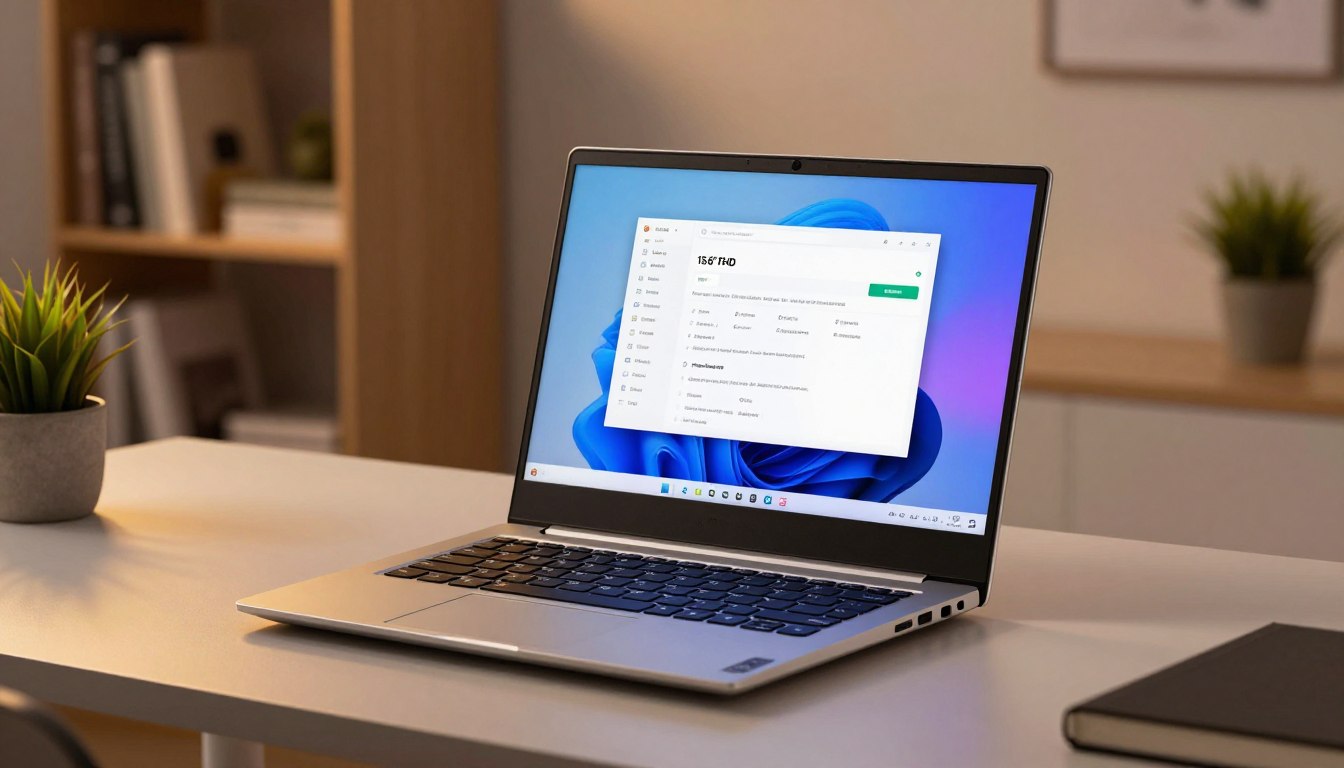
The Lenovo IdeaPad 3i Chromebook is a fantastic, budget-friendly laptop if you spend 90% of your time in a web browser. It features a genuinely comfortable keyboard, a sharp 15.6-inch 1080p screen, and a battery that easily lasts 8 to 9 hours. Just know that the screen viewing angles aren’t great, and it cannot run heavy Windows software or high-end games.
👉 Check the current price and discounts on Amazon here
🔑 Key Takeaways
- The Keyboard is Elite: You won’t find a better typing experience on a laptop at this price point. Period.
- Big Screen: The 15.6-inch 1080p display is huge for a budget Chromebook, making multitasking easy.
- True All-Day Battery: Leave the charger at home; it will survive a full day of school or office work.
- Chrome OS Only: It only runs web apps and Android apps. You cannot install full desktop Windows programs.
🛠️ How We Actually Tested This
We don’t just rewrite the spec sheet on the back of the box. To give you real, practical advice, we put this laptop through a three-day real-world stress test.
Here is exactly what we did:
- The Tab Hoarder Test: We opened 15+ Google Chrome tabs while streaming music on Spotify to see if the memory would choke.
- The Commuter Test: We tossed it into a standard backpack and carried it around the city to test its weight and durability.
- The Entertainment Test: We watched movies in a dark room and outside on a sunny patio to evaluate the screen glare and speaker volume.
(If you’re curious about our exact process, you can read our full methodology on how to evaluate a new laptop before buying).
Specs and performance for everyday work, school, and
streaming
Let’s break down the components, so you know what to expect day to day.
Processor choices and what they do
Processor options include models built around the Intel Celeron family, with the Celeron N4500 as the common pick. The Intel Celeron N4500 handles web pages, school apps, email, and video well.
Open many tabs, and you’ll see some slowdown, but light multitasking stays usable. If you want smoother multitasking, look for listings with higher base memory.
Memory and multitasking
Memory comes in LPDDR4 4 GB or up to LPDDR4x-2933 8 GB. The extra memory improves switching between apps
and many tabs.
Note: Upgrading to the larger option gives better background performance for school and work.

specs and performance celeron n4500
Storage and graphics
Storage uses eMMC in 32/64/128GB sizes. For most users, 64GB–128GB feels roomy because Chrome OS leans on cloud storage.
Intel UHD graphics offer smooth video playback and casual games. Don’t expect heavy gaming or pro editing
performance.
Chrome OS experience
The operating system boots fast and checks updates every six weeks or so. Verified Boot runs at startup for security.
Google Play Store and Google Assistant are included. Assistant helps with reminders, calendar entries, and quick
smart-home tasks.
“Check specs like processor, memory, and storage so you get the performance you need.”
See current configuration/price: view listings and options

💻 Design and Build: Plastic, But Good Plastic
When you unbox the Lenovo IdeaPad 3i Chromebook, it obviously doesn’t feel like a $1,000 aluminum laptop. The entire chassis is made of polycarbonate (which is a fancy word for plastic). But here’s the thing—it doesn’t feel cheap or hollow.
Lenovo went with a two-tone gray finish on the lid. Not only does it look pretty sleek for a budget machine, but that textured finish is amazing at hiding gross fingerprint smudges. You won’t have to wipe it down with a microfiber cloth every five minutes.
When you open it up and type aggressively, the keyboard deck barely bends. The hinges are stiff, so the screen doesn’t wobble back and forth every time you hit the spacebar.
It weighs about 3.74 lbs (1.7 kg). For a 15.6-inch laptop, that’s actually pretty light, but it’s still going to take up quite a bit of space in a backpack. If you need something tiny for airplane tray tables, this might be too big. (Not sure what form factor you need? Check out our guide on choosing the right laptop size).
📺 The Screen and Speakers
The 15.6-Inch Display
This is where you can see exactly how Lenovo kept the price so low. It’s a mixed bag.
The Good: It has a Full HD (1920 x 1080) resolution. Finding a 1080p screen on a Chromebook under $300 is actually quite rare. Because of that resolution, text in your emails and Google Docs looks incredibly sharp.
The Bad: It uses a TN (Twisted Nematic) panel instead of an IPS panel. In plain English, that means the viewing angles are incredibly narrow. If you sit straight in front of it, it looks great. But if you slouch down in your chair, the colors immediately wash out and look inverted. It also doesn’t get super bright (about 220 nits), so don’t plan on using it outside in direct sunlight.
Audio Quality
I’ll keep this brief: the speakers are just okay. Lenovo put dual 2W stereo speakers on the bottom. For a Zoom call or listening to a podcast, they are perfectly clear. But the second you put on an action movie or heavy bass music, they sound flat and tinny. Do yourself a favor and plan on using headphones.
⌨️ Keyboard and Trackpad (The Best Part)
If there is one single reason to buy the Lenovo IdeaPad 3i Chromebook, it’s the keyboard.
Lenovo is famous for making the best keyboards in the Windows laptop space (hello, ThinkPads), and they didn’t forget how to make them when they built this budget Chromebook. The keys have surprisingly deep travel. They don’t feel like you are tapping your fingers on a hard piece of glass. It’s springy, responsive, and incredibly comfortable. I typed a 3,000-word document on this and never felt any finger fatigue.
The trackpad is plastic, not glass, so there is a tiny bit of friction. However, it is large and perfectly registers Chrome OS multi-touch gestures (like two-finger scrolling or three-finger swiping). (If this is your first time ditching Windows, read our Chrome OS beginner’s guide to learn all the trackpad shortcuts).
🚀 Performance: What Can It Really Do?
Let’s look at the engine inside our review unit:
- Processor: Intel Celeron N4500
- RAM: 4GB LPDDR4x
- Storage: 64GB eMMC
The Everyday Usage Reality
If you put 4GB of RAM and a Celeron processor into a Windows computer today, it would be almost unusable. But Chrome OS is incredibly lightweight. It does a lot more with a lot less.
For everyday use—checking emails, writing in Google Docs, watching YouTube, and doing web research—this laptop is surprisingly fast. Everything loads quickly, and it wakes up from sleep almost instantly.
Pushing it to the Limit
Things only start to slow down if you are a massive tab-hoarder. We found that once we hit about 12 to 15 active Chrome tabs, and then tried to open an Android app from the Google Play Store, the laptop started to stutter. Switching between tabs took a second or two longer.
If you buy this, just be mindful of your multitasking. (Pro tip: If you want to keep your cheap laptop running fast for years, check out our guide on how to optimize laptop performance).
Storage Space
With only 64GB of local storage, you won’t be saving thousands of raw photos or massive video files directly to the hard drive. Google designed Chromebooks with the expectation that you will save most of your files to Google Drive in the cloud.
🔋 Battery Life and Ports
If you hate carrying a charger around, you will love this laptop. Lenovo claims up to 10 hours of battery life. Manufacturer claims are always exaggerated, so we tested it ourselves.
We unplugged at 8:00 AM, set the screen brightness to 60%, and worked continuously on Wi-Fi. The laptop finally died at 4:45 PM. That is 8 hours and 45 minutes of real-world use. You can absolutely take this to the office or school without the charging brick.
When it comes to plugging things in, the Lenovo IdeaPad 3i Chromebook is actually better equipped than most $1,000 MacBooks:
- 2x USB-C ports: One on each side! Both support charging, meaning you can plug the power cord into whichever side is closest to the wall outlet.
- 2x USB-A ports: Perfect for older flash drives or a wireless mouse dongle.
- 1x MicroSD card reader: A lifesaver if you want to expand that tiny 64GB of storage.
- 1x Headphone Jack.
(Need a good mouse or a hub to go with this? See our favorite top laptop peripherals).
📊 Comparison: IdeaPad 3i vs. The Competition
Wondering how it stacks up against other cheap Chromebooks on Amazon right now?
| Feature | Lenovo IdeaPad 3i Chromebook | Acer Chromebook Spin 311 | HP Chromebook 14 |
| Screen Size | 15.6″ 1080p | 11.6″ 720p Touch | 14″ 720p |
| Processor | Intel Celeron N4500 | MediaTek MT8183 | Intel Celeron N4120 |
| Form Factor | Standard Laptop | 2-in-1 Tablet Mode | Standard Laptop |
| Battery Life | ~8.5 Hours | ~10 Hours | ~9 Hours |
The Verdict: The Acer is better if you specifically want a small touchscreen to play mobile games. But for actual adult work, typing, and screen space, the Lenovo easily wins.
🟢 The Brutally Honest Pros and Cons
What We Loved (Pros):
- ✔️ The Keyboard: Honestly, it’s better than laptops that cost triple the price.
- ✔️ 1080p Resolution: Text looks crisp and clean.
- ✔️ Smart Port Layout: Dual USB-C ports on opposite sides is brilliant.
- ✔️ Battery Life: You rarely have to panic about finding a wall outlet.
What We Didn’t Love (Cons):
- ❌ Viewing Angles: The TN screen panel washes out easily.
- ❌ Weak Audio: The speakers sound hollow without much volume.
- ❌ No Touchscreen: This specific base model doesn’t have a touch display, making Android apps a bit clunky to use with a mouse.
🛒 Buying Guide: Should You Buy It?
We firmly believe there is no such thing as a “perfect” laptop—only the right laptop for your specific needs.
You should absolutely buy the Lenovo IdeaPad 3i Chromebook if:
- You are a high school or college student. It handles web research and Google Docs effortlessly. (Want to see other options? Look at our list of the best laptops for students).
- You do a ton of typing. Freelance writers, bloggers, and email-heavy workers will obsess over this keyboard.
- You just need a basic house computer. It’s perfect for leaving on the kitchen counter to pay bills, check recipes, or watch YouTube.
You should definitely skip this if:
- You are a PC Gamer. It cannot run games like Valorant, Sims 4, or Call of Duty. You are strictly limited to browser games and Android mobile apps. (Gamers, go check out our budget gaming laptop guide instead).
- You edit videos. A Celeron processor with 4GB of RAM will absolutely choke if you try to edit high-res video.
- You need Microsoft Windows. If your job or school requires specific desktop software (like full Excel with macros), Chrome OS will not work for you.
👉 Ready to buy? Get the Lenovo IdeaPad 3i Chromebook on Amazon here
❓ Frequently Asked Questions (FAQ)
We constantly see the same questions popping up about this specific laptop. Here are the clear, direct answers.
Can the Lenovo IdeaPad 3i Chromebook run Microsoft Office (Word, Excel)?
Yes, but with a catch. You cannot install the heavy desktop versions of Word or Excel onto a Chromebook. However, you can open the Chrome browser, log into Office 365, and use the web-based versions of Word and Excel flawlessly.
Is this laptop good for Zoom and Google Meet?
Yes. It features a built-in 720p webcam and microphone. The camera quality isn’t amazing, but it is more than clear enough for online classes and remote work meetings. (If you ever run into a black screen on a call, read our guide on how to troubleshoot common laptop problems).
Does the keyboard light up?
No. The standard entry-level version of the Lenovo IdeaPad 3i Chromebook does not have keyboard backlighting. You will need to keep a lamp on if you are typing late at night.
Can you play Roblox or Minecraft on this Chromebook?
You can easily download and play the mobile (Android) version of Roblox directly from the Google Play Store, and it runs reasonably well. However, the standard PC (Java) version of Minecraft is not officially supported without doing some very complicated Linux workarounds.
🏁 The Final Verdict
Let’s wrap this up. Does the Lenovo IdeaPad 3i Chromebook feel like a premium, top-tier luxury device? No. But for well under $300, it feels like it should cost a lot more than it does.
Lenovo clearly knew exactly where to cut corners (using a plastic chassis and a TN screen) so they could spend money on the things that actually matter for budget buyers: a phenomenal keyboard, a large 1080p workspace, and a battery that refuses to die.
If you understand that this is a web-first machine and you just need something reliable to get your daily tasks done, you are going to have a very hard time finding a better deal than this.
TechnoItem Expert Rating: 4.4 / 5 Stars ⭐⭐⭐⭐