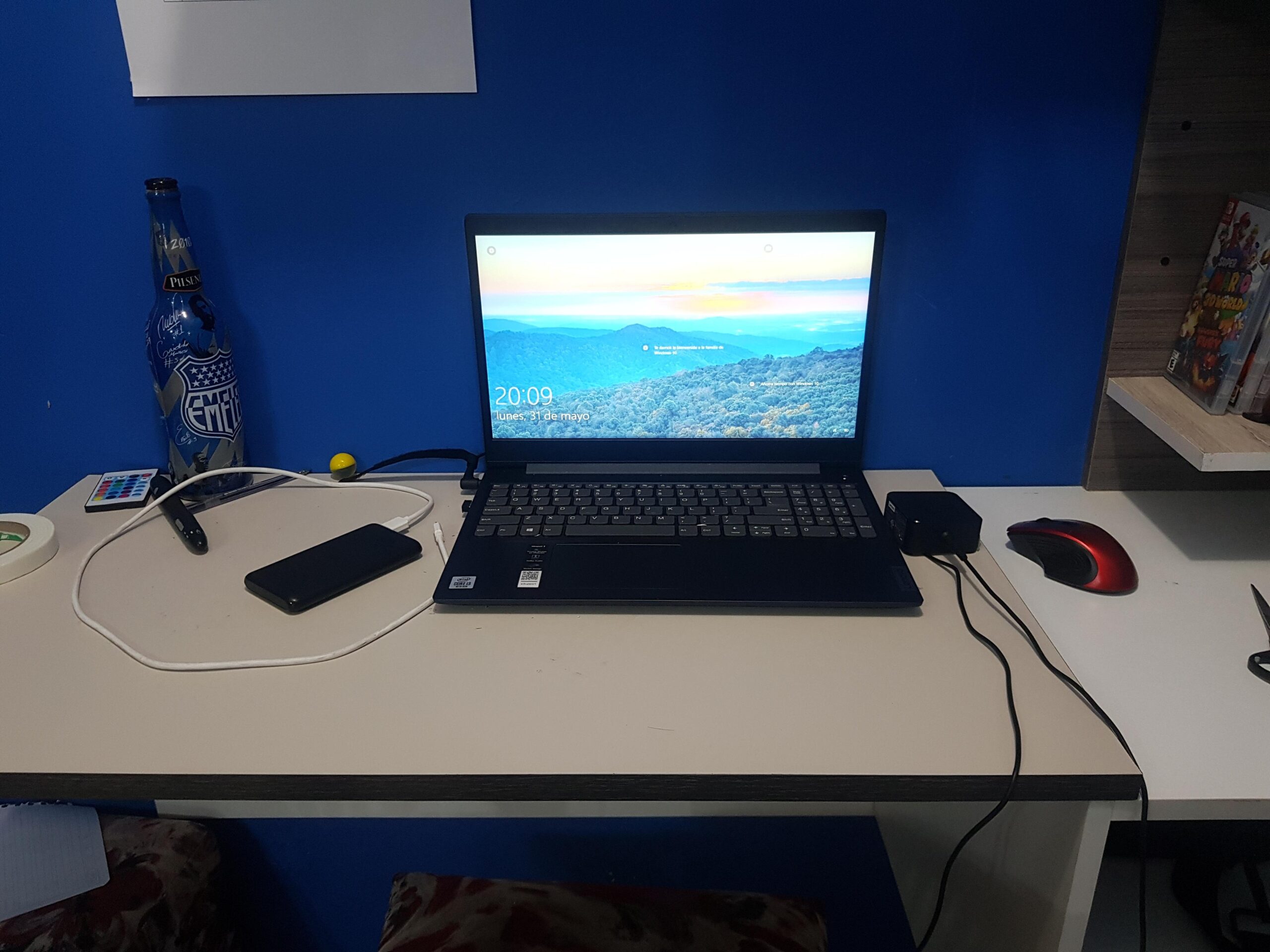
Why People Keep Coming Back to the IdeaPad Line
This is where things start to get interesting.
The IdeaPad 5 lineup feels like Lenovo actually tried to balance performance and price instead of just cutting corners. You’ll usually find better processors, more RAM, faster SSD storage, and noticeably improved build quality.
The Slim versions, in particular, feel more refined. Thinner, quieter, and just a bit more polished overall.
If you’re someone who works with multiple tabs, edits photos occasionally, or just wants a smoother experience, this is probably the sweet spot.
Higher-End Options: IdeaPad Flex & Creator Editions
Now we’re getting into the more versatile side of the lineup.
The Flex models are 2-in-1 laptops, meaning they can fold into a tablet. It sounds like a gimmick at first, but once you use it for watching content or taking notes, it actually makes sense.
Then there are creator-focused variants with stronger processors and better displays. These aren’t quite workstation-level machines, but they’re more than capable for design work, light video editing, and creative tasks.
Design and Build: Practical, Not Flashy
What You Notice First
When you pick up an IdeaPad, the first impression is usually the same: it’s simple.
No bold colors, no aggressive styling, no attempt to look like a gaming laptop. Just clean lines, a matte finish, and a design that blends in almost anywhere.
That’s not a bad thing. In fact, for many people, it’s exactly what they want.
Materials and Feel
Let’s be honest here.
Lower-end IdeaPads feel… well, budget. The plastic is noticeable, and there’s sometimes a bit of flex in the keyboard deck or lid.
But once you move into the IdeaPad 5 or Slim series, things improve quite a bit. You start getting aluminum finishes, sturdier hinges, and an overall more premium feel.
It’s not luxury, but it doesn’t feel cheap either.
Portability
One thing Lenovo consistently gets right is weight.
Most IdeaPads are easy to carry around. Whether you’re heading to class, commuting to work, or just moving between rooms, they don’t feel like a burden.
Battery life varies by model, but many of them can comfortably last a full workday with moderate use.
Multitasking and Productivity
Step up to an IdeaPad 5, and the difference becomes obvious.
Everything feels quicker. Apps open faster, switching between tasks is smoother, and you don’t get that constant sense that the laptop is struggling to keep up.
If your day involves spreadsheets, video calls, and a dozen browser tabs, this is where you’ll start to feel comfortable.
Creative Work and Light Editing
This is where expectations need to be realistic.
An IdeaPad can handle light photo editing and even some video work, especially the higher-end configurations. But if you’re working on heavy projects regularly, you might feel limited.
It’s capable, just not built for intensive workloads day in and day out.
Display Quality: Better Than Expected (Sometimes)
Budget Models
Displays on entry-level IdeaPads are… okay.
They get the job done, but you’ll notice lower brightness, less vibrant colors, and narrower viewing angles. Fine for casual use, not ideal for creative work.
Mid-Range and Above
Here’s where things improve.
IdeaPad 5 and Slim models often come with full HD or even higher resolution displays, with better color accuracy and brightness. Watching movies, editing photos, or just browsing feels more enjoyable.
Some models even offer surprisingly good panels for the price, which is something Lenovo deserves credit for.
Keyboard and Trackpad: Quiet Strengths
Typing Experience
Lenovo has a strong reputation when it comes to keyboards, and even the IdeaPad series benefits from that.
Keys feel comfortable, well-spaced, and responsive. There’s enough travel to make typing feel natural without being too soft or too stiff.
If you spend a lot of time writing or working on documents, you’ll appreciate this more than you might expect.
Trackpad
Trackpads are generally reliable, though not exceptional.
They’re smooth, responsive, and accurate enough for everyday use. Nothing to complain about, but nothing that stands out either.
Battery Life: Consistent, But Model-Dependent
Battery life is one of those areas where the IdeaPad lineup varies quite a bit.
Some models can easily last 8–10 hours with normal use, while others might struggle to get through a full day.
The good news is that most newer models support fast charging, which helps a lot if you’re on the move.
Still, it’s worth checking the specific model before buying, because this isn’t a one-size-fits-all situation.
Pros and Cons: The Honest Breakdown
What People Tend to Like
- Affordable pricing across most models
- Comfortable keyboard for long typing sessions
- Lightweight and easy to carry
- Wide range of options for different needs
- Solid performance in mid-range models
Where They Fall Short
- Build quality can feel cheap on lower-end models
- Displays on budget versions are underwhelming
- Not ideal for heavy creative or gaming workloads
- Battery life isn’t consistent across all models
Who Should Actually Buy an IdeaPad?
Students
If you’re in school or university, an IdeaPad makes a lot of sense.
It’s affordable, portable, and capable enough for assignments, research, and streaming. You don’t need anything overly powerful, and the mid-range models strike a great balance.
Office and Remote Workers
For everyday office work, the IdeaPad 5 or Slim series is a solid choice.
You get enough power for multitasking, a comfortable keyboard, and a design that fits into any professional setting.
Casual Users
If your main activities are browsing, watching videos, and staying connected, even the entry-level models will do just fine.
Just don’t expect them to handle demanding tasks.
When You Might Want to Look Elsewhere
Let’s be real for a moment.
If you’re into gaming, heavy video editing, 3D rendering, or anything that pushes hardware to its limits, the IdeaPad probably isn’t the right tool.
You’d be better off looking at more performance-focused laptops, even if it means spending more.
Real-World Experience: What It’s Like Day to Day
Using an IdeaPad feels… easy.
That’s probably the best way to describe it.
It boots up quickly, handles everyday tasks without drama, and doesn’t get in your way. There’s no learning curve, no unnecessary complexity, just a straightforward experience.
Over time, you start to notice the little things.
The keyboard that makes typing feel effortless. The lightweight design that you stop thinking about. The reliability that lets you focus on what you’re doing instead of worrying about your laptop.
Of course, you’ll also notice the limitations if you push it too far. Slower performance under heavy load, average speakers, and the occasional reminder that this isn’t a premium device.
But for most people, those trade-offs are acceptable.