
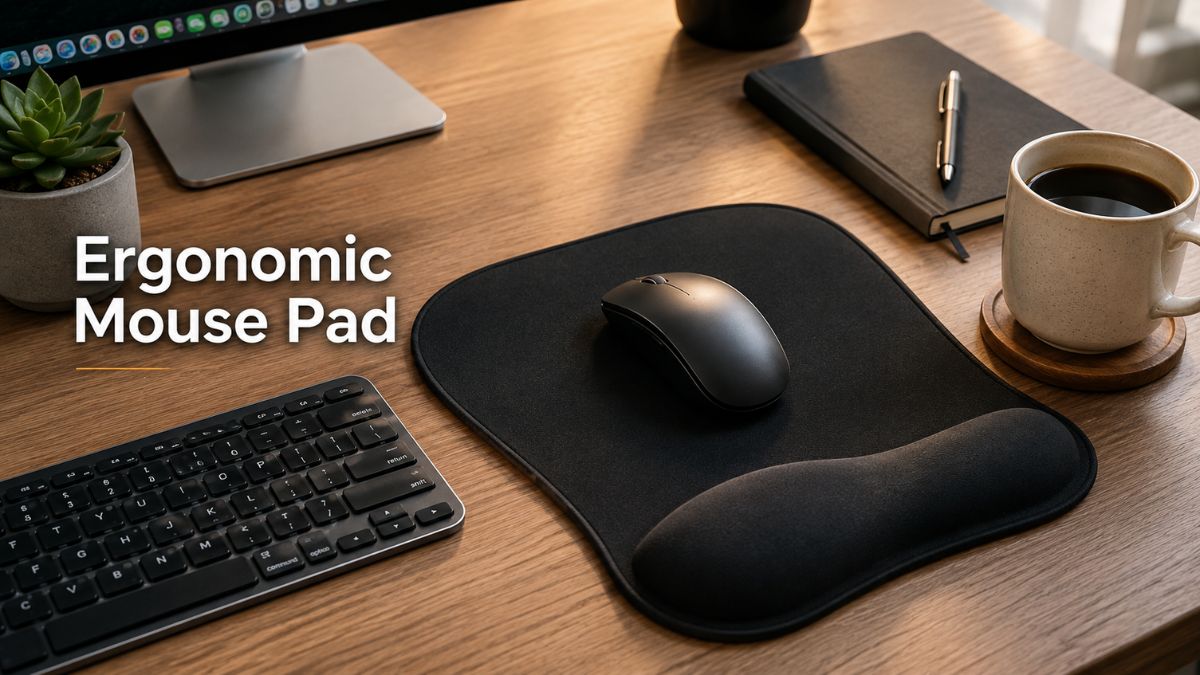
Are you experiencing wrist fatigue after long hours at your computer? Investing in the right ergonomic mouse pad could be the simple upgrade that transforms your entire workday. Whether you are a remote entrepreneur, a dedicated student, or a late-night gamer, your workstation should support your body, not strain it.
In my 10+ years of reviewing office setups, I’ve seen countless people ignore their wrist health until it becomes a serious issue. According to the Bureau of Labor Statistics, repetitive strain injuries (RSI) are among the most common workplace injuries in the USA.
You don’t have to wait for discomfort to strike. In this comprehensive guide, we will explore exactly what makes a mouse pad truly ergonomic, how to choose between gel and memory foam, and how to set up your desk for maximum comfort. Let’s dive in! 🖱️
Quick Answer
An ergonomic mouse pad is a specialized desk accessory featuring an integrated cushion or raised section designed to support your wrist. By keeping your hand perfectly aligned with your mouse, it relieves pressure on your tendons and joints.
Why Ergonomics Matter When Using a Mouse
Long hours of computer use can take a toll on your body. If you are resting your wrist on a hard desk for 8 hours a day, you are putting unnatural pressure on your carpal tunnel.
Proper wrist and forearm positioning are crucial for long-term health. A comfortable workstation isn’t just a luxury; it’s a necessity for maintaining focus and productivity. If you want to dive deeper into optimizing your workspace, check out our guide on upgrading your home office setup for maximum efficiency.
What Is an Ergonomic Mouse Pad vs. a Regular Mouse Pad?
While a regular mouse pad simply provides a smooth surface for optical tracking, an ergonomic pad does much more.
- Integrated wrist or palm support: A raised section lifts your wrist to a neutral angle.
- Mouse tracking surface: Optimized for both speed and precision.
- Comfort and stability differences: Ergonomic pads usually have a heavier, non-slip base to prevent sliding during intense tasks.
What Makes a Mouse Pad Ergonomic?
Not all padded mats are created equal. True ergonomic support requires the following:
- Proper wrist-support height: It should align your hand naturally with the mouse.
- Suitable firmness: Neither too rock-hard nor too mushy.
- Smooth tracking surface: Prevents extra strain on your hand when dragging the mouse.
- Non-slip base: Keeps the pad firmly anchored to your desk.
- Comfortable edges: No sharp or fraying borders digging into your forearm.
- Appropriate size: Large enough for your typical daily movements.
How Does an Ergonomic Mouse Pad Work?
How Wrist Support Helps
The biomechanics are simple but highly effective. A cushioned rest supports the lower part of the hand or wrist, reducing direct contact with the hard desk.
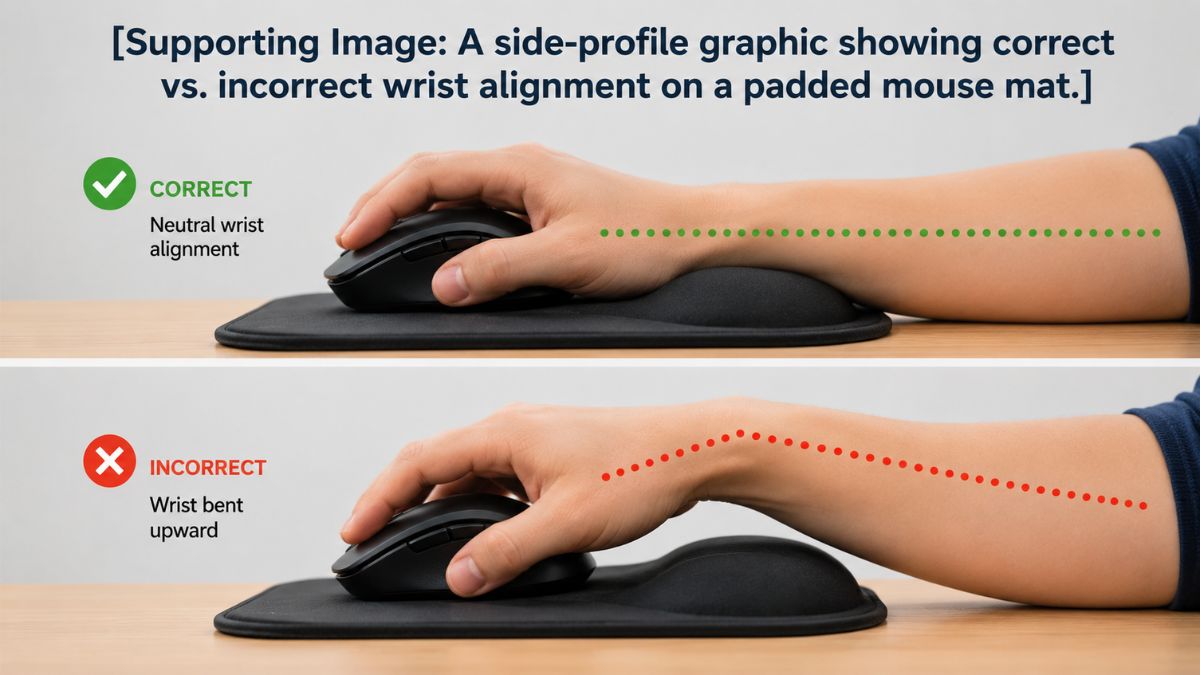
This gentle elevation helps maintain a more natural wrist position. Instead of bending your hand upward (extension) to grip your mouse, your arm remains in a straight, neutral line.
Does an Ergonomic Mouse Pad Really Help?
Yes, but with a catch. The potential comfort benefits are massive, but they rely heavily on individual preferences and body types.
For example, a tall user with large hands might need a different pad than a petite user. Furthermore, the importance of overall workstation ergonomics cannot be overstated. A good pad won’t fix a chair that is drastically too low!
Benefits of Using an Ergonomic Mouse Pad
Improved Wrist and Palm Comfort
The most immediate benefit is noticeable cushioning and support. You instantly feel reduced pressure from the desk surface, which can prevent the tingling or numbness often associated with long computer use.
Better Comfort During Long Computer Sessions
Whether you are doing intense office work, programming thousands of lines of code, or studying for finals, comfort is key.
- Office Work: Reduces daily fatigue.
- Remote Work: Makes your home setup as comfortable as a corporate office.
- Gaming: Keeps your hand steady and pain-free during long matches.
Discover more essential accessories in our top list of must-have tech items.
More Stable Mouse Movement
A quality ergonomic pad provides a consistent tracking surface. Because of its non-slip construction, you don’t have to worry about the pad bunching up. Depending on the material, you can choose between speed (smooth) or control (textured) surfaces to match your workflow.
More Organized Workspace
Combining your mouse surface and wrist support into one unit saves space. When comparing an ergonomic mouse pad vs. a desk mat, the integrated design keeps your desk looking neat and intentional.
Types of Ergonomic Mouse Pads
Gel Ergonomic Mouse Pads
Gel pads offer a cool, firm support system.
- Advantages: They bounce back instantly and are very easy to wipe clean.
- Potential Drawbacks: Can feel too firm for some users and might trap body heat over time.
- Best Use Cases: Hot climates or users who prefer strict, unyielding support.
Memory Foam Ergonomic Mouse Pads
Memory foam uses your body heat to mold exactly to the shape of your wrist.
- Advantages: Incredible softness and customized cushioning.
- Potential Drawbacks: Can flatten out over extended use and is harder to clean.
- Best Use Cases: Cold offices and users wanting maximum plushness.
Hard-Surface Ergonomic Mouse Pads
These feature a rigid plastic or resin tracking area paired with a wrist rest.
- Advantages and Limitations: Offers ultra-smooth tracking and easy cleaning, but lacks the cozy feel of cloth.
Extended Ergonomic Mouse Pads
These are massive mats that cover your desk, featuring a built-in padded section for the mouse.
- Benefits: Excellent for gamers and large desks, protecting your entire work surface.
- When it’s unnecessary: If you have a tiny cubicle desk, this will just take up too much room.
Gel vs Memory Foam Ergonomic Mouse Pad
Key Differences
Let’s break down the two heavyweights of the ergonomic world:
- Firmness: Gel is consistently firm; foam compresses.
- Cushioning: Foam hugs your wrist; gel pushes back slightly.
- Heat: Gel feels cooler initially; foam retains body heat.
- Shape Retention: Gel snaps back; foam takes time to reform.
Comparison Table: Gel vs Memory Foam
| Feature | Gel Pad | Memory Foam Pad |
| Feel | Firm and bouncy | Soft and contouring |
| Cooling | Cooler to the touch | Retains body warmth |
| Maintenance | Easy to wipe clean | Requires careful washing |
| Durability | Holds shape very well | May flatten over years |
Which One Should You Choose?
Choose gel if you want something easy to clean that won’t flatten out during heavy data entry. Choose memory foam if you have sensitive wrists and prefer a soft, hugging sensation. Ultimately, there is no universally best material—it all comes down to personal preference.
How to Choose the Best Ergonomic Mouse Pad
Choose the Right Wrist-Rest Height
Avoid excessive height at all costs! If the pad is too tall, it forces your wrist into a downward bend, which restricts blood flow. Look for comfortable wrist alignment that matches your specific mouse’s profile.
Consider Firmness and Cushioning
There are serious problems with overly soft support—your wrist sinks too deep, causing you to drag your arm when moving the mouse. Conversely, overly hard support creates painful pressure points. Finding the right balance is crucial.
Choose the Correct Size
Match the size to your desk and mouse movements:
- Compact: Great for travel or tight coffee shop tables.
- Medium: The standard for office workers.
- Large/Extended: Best for dual-monitor setups and gamers.
Check the mouse surface.
Do you need speed or control? A smooth cloth surface allows for rapid, gliding movements, while a textured surface offers pixel-perfect control. Think about whether you are editing high-res photos or simply browsing the web.
Look for a non-slip base.
A rubber or textured underside is non-negotiable. The importance of stability cannot be overstated; the last thing you want is your pad sliding off the desk while you are closing an important digital deal.
If you are looking for more ways to stabilize your gear, check out our guide on improving laptop ergonomics.
Check Edge Quality and Construction
Examine the borders. Rounded or beveled edges prevent chafing against your forearm. High-quality stitched edges also prevent the fabric from peeling away from the rubber base, ensuring material durability.
Consider Cleaning and Maintenance
Cloth surface care requires occasional hand washing. Hard-surface cleaning is as simple as wiping it with a damp cloth. Gel and foam maintenance means keeping them away from direct sunlight so the materials don’t degrade.
Best Ergonomic Mouse Pad for Different Users
- Best for Office Workers: Look for medium-sized memory foam. It offers moderate support, long-lasting comfort, and easy maintenance for a 9-to-5 schedule.
- Best for Remote Workers & Programmers: You need stable wrist support and a slightly larger size to accommodate multiple screens and fast-paced coding.
- Best for Gamers: Prioritize a large surface area for broad mouse movements, combined with a speed-focused tracking surface. Explore top gaming desk setups to complete your rig.]
- Best for Designers and Creators: Precise mouse movement is everything. A hard-surface ergonomic pad allows for tiny, smooth pixel adjustments in Photoshop.
- Best for Small Desks: A compact design with integrated wrist support is the ultimate space-saving setup for college students in small dorms.
Ergonomic Mouse Pad vs Wrist Rest vs Desk Mat
Which One Is Right for You?
- Ergonomic Mouse Pad: Combines a mouse surface plus wrist support. Best for users who want an all-in-one, stationary solution.
- Separate Wrist Rest: A dedicated cushion that sits detached from your mouse pad. It offers flexible positioning but can easily slide out of place.
- Desk Mat: Provides massive desk coverage but usually lacks raised wrist support.
Compare your workspace requirements carefully. If you need massive mouse movement, a desk mat plus a separate rest might be better. If you want simplicity, the integrated ergonomic pad wins.
How to Set Up an Ergonomic Mouse Pad Correctly
Step 1: Position the Mouse Pad Properly
Keep it close enough to avoid excessive reaching. Position it naturally beside your keyboard so your elbow rests comfortably at your side.
Step 2: Align Your Wrist and Forearm
Rest the fleshy base of your palm—not your actual wrist joint—on the cushion. Keep the hand and forearm reasonably aligned, avoiding excessive left or right wrist bending.
Step 3: Adjust Your Chair and Desk
Your shoulders should be completely relaxed. Consider your desk and chair height; your elbows should be at a 90-degree angle to maintain a comfortable working position.
Step 4: Test the Wrist Support
Check the height and firmness. Make sure your wrist is not being pushed upward at a sharp angle.
Step 5: Test During Normal Use
Try normal mouse movements. Use it during an extended session, and don’t be afraid to adjust the setup if you feel any pinching or fatigue.
Common Ergonomic Mouse Pad Mistakes
Choosing the Softest Pad
More softness does not always mean better ergonomics. If your hand sinks too far into the foam, you restrict your movement and increase the effort needed to slide the mouse.
Using a Wrist Rest That Is Too High
This is a huge red flag. A pad that sits higher than your mouse will force your hand into awkward angles, completely negating the ergonomic benefits and causing wrist pain.
Choosing the Wrong Size
Buying a small pad for large sweeping mouse movements will have you constantly lifting the mouse. Conversely, an oversized pad is a massive headache for limited desk space.
Ignoring the Rest of the Workstation
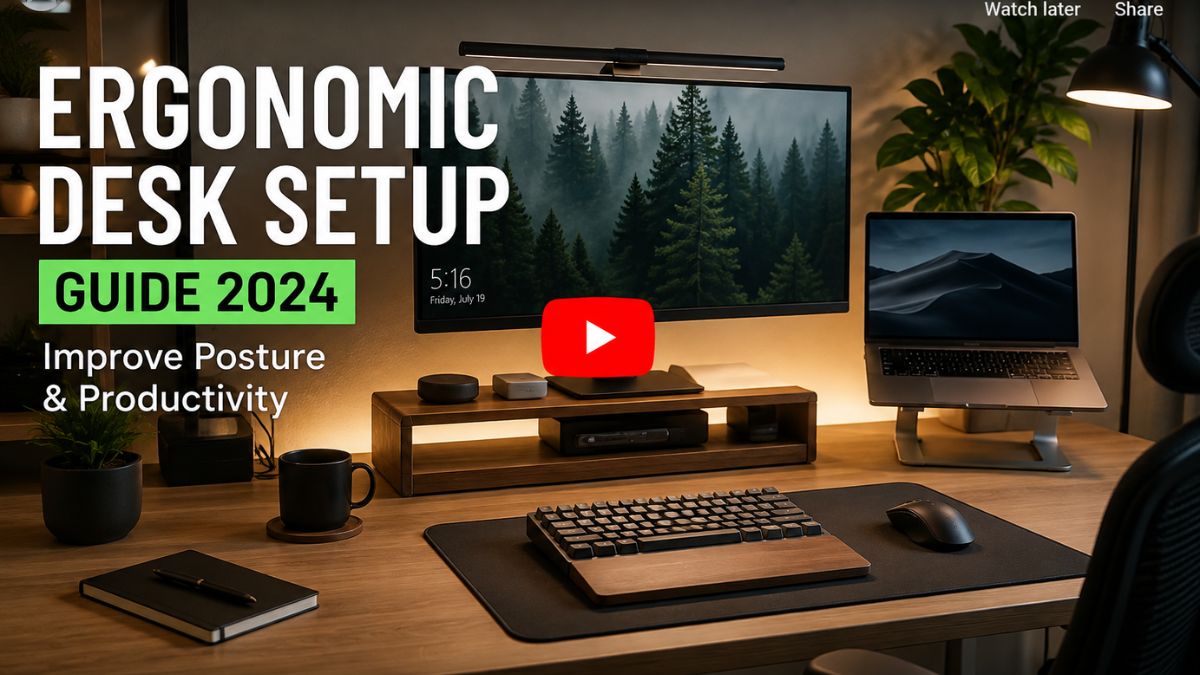
An ergonomic pad won’t save you if your monitor is too low or your chair has zero lumbar support. Keyboard position, desk height, and chair position all work together as a system.
How to Test an Ergonomic Mouse Pad Before Buying
- Check Wrist Position: Does the support feel natural? Is the wrist being forced upward?
- Check Mouse Movement: Test slow, precise movements as well as faster, sweeping motions.
- Check Stability: Push it. Does the mouse pad move, or does the base remain stable?
- Check Long-Term Comfort: Press firmly to look for pressure points. Consider if the material will cause excessive heat and sweating during long sessions.
How to Clean and Maintain an Ergonomic Mouse Pad
Cleaning Different Materials
- Cloth: Hand wash gently with warm water and mild dish soap. Let it air dry.
- Hard surface: Wipe down daily with an antibacterial wipe.
- Gel: Wipe with a damp cloth; avoid harsh chemicals that could degrade the plastic casing.
- Memory Foam: Spot clean only. Soaking memory foam can ruin its bounce-back properties.
For more maintenance tips, read our article on safely cleaning tech gadgets.
Signs It Is Time to Replace the Mouse Pad
Your pad won’t last forever. Look out for a flattened wrist support, a badly damaged tracking surface, or peeling edges. If the base starts slipping or you experience uneven mouse tracking, it’s time to toss it.
Who Should Buy an Ergonomic Mouse Pad?
Users Who Spend Many Hours at a Computer
If you are an office worker, a programmer, a college student, or part of the growing USA remote workforce, this is for you. Protecting your joints should be a top priority.
Users Who Want Integrated Support
Users who prefer a mouse pad and wrist rest seamlessly attached together will love the convenience and organized look of these accessories.
Gamers Who Want Comfort and Control
If you endure long gaming sessions that require both massive control and sustained wrist comfort, an extended ergonomic pad is a fantastic investment.
Who May Not Need an Ergonomic Mouse Pad?
Users Who Already Have a Comfortable Setup
If you experience zero pain and a standard quality mouse pad feels great, you might not need to switch. Don’t fix what isn’t broken.
Users Who Prefer a Flat Surface
Sometimes, integrated wrist support may feel too restrictive. If you move your entire arm from the shoulder (common in low-sensitivity gaming), a bump on the pad will just get in your way.
Users Who Need Maximum Mouse Movement
If you use a massive desk and need uninterrupted, totally flat glide space, a large flat desk mat may be much more suitable for your playstyle.
Frequently Asked Questions About Ergonomic Mouse Pads
What Is an Ergonomic Mouse Pad?
An ergonomic mouse pad is a computer accessory designed with a built-in cushion—usually made of gel or memory foam—that elevates your wrist to keep it naturally aligned with your mouse, reducing strain.
Are Ergonomic Mouse Pads Worth It?
Yes, they are highly worth it for people who spend over four hours a day at a computer. However, they may not be necessary for casual users or PC gamers who require completely flat surfaces for sweeping arm movements.
Is Gel or Memory Foam Better?
Neither is strictly better; it depends on preference. Gel offers firm, cooling support and is easy to clean. Memory foam provides softer, customized contouring but retains body heat.
Does an Ergonomic Mouse Pad Help With Wrist Discomfort?
Yes, by providing cushioning and lifting the wrist off the hard desk, these pads can significantly improve comfort and reduce daily fatigue during extended computer use.
How Thick Should an Ergonomic Mouse Pad Be?
The thickness of the wrist rest should roughly match the height of your computer mouse. This ensures your hand rests flat and straight, preventing your wrist from bending awkwardly up or down.
Final Verdict: Is an Ergonomic Mouse Pad Worth It?
Key Things to Remember
Upgrading your workspace is an investment in your health. Remember to choose the right height and suitable firmness for your specific body. Match the size to your desk, consider your mouse movement style, and always look for a stable, non-slip base.
Most importantly, remember that the pad is just one piece of the puzzle. You must prioritize your complete workstation setup, including your chair and monitor height.
Final Recommendation
If you spend hours clicking and scrolling, an ergonomic mouse pad is an incredibly affordable way to protect your wrists and boost your comfort. Focus on finding the right fit and executing a proper setup rather than just buying the most expensive option. Your body will thank you!
✍️ Author Box
Written by the TechnoItem Editorial Team
With over a decade of experience testing computer peripherals and office ergonomics, our tech experts are dedicated to helping you build the ultimate, pain-free workstation. Follow our journey for more E-E-A-T-backed tech reviews and deep-dive guides.