Quick Answer
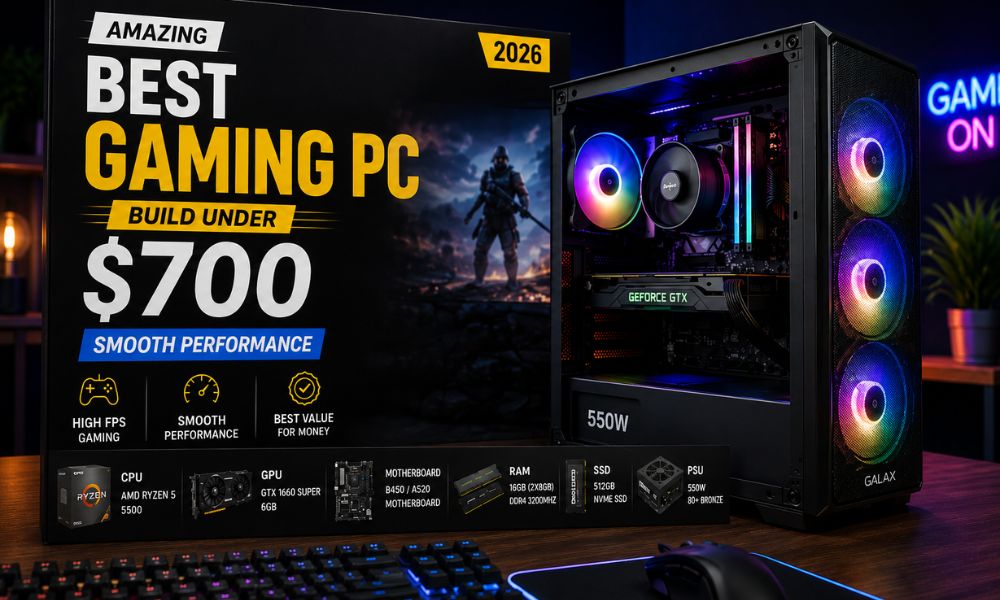
The best gaming PC build under $700 in 2026 centers on an AMD Ryzen 5 7600 paired with an RX 7600 XT GPU, 16GB of DDR5 RAM, and a 1TB NVMe SSD — a combination that delivers solid 1080p and capable 1440p gaming without breaking the bank. Component prices have dropped significantly since late 2023, making this budget tier more powerful than ever. With careful part selection, this build handles most modern titles at high settings with smooth frame rates.
Key Takeaways
- 💡 $700 is a genuine sweet spot in 2026—enough for a discrete GPU, fast storage, and a capable CPU without overpaying for diminishing returns.
- 🎮 The AMD Ryzen 5 7600 + RX 7600 XT combo is the strongest value pairing at this price point for 1080p and entry-level 1440p gaming.
- 🧠 16GB DDR5 RAM is the minimum for modern gaming; 32GB is worth it only if the budget allows after other components are covered.
- 💾 A 1TB NVMe SSD is non-negotiable — mechanical hard drives create bottlenecks that ruin the experience.
- 🔌 Don’t cheap out on the PSU — a reliable 650W 80+ Bronze unit protects every other component.
- 🖥️ This build does not include a monitor, keyboard, or mouse—budget separately for peripherals.
- 🔄 AMD’s AM5 platform offers upgrade headroom, so the motherboard won’t need replacing when moving to a faster CPU later.
- ⚠️ Prebuilt alternatives exist but typically offer worse component quality per dollar at this budget — see our best prebuilt gaming PC deals if you’d prefer to skip assembly.
What Makes a $700 Gaming PC Build Worth It in 2026?
A $700 custom build in 2026 outperforms same-priced pre-built ones by a meaningful margin. Prebuilt systems at this price often cut corners on the PSU, use slower storage, or pair a decent GPU with a weak CPU. Building your own means every dollar goes toward performance.
The GPU takes the largest share of any gaming budget — roughly 35–40% — because it does most of the heavy lifting in games. The CPU, RAM, and storage split the rest. At $700, the goal is balance: no single component should be dramatically overpowered or underpowered relative to the others.
Visit Amazon: https://amzn.to/43ixMGI
Who this build is for:
- First-time builders who want a capable gaming rig without going into debt
- Upgraders moving from a console or an aging PC
- Anyone targeting 1080p high settings or 1440p medium settings in 2026 titles
Who should consider spending more:
- Competitive players who need 165Hz+ at 1440p consistently
- Creators who also do video editing or 3D rendering alongside gaming
The Full Parts List: Best Gaming PC Build Under $700 in 2026
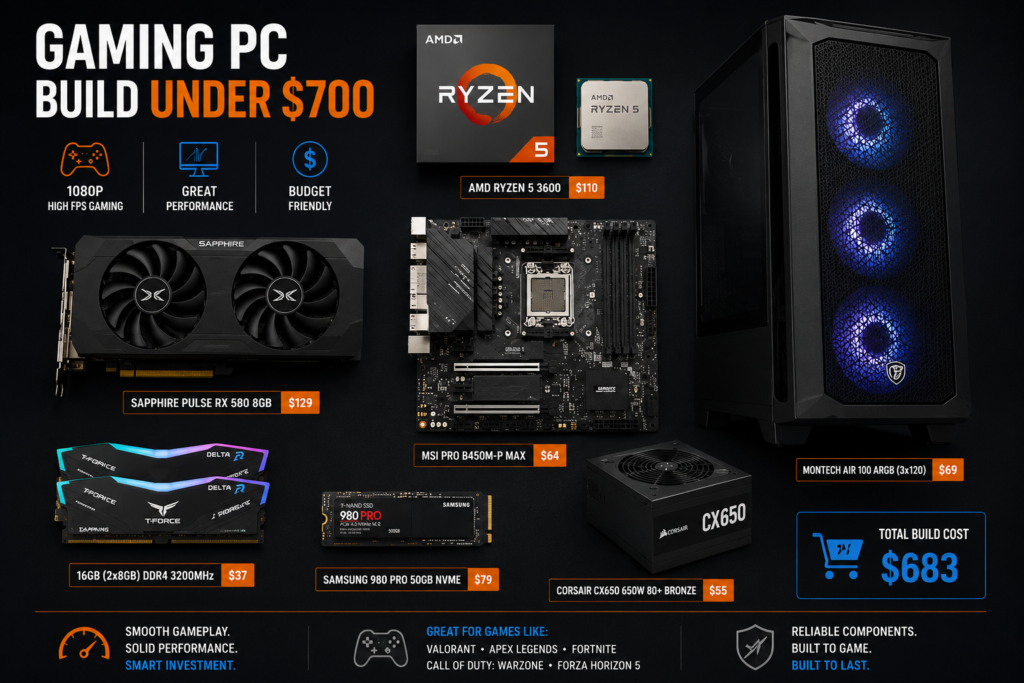
Here is a complete parts list optimized for gaming performance within the $700 ceiling. Prices are estimates based on major US retailers as of May 2026 and will vary slightly by region and availability.
| Component | Recommended Pick | Est. Price |
| CPU | AMD Ryzen 5 7600 | ~$155 |
| GPU | AMD RX 7600 XT 16GB | ~$229 |
| Motherboard | MSI PRO B650M-A WiFi | ~$100 |
| RAM | 16GB DDR5-5200 (2x8GB) | ~$45 |
| Storage | 1TB WD Black SN770 NVMe | ~$55 |
| Case | Fractal Design Focus 2 | ~$60 |
| PSU | Corsair CV650 650W 80+ Bronze | ~$55 |
| CPU Cooler | Cooler Master Hyper 212 | ~$30 |
| Total | ~$729 |
💬 Note: Prices fluctuate. Watch for sales on Newegg, Amazon, and Micro Center. The Ryzen 5 7600 frequently drops to $130–$140 during promotional periods, which brings the total comfortably under $700.
Where to trim if over budget:
- Drop to a 500GB SSD and add a second drive later
- Choose a B650 board without built-in WiFi if using Ethernet
- Skip the aftermarket cooler—the Ryzen 5 7600 includes a decent stock cooler (Wraith Stealth)
Where to stretch if under budget:
- Upgrade RAM to 32GB DDR5 for future-proofing (~$40 more)
- Choose the RX 7700 XT for a meaningful 1440p boost (~$30–$50 more)
Why These Specific Components? The Reasoning Behind Each Choice
Every part in this build was chosen for a reason. Here’s the logic:
AMD Ryzen 5 7600 (CPU)
The Ryzen 5 7600 delivers six cores and twelve threads on AMD’s AM5 platform. It handles gaming workloads without bottlenecking mid-range GPUs, and the AM5 socket supports future Ryzen 7000 and 8000 series CPUs—so the motherboard investment isn’t wasted.
AMD RX 7600 XT 16GB (GPU)
The RX 7600 XT is the standout value GPU of 2025–2026 in this price bracket. Its 16GB VRAM buffer is unusually large for a sub-$250 card, which matters for texture-heavy games and future titles. It competes closely with NVIDIA’s RTX 4060 but typically costs less. For 1080p gaming, it runs most titles at high-to-ultra settings above 60 fps.
MSI PRO B650M-A WiFi (Motherboard)
B650 boards support PCIe 5.0 for storage and offer solid VRM quality for the Ryzen 5 7600’s power requirements. Built-in WiFi 6 removes the need for a separate adapter.
16GB DDR5-5200 (RAM)
DDR5 is the standard on AM5. 16GB is sufficient for gaming in 2026, though 32GB is worth considering if the budget allows. A dual-channel configuration (2x8GB) is essential—a single-channel DDR5 noticeably hurts performance.
1TB WD Black SN770 (Storage)
Fast NVMe storage reduces load times and prevents stuttering in open-world games. A 1TB drive comfortably holds roughly 15–20 modern titles.
How Does This Build Perform? Real-World Gaming Expectations
At 1080p, this build handles virtually every current title at high or ultra settings. At 1440p, performance depends on the game — older or well-optimized titles run smoothly, while demanding new releases may require medium settings to maintain 60+ fps.
Estimated performance benchmarks (1080p, high settings):
| Game | Estimated Avg FPS |
| Cyberpunk 2077 (no RT) | ~75–85 fps |
| Call of Duty: Warzone | ~120–140 fps |
| Elden Ring | ~90–100 fps |
| Fortnite | ~130–160 fps |
| Hogwarts Legacy | ~65–75 fps |
⚠️ These are estimates based on published GPU benchmarks and community testing data. Actual results vary based on driver versions, in-game settings, and system configuration.
Common mistake: Pairing this GPU with a 60Hz monitor wastes its capability. A 144Hz, 1080p monitor is the right match—check out our gaming monitor buying guide for options that fit the build.
AMD vs. Intel: Which Platform Is Better for This Budget?
For the best gaming PC build under $700 in 2026, AMD’s AM5 platform edges out Intel’s current mid-range options for two reasons: upgrade path and memory support.
AMD AM5 advantages:
- Supports Ryzen 7000 and 8000 series CPUs — the same motherboard works with future upgrades
- DDR5-only platform, which is now cost-competitive with DDR4
- Strong single-core performance for gaming
Intel LGA1851 considerations:
- Intel Core i5-13400F / 14400F are still competitive in raw gaming performance
- LGA1851 platform longevity is less certain heading into 2027
- DDR4 support on some boards can reduce RAM costs slightly
Choose AMD if long-term upgradability matters, and you want to keep the motherboard for 3–4 years.
Choose Intel if you find a Core i5-14400F bundle deal that brings the total well under $700 with comparable GPU spend.
For most builders in 2026, AMD AM5 is the safer long-term investment at this price point. You can browse more gaming PC options and builds to compare configurations.
Should You Build or Buy a Prebuilt at This Budget?
Building your own PC saves money and teaches you how the system works, but it requires 2–4 hours of assembly time and some comfort with troubleshooting.
Build your own if
- You want maximum performance per dollar
- You’re comfortable watching a build guide on YouTube
- You want to choose every component yourself
Buy prebuilt if:
- Time is more valuable than the cost savings
- You want a warranty that covers the whole system
- You’re not comfortable troubleshooting hardware issues
At $700, custom builds typically outperform prebuilts by roughly one GPU tier — that’s a meaningful difference. However, if the assembly process feels daunting, our guide to powerful prebuilt gaming desktops covers the best ready-to-ship options available in 2026.
What Peripherals Do You Need After the Build?
The $700 budget covers the tower only. A complete gaming setup requires a monitor, keyboard, mouse, and headset. Budget an additional $150–$300 for a solid peripheral setup.
Minimum peripheral budget:
- Monitor: 24″ 144Hz 1080p — $90–$130 (see our monitor category for picks)
- Keyboard + Mouse combo: $30–$60
- Headset or headphones: $30–$80
Optional but useful:
- A proper computer desk with storage makes a real difference in long gaming sessions
- A WiFi 6 router improves online gaming stability if using wireless
Edge case: If upgrading from an existing PC, peripherals may already be on hand — which means the full $700 goes toward the build itself.
Top Mistakes to Avoid When Building a Gaming PC Under $700
Even experienced builders make these errors at the budget tier:
- Buying a case that’s too small. Mid-tower ATX cases offer better airflow and easier cable management than micro-ATX at similar prices.
- Skipping thermal paste. Most coolers include paste, but verify before assembly.
- Mismatched RAM. On AM5, always run dual-channel (two sticks, not one). Single-channel DDR5 cuts memory bandwidth significantly.
- Ignoring PSU quality. A cheap, unbranded PSU can damage other components. Stick to Corsair, EVGA (where available), Seasonic, or the BE500/BE600 from Be Quiet.
- Forgetting Windows. Windows 11 Home costs around $100–$140 at retail. Use a legitimate key from a trusted reseller or check if an existing license transfers. Budget for this separately.
- Not checking clearance. Verify the CPU cooler height fits the case, and the GPU length clears the front panel.
Frequently Asked Questions
Can this build run games at 1440p?
Yes, at medium-to-high settings in most titles. Demanding games like Cyberpunk 2077 with ray tracing will need settings adjustments, but 1440p is achievable for the majority of games in 2026.
Does this build include Windows?
No. The parts list covers hardware only. Windows 11 Home adds roughly $100–$140 to the total cost unless a license is already available.
Is 16GB of RAM enough for gaming in 2026?
For gaming alone, yes. 16GB handles all current titles. If streaming or running multiple applications simultaneously, 32GB is a worthwhile upgrade for around $40 more.
Can the RX 7600 XT handle ray tracing?
It supports ray tracing, but performance drops significantly when it’s enabled. For smooth ray tracing, a higher-tier GPU is needed. At this budget, ray tracing is best left off.
How long will this build stay relevant?
Realistically, 3–4 years at 1080p high settings. The AM5 platform allows a CPU upgrade without replacing the motherboard, extending the build’s lifespan further.
Do I need an aftermarket CPU cooler for the Ryzen 5 7600?
No. The Ryzen 5 7600 includes AMD’s Wraith Stealth cooler, which handles the chip adequately. An aftermarket cooler like the Hyper 212 reduces temperatures and noise but isn’t required.
Is this build WiFi-capable?
Yes, if using the MSI PRO B650M-A WiFi board listed above. Confirm the specific motherboard SKU includes WiFi before purchasing.
What’s the best place to buy these parts?
In the US, Newegg, Amazon, and Micro Center (in-store) offer competitive pricing. Micro Center frequently has CPU bundle discounts that can save $20–$40.
Can this PC be used for streaming while gaming?
Yes, with limitations. The Ryzen 5 7600’s six cores handle light streaming reasonably well. For dedicated streaming at high quality, a Ryzen 7 or Core i7 is a better fit.
Is this build future-proof?
No PC build is truly future-proof, but AM5 platform support through at least 2027 and 16GB of DDR5 RAM give this build reasonable longevity for the price.
Conclusion: Build Smart, Game Better
The best gaming PC build under $700 in 2026 isn’t about finding the cheapest parts — it’s about finding the right balance. The Ryzen 5 7600 and RX 7600 XT combination delivers genuine 1080p gaming performance that rivals systems costing $200–$300 more just two years ago.
Actionable next steps:
- Set a firm budget, including Windows and peripherals, before buying any parts.
- Check current prices on Newegg and Amazon — component costs shift weekly.
- Watch a build guide specific to your chosen case before assembly day.
- Buy parts over 2–3 weeks to catch sales on individual components.
- Test the system before closing the case — boot to BIOS first to confirm all parts are recognized.
If building feels like too much effort, compare the best prebuilt gaming desktops to see whether a ready-made system fits your needs. Either way, $700 in 2026 buys a genuinely capable gaming machine — the gap between budget and mid-range gaming has never been smaller.
References
- Tom’s Hardware GPU Benchmark Hierarchy (2025) — https://www.tomshardware.com/reviews/gpu-hierarchy,4388.html
- AMD AM5 Platform Overview, AMD.com (2023) — https://www.amd.com/en/technologies/am5
- Newegg Component Pricing Data, accessed May 2026 — https://www.newegg.com
- Micro Center Weekly Deals, accessed May 2026 — https://www.microcenter.com
- PCPartPicker Build Guides Community (2025) — https://pcpartpicker.com/guide/