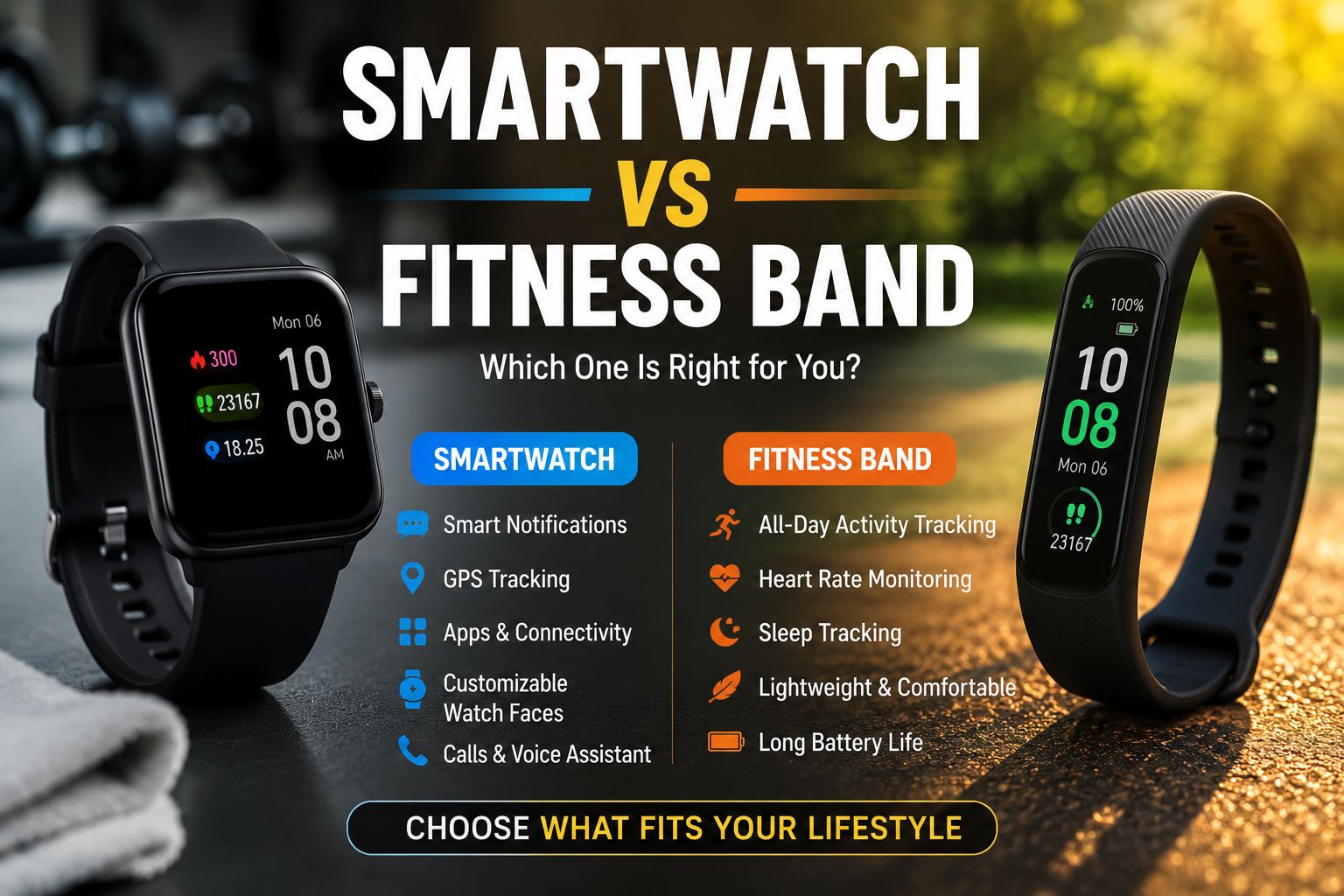
Quick Answer
Smartwatch vs. Fitness Band: A smartwatch suits people who want a wrist-based mini-computer—notifications, apps, GPS, and health tracking in one device. A fitness band is the better pick for anyone who wants simple, accurate health and activity tracking at a lower price with longer battery life. The right choice depends on your daily habits, budget, and how much you actually want your wrist device to do.
Key Takeaways
- Fitness bands typically cost $30–$150 and last 7–14 days on a single charge; smartwatches usually cost $150–$500+ and last 1–3 days.
- Smartwatches run apps, handle calls and texts, support GPS, and often include NFC payments.
- Fitness bands focus on steps, heart rate, sleep tracking, and calorie estimates — with fewer distractions.
- For serious athletes, a GPS-enabled smartwatch or dedicated sports watch often beats both options.
- Battery life is the single biggest practical difference between the two categories.
- Both device types now include blood oxygen (SpO₂) sensors and continuous heart rate monitoring in mid-range and above models.
- Comfort and wearability matter more than specs — a device you stop wearing gives you zero data.
- If you use an iPhone or Android phone heavily, a smartwatch extends your phone’s functionality; a fitness band does not.
What Is the Core Difference Between a Smartwatch and a Fitness Band?
A smartwatch is a wearable computer that runs apps, displays notifications, and often mirrors key phone functions on your wrist. A fitness band (also called an activity tracker or smart band) is a stripped-down wearable designed primarily to monitor health metrics like steps, heart rate, and sleep.
The distinction has blurred in 2026—many fitness bands now show notifications, and many smartwatches include advanced health sensors. But the core design philosophy still differs:
| Feature | Smartwatch | Fitness Band |
| App support | ✅ Yes (full app stores) | ❌ Limited or none |
| Notifications | ✅ Full (reply, dismiss) | ⚠️ View only |
| GPS | ✅ Most models | ⚠️ Some mid-range models |
| Battery life | 1–3 days (typical) | 7–14 days (typical) |
| Screen size | Large, touchscreen | Small or no screen |
| Price range | $150–$500+ | $30–$150 |
| Health tracking | Advanced | Core metrics, accurate |
| NFC payments | ✅ Most models | ❌ Rare |
| Weight/bulk | Heavier | Lightweight |
Common mistake: Assuming a more expensive smartwatch means better fitness tracking. Several fitness bands (like the Fitbit Charge and Garmin Vivosmart lines) have more accurate step and sleep data than entry-level smartwatches because their sensors are tuned specifically for those tasks.
Visit Amazon Fitness band:https://amzn.to/4fwrtGY
Visit Amazon Smartwatch: https://amzn.to/4ddOzkc
Smartwatch vs Fitness Band: Which One Is Better for You? — A Feature-by-Feature Breakdown
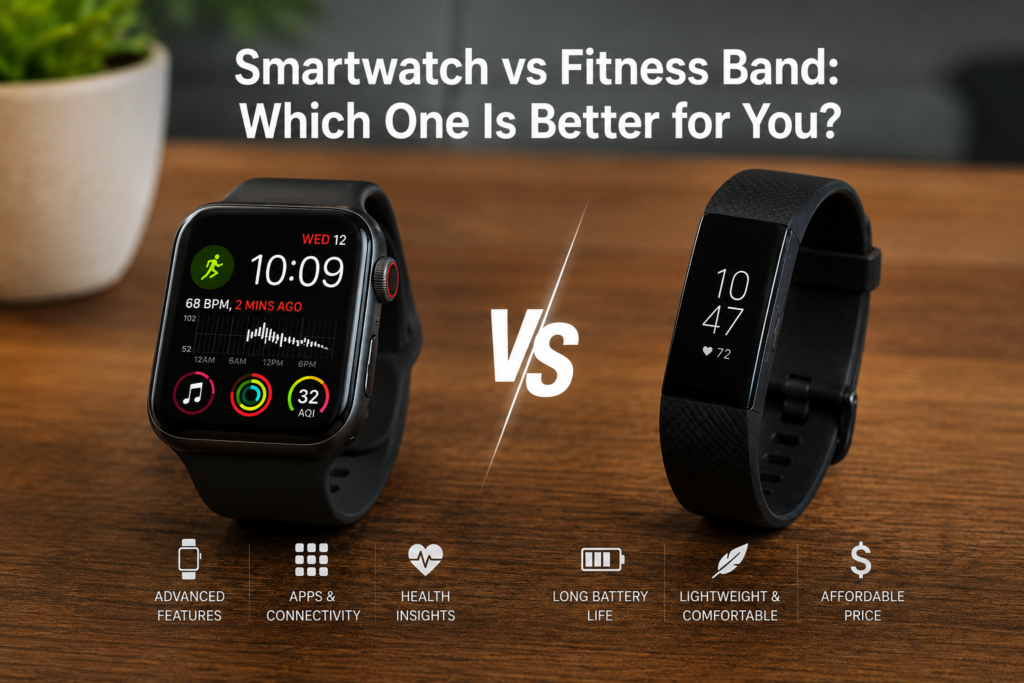
The answer changes based on which features matter most to your lifestyle. Here’s how each device performs across the categories people care about most.
Health & Fitness Tracking
Both devices track steps, heart rate, calories, and sleep. The difference is depth and accuracy.
- Fitness bands are purpose-built for health data. Their algorithms for step counting and sleep staging tend to be more refined because the hardware isn’t juggling app processing at the same time.
- Smartwatches add ECG (electrocardiogram), blood pressure estimation, skin temperature, and advanced workout modes — features that fitness bands rarely match at the same price point.
Choose a fitness band if you want reliable daily health data without complexity. Choose a smartwatch if you want medical-grade sensors like ECG or detailed multisport tracking.
Battery Life
This is where fitness bands win clearly. A typical fitness band runs 7–14 days between charges. Most smartwatches need daily or every-other-day charging.
For people who travel frequently, work long shifts, or simply forget to charge devices, a fitness band’s battery life is a genuine quality-of-life advantage. Sleep tracking is also more consistent on a fitness band because you’re less likely to have a dead battery at bedtime.
Notifications and Connectivity
Smartwatches let you read, reply to, and manage notifications directly from your wrist. Many support LTE, so they work independently from your phone for calls and messages.
Fitness bands show incoming notifications but rarely allow replies. They work as a passive alert system, not a communication tool.
Edge case: If you work in a setting where pulling out your phone is disruptive (meetings, operating machinery, or customer-facing roles), a smartwatch’s wrist-based reply feature is genuinely useful—not just a gimmick.
Design and Comfort
Fitness bands are slim, light, and easy to forget you’re wearing. Smartwatches are bulkier, though premium models have improved significantly in comfort and style.
For everyday wear, sleep tracking, and workouts, a fitness band’s low profile wins. For professional or social settings where you want a device that doubles as a watch or accessory, a smartwatch looks more appropriate.
If you’re interested in customizing how your wearable looks, check out this Apple Watch Series 11 band style and design guide for ideas on making a smartwatch work with different outfits and occasions.
Who Should Buy a Smartwatch?
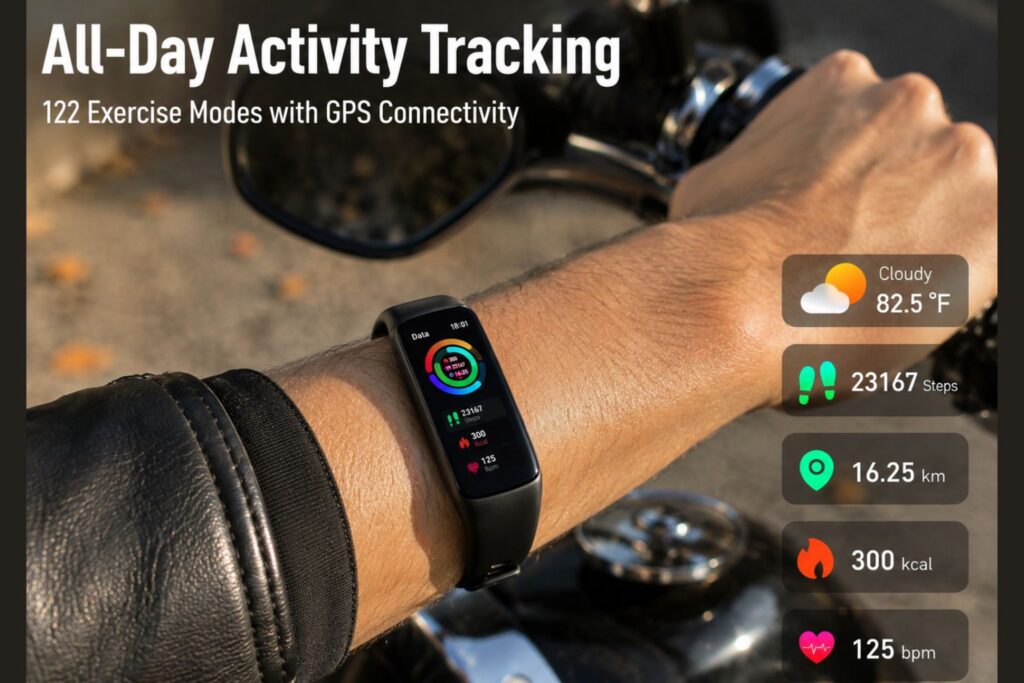
A smartwatch is the better choice for people who want their wrist device to replace or extend their smartphone experience.
Buy a smartwatch if you:
- Regularly receive calls, messages, or emails that you need to act on quickly
- Want GPS tracking for running, cycling, or hiking without carrying your phone
- Use contactless payments (Apple Pay, Google Pay) frequently
- Want health features like ECG, blood pressure monitoring, or fall detection
- Are already invested in an ecosystem (Apple Watch + iPhone, or Galaxy Watch + Samsung)
- Don’t mind charging your device every night
For Android users considering ecosystem compatibility, it’s worth reading reviews of flagship phones like the Samsung Galaxy S26 Ultra to understand how tightly a smartwatch integrates with your specific device.
A smartwatch is not ideal if you prioritize battery life, want minimal distractions, or are on a tight budget.
Who Should Buy a Fitness Band?
A fitness band is the right pick for people whose primary goal is health and activity monitoring — without the noise of a full smart device on their wrist.
Buy a fitness band if you:
- Want accurate step, sleep, and heart rate data without distractions
- Need a device that lasts a week or more between charges
- Are new to wearables and want a low-commitment starting point
- Have a budget under $100
- Prefer a lightweight, comfortable device for all-day and overnight wear
- Don’t need apps, GPS, or the ability to reply to messages from your wrist
Common mistake: Buying a fitness band expecting it to replace your phone for notifications. It won’t — and that frustration causes many people to abandon the device within weeks.
Smartwatch vs Fitness Band: Which One Is Better for You? — Price and Value Comparison
Price is often the deciding factor, and the value equation is straightforward.
Fitness bands ($30–$150):
- Excellent value for core health tracking
- Lower risk if you’re unsure whether you’ll use a wearable consistently
- Brands: Fitbit Inspire, Xiaomi Mi Band, Garmin Vivosmart, Samsung Galaxy Fit
Entry-level smartwatches ($150–$250):
- Add notifications, basic apps, and sometimes GPS
- Battery life drops to 1–3 days
- Brands: Samsung Galaxy Watch FE, Garmin Forerunner entry models, Amazfit GTS
Premium smartwatches ($300–$500+):
- Full health sensor suite, LTE, premium materials, advanced sports tracking
- Brands: Apple Watch Series 11, Samsung Galaxy Watch Ultra, Garmin Fenix
💡 Value rule of thumb: If health tracking is 80% of your use case, a $80 fitness band will outperform a $150 smartwatch for your specific needs. Spend up only when you genuinely need the extra features.
For a broader look at smart devices across different price points, the Smart Devices category on TechnoItem covers a range of options worth comparing.
How Do Smartwatches and Fitness Bands Handle Health Monitoring in 2026?
Both categories have expanded their health monitoring capabilities significantly. Here’s what’s standard across price tiers in 2026:
Available on most fitness bands (mid-range and above):
- 24/7 heart rate monitoring
- SpO2 (blood oxygen) tracking
- Sleep stage analysis (light, deep, REM)
- Stress score estimation
- Menstrual cycle tracking
- Step and calorie counting
Available on smartwatches (mid-range and above):
- Everything above, plus:
- ECG / atrial fibrillation detection
- Skin temperature monitoring
- Blood pressure estimation (select models)
- Fall detection and emergency SOS
- Advanced workout metrics (VO2 max, recovery time, training load)
Important note: Health features like ECG and blood pressure estimation on consumer wearables are not medical-grade diagnostic tools. They can flag potential issues worth discussing with a doctor, but they should not replace clinical testing. No consumer wearable has FDA clearance as a primary diagnostic device for most conditions as of 2026.
What Are the Most Common Mistakes When Choosing Between the Two?
- Overbuying on features you won’t use
Most people use 3–4 features on their wearable consistently. Paying $400 for a smartwatch when you only check steps and sleep is a poor trade. - Ignoring battery life until it’s too late
Daily charging is a dealbreaker for many users. If you’ve never owned a smartwatch, test your tolerance for this before committing. - Choosing based on specs instead of habits
A fitness band you wear every day beats a smartwatch you leave on the charger. Honest self-assessment of your habits matters more than a spec sheet. - Forgetting about ecosystem lock-in
The Apple Watch works best with an iPhone. Galaxy Watch works best with Samsung Android phones. Buying outside your ecosystem means losing features. Check compatibility before purchasing. - Assuming a higher price means better fitness tracking
As noted above, dedicated fitness bands often outperform entry-level smartwatches on the specific metrics they’re designed to track.
FAQ: Smartwatch vs Fitness Band
Q: Can a fitness band replace a smartwatch?
No. A fitness band cannot run apps, reply to messages, make payments, or provide GPS navigation. It’s a health tracker, not a wrist computer.
Q: Can a smartwatch replace a fitness band?
For most users, yes — if battery life isn’t a concern. Premium smartwatches match or exceed fitness bands on health tracking while adding far more functionality.
Q: Which is better for weight loss goals?
Either works for tracking calories and activity. A fitness band’s simplicity and longer battery life mean more consistent wear, which often leads to better data and habit formation.
Q: Is a smartwatch worth it if I already have a good smartphone?
It depends on how often you need quick access to notifications or health data without pulling out your phone. For heavy phone users in active or professional environments, yes. For casual users, probably not.
Q: Which is better for sleep tracking?
Fitness bands generally win here. Their longer battery life means the device is more likely to be charged and on your wrist at bedtime, and their sleep algorithms are often more refined.
Q: Are fitness bands waterproof?
Most mid-range and above fitness bands are water-resistant to 50 meters (5ATM), suitable for swimming. Always check the specific rating before submerging any device.
Q: Which is better for kids?
A fitness band is generally more appropriate—it’s simpler, more durable, has longer battery life, and has no app distractions. Several brands offer kid-specific models.
Q: Do fitness bands work without a smartphone?
They store data independently but require a paired smartphone app to sync, analyze, and display detailed stats. A smartphone is required for full functionality.
Q: Which is better for older adults?
Smartwatches with fall detection and emergency SOS (like Apple Watch Series 11) offer safety features that fitness bands typically lack. For older adults living alone, that capability can be genuinely important.
Q: How long do fitness bands last before needing replacement?
Most fitness bands have a practical lifespan of 2–3 years before battery degradation or software support ends. Smartwatches tend to receive software updates for 3–5 years.
Conclusion: Making the Right Choice for Your Lifestyle
The Smartwatch vs. Fitness Band: Which One Is Better for You? The question doesn’t have a universal answer—but it does have a clear framework.
Choose a fitness band if your goal is simple, consistent health tracking; you want 7+ days of battery life; your budget is under $150; or you want a lightweight device you’ll actually wear every day without thinking about it.
Choose a smartwatch if you want your wearable to extend your smartphone experience; you need GPS, apps, or contactless payments; you want advanced health sensors like ECG; or you’re willing to charge daily for a more capable device.
Actionable next steps:
- List the 3–5 features you’ll actually use daily—not the ones that sound impressive.
- Check your phone’s ecosystem (iPhone vs. Android) before picking a brand.
- Set a realistic budget and start there — you can always upgrade.
- If you’re undecided, start with a mid-range fitness band. It’s a lower-risk entry point that still delivers real health insights.
- Read hands-on reviews for the specific model you’re considering, not just category comparisons.
For more tech buying guides and device reviews, explore the full Watch category on TechnoItem to compare current models side by side.
References
- Statista. (2024). Global smartwatch shipments worldwide. https://www.statista.com/
- IDC. (2024). Worldwide Wearable Device Tracker. https://www.idc.com/
- Fitbit / Google Health. (2023). Fitbit Health Solutions product documentation. https://healthsolutions.fitbit.com/
- Apple Inc. (2025). Apple Watch health features overview. https://www.apple.com/apple-watch/health/
- Garmin Ltd. (2024). Garmin wearable product specifications. https://www.garmin.com/